Disbursing loans
Disbursement is the moment a loan becomes money. Everything before it is paperwork; everything after it is a debt. It is worth treating as a distinct, controlled step rather than a formality after approval.
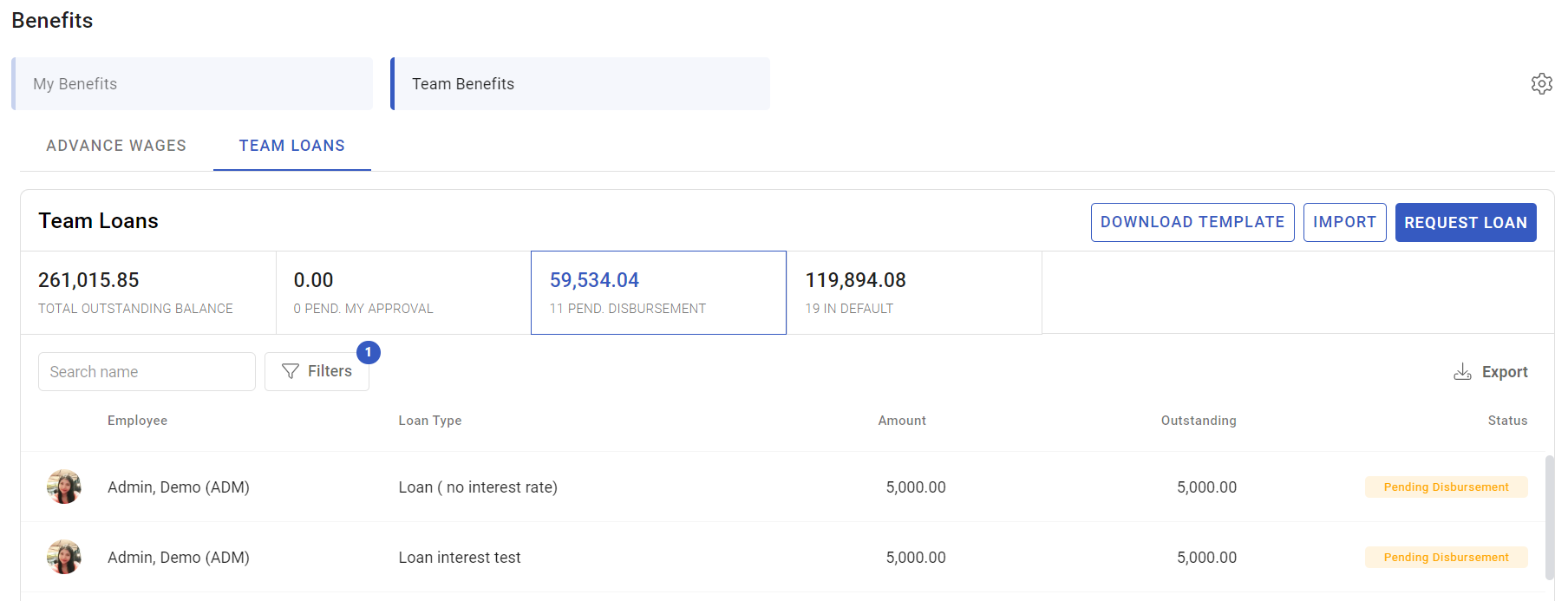
Where: Benefits › Team loans › the loan You need: benefits rights including the right to disburse
Before You Start
Check the approval is complete. A loan should not be disbursed while any approval is outstanding, and the status will tell you.
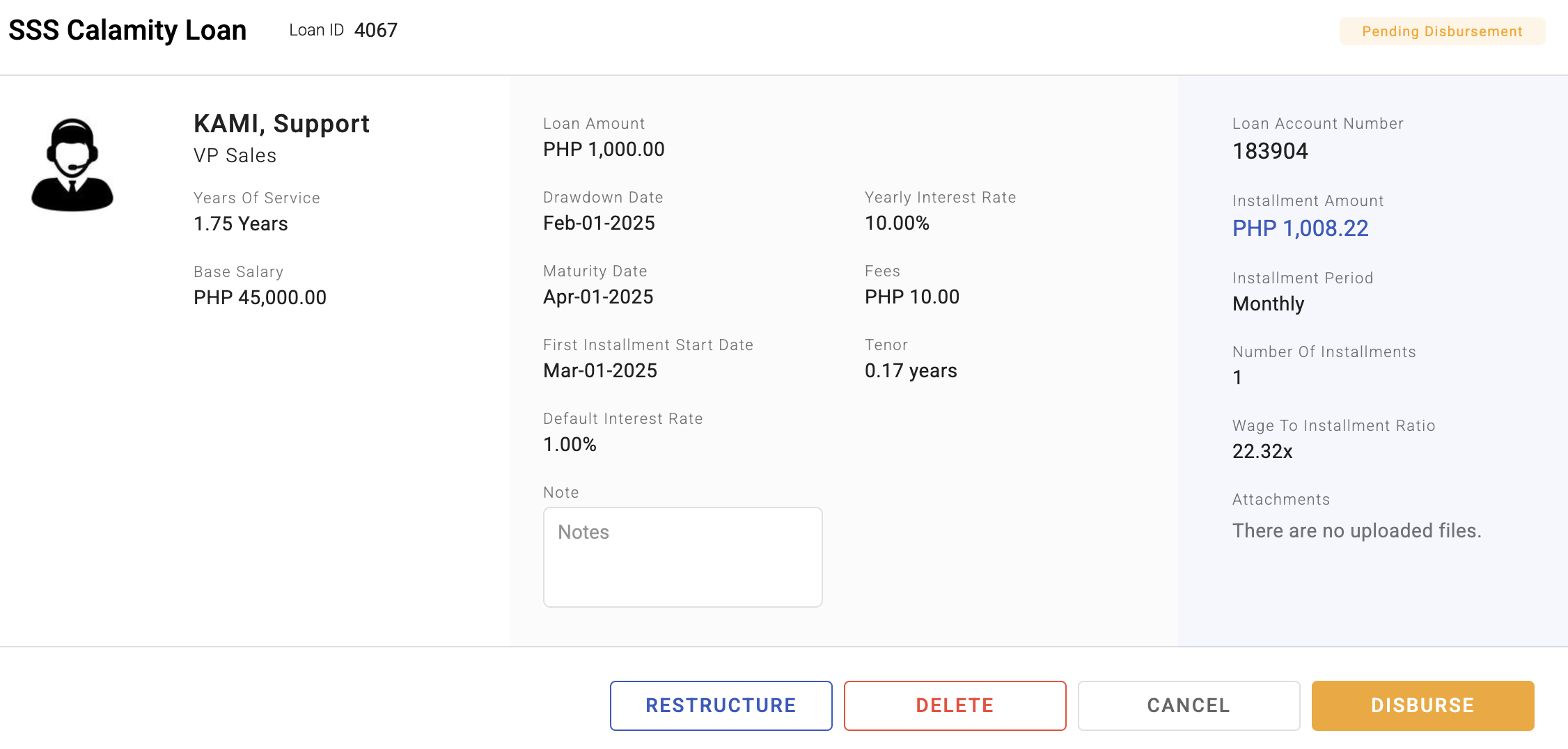
Check the contract requirement. Loan types can require a contract before disbursement, and some require a recorded loan account number.
Check the drawdown notice. A loan type can specify notice days before funds are released — that period exists so the money is expected on both sides.
Confirm the bank details. This is the same failure mode as payroll disbursement: correct figures, unpayable account.
How disbursement fits the loan's life
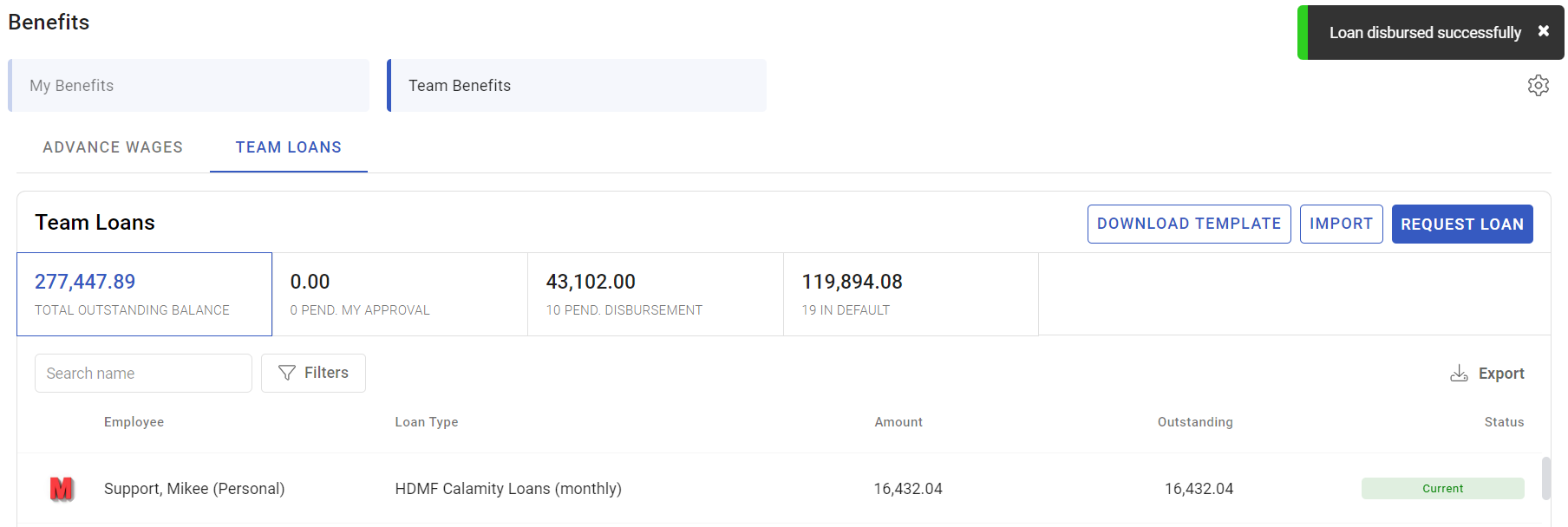
pending approval → pending contract → pending disbursement → liveA loan sits in Pending disbursement once it is approved and contracted. Disbursing it moves it to Live, which is when the repayment schedule starts running and instalments begin appearing on payslips.
⚠️ Do not disburse before the employee has seen and agreed the schedule. Once the money has moved, the terms are much harder to discuss.
How to disburse
- Open the loan in Benefits › Team loans and confirm it is Pending disbursement.
- Re-check the amount and the schedule.
- Confirm the employee's bank details.
- Disburse, recording the reference for the payment.
- Confirm the loan moves to Live and that the first instalment date is what you expect.
What Happens Next
- The loan becomes Live and the repayment schedule starts — see Loan instalments and repayment.
- The outstanding balance appears against the employee and in benefit reports.
- The first instalment falls on the schedule's first date, subject to any first-instalment grace on the loan type.
- Disbursement records are the evidence the money moved; keep the reference.
Tips
- Disburse in batches on a fixed day. Predictability helps the employee and makes reconciliation against the bank straightforward.
- Reconcile disbursements against the bank the same day. A loan marked disbursed that never left the bank produces a repayment schedule against money the employee never received.
- Keep the payment reference on the loan. It is the first thing anyone asks for when there is a query.
- Separate who approves from who disburses, exactly as in payroll. It is the same control for the same reason.
- Check the first instalment date before disbursing, particularly where a grace period applies — the employee will plan around it.
Troubleshooting / FAQ
Q: The loan is approved but cannot be disbursed. Check whether the type requires a contract or a loan account number, and whether the drawdown notice period has elapsed.
Q: We disbursed but the loan is not Live. Refresh, and check for an Error status. A loan in Error is not repaying.
Q: The money went out but the employee says it did not arrive. Check the bank details on the disbursement record against the employee's account.
Q: We disbursed the wrong amount. Do not adjust the schedule to compensate. Resolve the payment first, then correct the loan so the record matches the money.
Q: When does the first instalment come off? On the schedule's first instalment date, allowing for any first-instalment grace on the loan type.
Screenshots
These screenshots came from our previous help centre and may show an earlier version of the interface.