Audit Trail report
The Audit Trail records changes to employee records: who made the change, what they changed, and when. It answers the question that otherwise has no answer — "this was different last week, who changed it?"
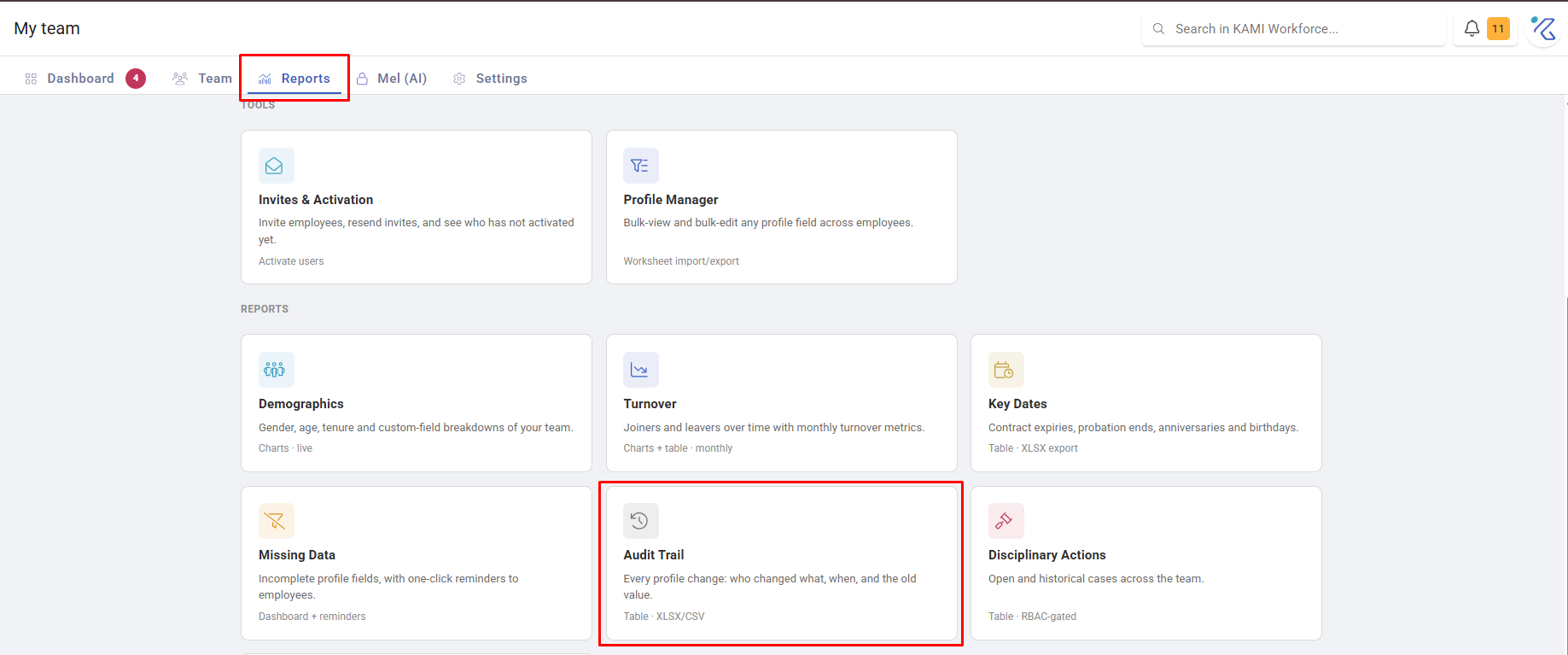
Where: My Team › Reports › Audit Trail
You need: the Reports (team) right
When to use this, and when not to
| The question | Use |
|---|---|
| Who changed this, and when? | Audit Trail |
| Which records are incomplete? | Missing Data |
| What was imported, and by whom? | Import history in Bulk data |
| What happened to this attendance day? | The event's own history in Attendance |
What it shows
Each entry records the employee affected, the field changed, the old and new values, who made the change, and when. Filter by date range, employee and the usual organisational dimensions, and export.
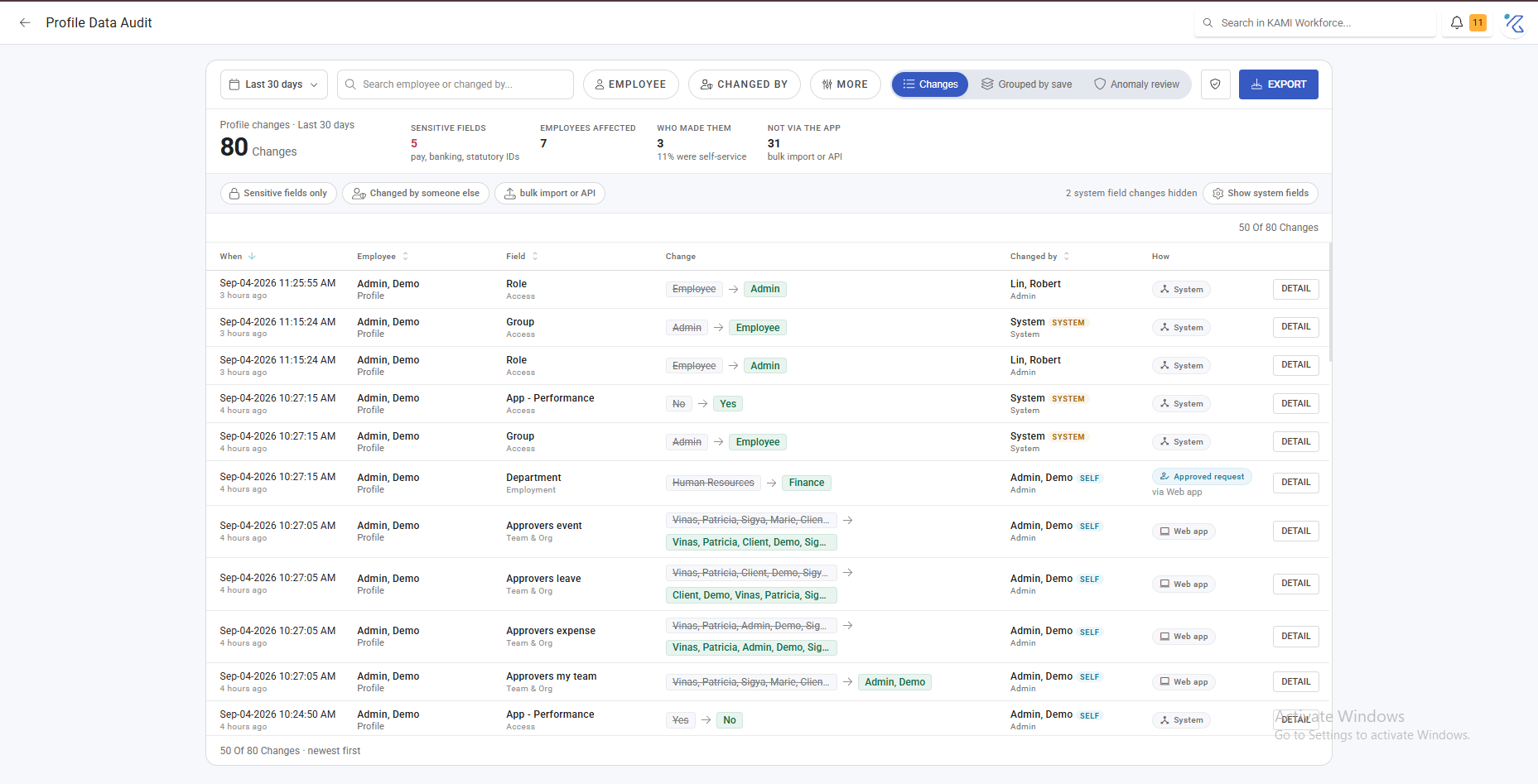
Changes made through every route appear here — an individual profile edit, a Profile Manager bulk edit, a bulk import, or an automation. That matters: a bulk change lands as many entries, all attributed to the person who ran it.
What it is genuinely for
Three jobs, in rough order of frequency:
Answering "who changed this". A salary, a bank account, a schedule that is not what someone expected. This is the fastest way to establish what happened without accusing anyone.
Investigating a payroll surprise. When a payslip is wrong, the audit trail usually shows the change that caused it, and when — which tells you whether it affected one period or several.
Demonstrating control. For an audit or a data-protection question, the ability to show who accessed and changed employee data is often the requirement itself.
What Happens Next
The audit trail is a read-only record — nothing here changes anything. What it produces is a next step:
- An unexpected change → a conversation with whoever made it, usually a misunderstanding rather than anything worse
- A bulk change nobody remembers → check the import history for the file
- A pattern of corrections to the same field → the underlying data or process is wrong, not the people
Tips
- Check it before assuming a bug. "The system changed it" is almost always "someone changed it", and the trail settles that in seconds.
- Filter by field, not just by person, when investigating. A single field across the whole company shows whether one change or many caused the issue.
- Export it when a dispute starts. The trail is live and easier to read as a fixed extract when a conversation runs over weeks.
- Do not use it to monitor individuals routinely. It is an investigation tool; treating it as surveillance changes how people work in the system.
Troubleshooting / FAQ
Q: A change I know happened is not showing. Check the date range and that you have scope over that employee. Access limits what you can see here as everywhere else.
Q: Hundreds of entries appeared at once from one person. A bulk edit or import. Each affected record produces its own entry, all attributed to whoever ran it.
Q: Who ran that import? The import history in Bulk Data records the file, the person and the time.