Onboarding Wizard
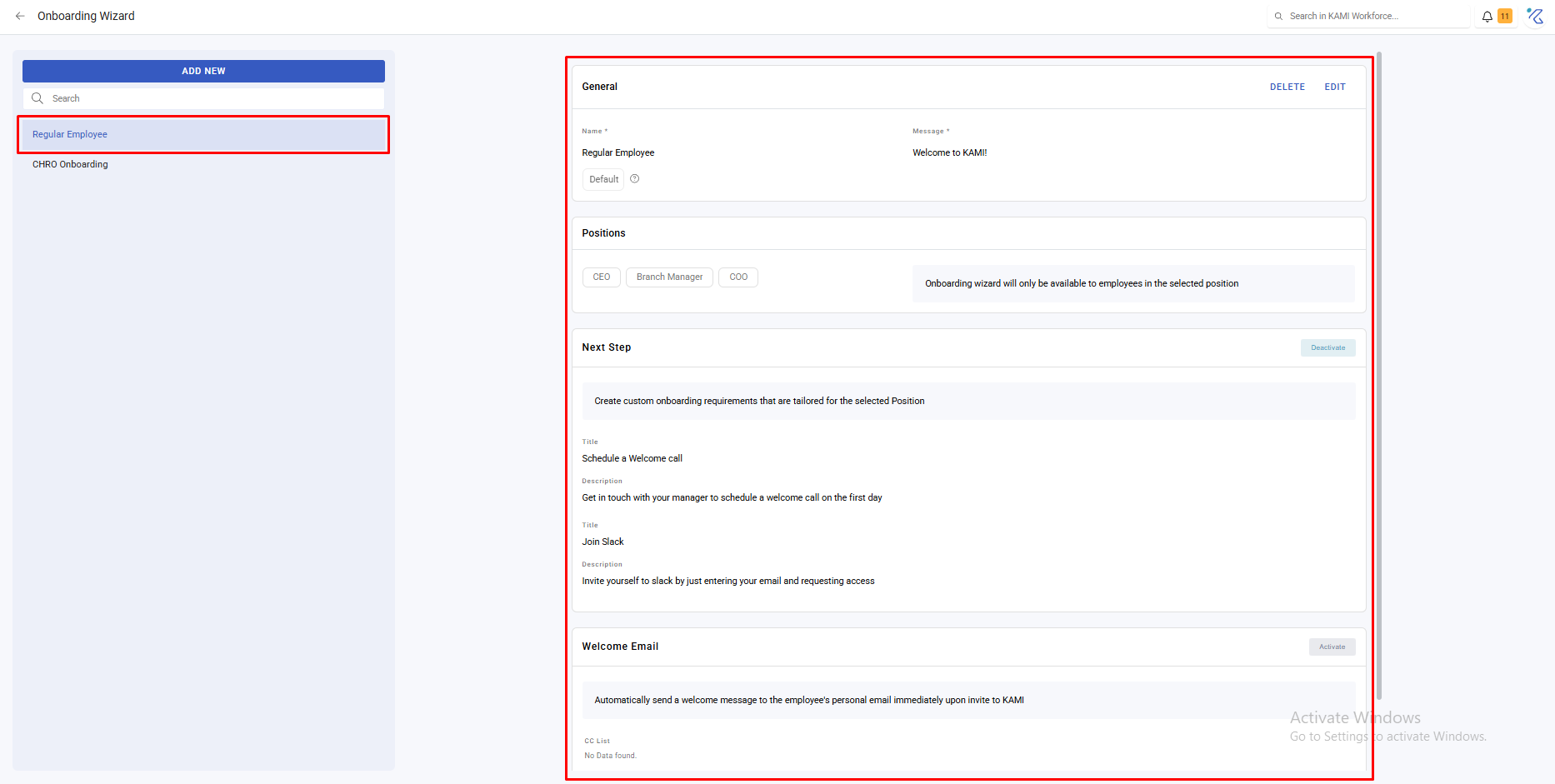
The Onboarding Wizard defines what a new joiner is asked to do when they first log in — the details they complete, the documents they provide, the steps they work through. Configured once, it turns onboarding from a checklist somebody remembers into a process that runs itself.
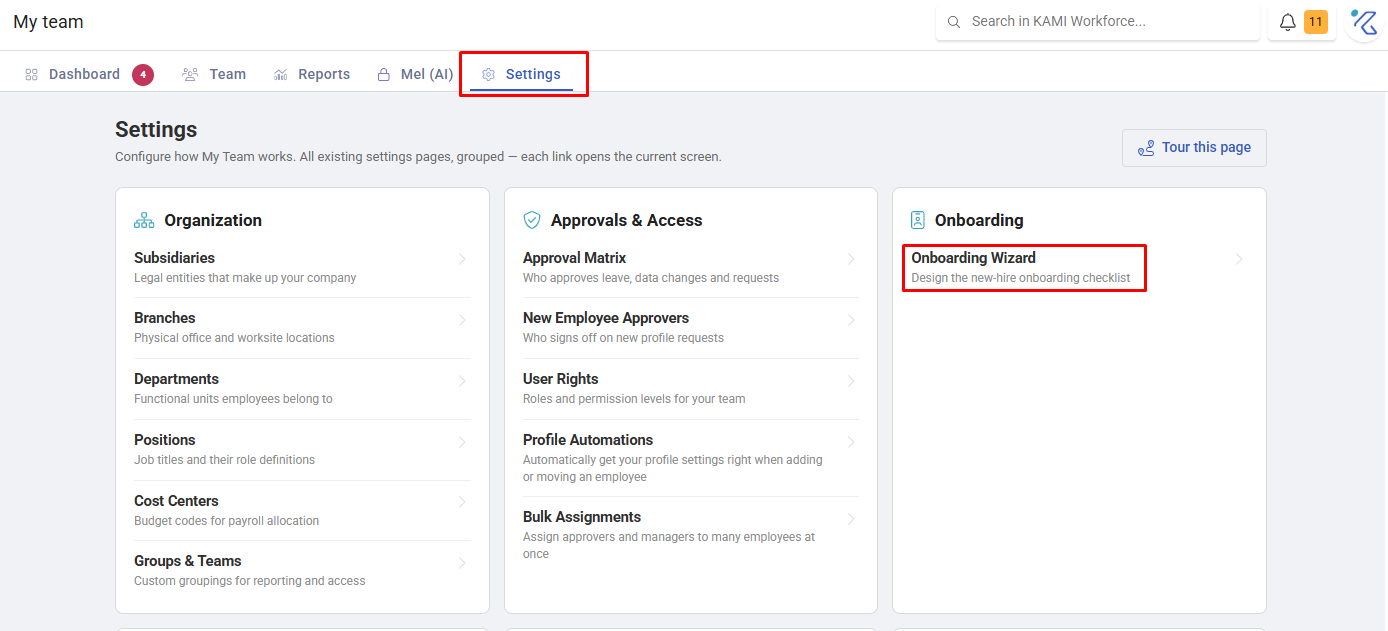
Where: My Team › Settings › Onboarding Wizard
You need: the settings right
When to use this, and when not to
| You want | Use |
|---|---|
| New joiners to complete their own details and documents | Onboarding Wizard |
| To add employees to KAMI | The Add Employee wizard — a different thing |
| Settings applied automatically by placement | Profile Automations |
| To chase missing details later | Missing Data report |
Two different wizards, easily confused: the Add Employee wizard is what you fill in to create someone. The Onboarding Wizard is what they fill in when they arrive.
Before You Start
Set this up before your first bulk onboarding, not after. A cohort onboarded without it produces exactly the gaps you would have collected automatically — and chasing thirty people for their emergency contact afterwards is the work this feature exists to prevent.
What it does
The wizard presents new employees with the steps you configure — completing personal details, providing documents, acknowledging what they need to acknowledge — as a guided sequence rather than a profile to explore.
What Happens Next
- New employees see the wizard when they first log in, after activation.
- Details they enter populate their profile directly, so what they provide is what your records hold.
- They must be invited and activated before they see anything. An employee left Uninvited never reaches the wizard — see Invites & Activation.
- Anything not collected here shows up later in Missing Data.
Tips
- Ask only for what you will use. Every field is friction on someone's first day, and a long wizard produces rushed, low-quality answers rather than complete ones.
- Put the legally-required items first. If someone abandons halfway, you want the important half completed.
- Test it as an employee, on a real account, before rolling it out. The admin's view of a wizard is not the experience of filling it in.
- Pair it with a Missing Data check a week later. Whatever the wizard did not collect is visible there, while the person is still new enough to ask.
- Revisit it after each intake. The questions people got wrong or skipped tell you which ones are badly worded.
Troubleshooting / FAQ
Q: A new employee never saw the wizard. They have not been invited or have not activated. The wizard appears on first login.
Q: Details they entered are not on their profile. Check whether the step exists in the wizard configuration — the wizard collects only what you configured.
Q: People are abandoning it partway. Usually length. Cut it to the fields you genuinely act on and collect the rest later.