Key Dates report
The Key Dates report shows what is coming up for your people — probation endings, contract expiries, anniversaries, birthdays. It exists so those dates arrive as decisions you have made rather than deadlines you have missed.
Where: My Team › Tools & Reports › Key Dates
You need: the Reports (team) right 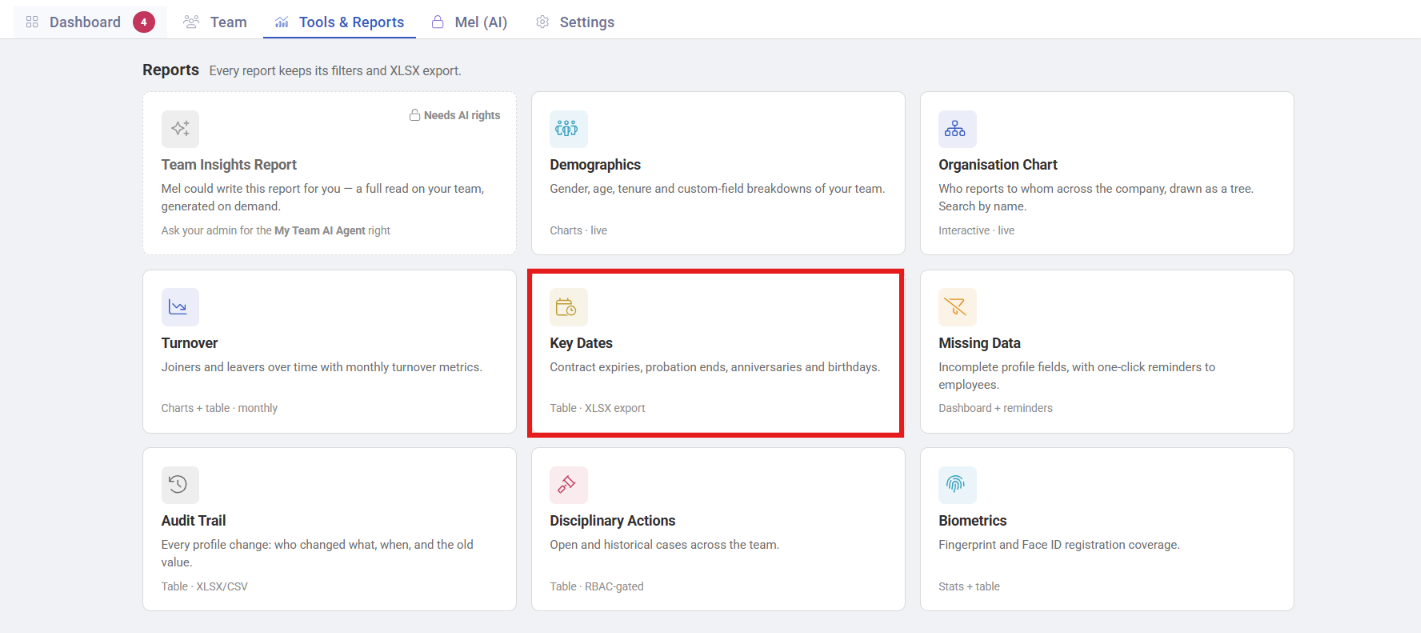
When to use this, and when not to
| The question | Use |
|---|---|
| What is coming up for my team? | Key Dates |
| Whose records are incomplete? | Missing Data |
| Who has left, and why? | Turnover |
| What is my team's shape? | Demographics |
What it shows
Upcoming dates per employee across a period you choose, filterable by branch, department, position, cost centre and group:
- Probation endings — the date a decision is due
- Contract expiries — fixed-term contracts approaching their end
- Work anniversaries — often tied to leave entitlement changes
- Birthdays
The two that carry consequences
Anniversaries and birthdays are courtesies. Probation and contract dates are decisions with deadlines, and both have a cost for missing them:
- A probation date that passes unactioned usually means the person is confirmed by default, which may not be what anyone intended, and is difficult to unwind.
- A contract expiry that passes unnoticed can mean someone works without a valid contract, or is deactivated automatically when nobody meant them to leave.
Both need a decision before the date, which is the entire reason to read this report on a schedule rather than when someone remembers.
What Happens Next
The report tells you what is coming; it does not act:
- Probation ending → confirm, extend, or end employment. Where leave accrues during probation, confirmation is also when held entitlement lands — see Leave types and policies.
- Contract expiring → renew, convert, or plan the exit. If a termination date is set, KAMI deactivates automatically when it passes — see Deactivating, terminating and rehiring employees.
- Anniversary → for many leave policies this is when the leave year resets and carry-over is applied.
Tips
- Read it fortnightly, looking 4–6 weeks ahead. Reading it weekly for next week is too late to make a decision properly; monthly means missing things that fall in the gap.
- Dates depend on complete data. Employees without a hire date have no anniversary and no probation date, so they are invisible here. Cross-check with Missing Data.
- Send probation reminders to the manager, not to HR. HR notices the date; the manager holds the judgement.
- Export the next quarter before planning cycles, so contract renewals are budgeted rather than discovered.
Troubleshooting / FAQ
Q: Someone's probation end date is missing. They have no hire date, or no probation period set on their profile.
Q: An employee was deactivated unexpectedly. A termination date had been set and passed — KAMI deactivates automatically, in the branch's timezone, checked hourly.
Q: Anniversary dates look wrong for leave purposes. Leave years can run from hire date, a fixed date, or birthday depending on the policy. See Leave types and policies.