Submitting an expense claim
A claim asks the company to pay you back for something you have already spent. Getting it right first time is mostly about evidence — most rejections are missing paperwork rather than disallowed spending.
Where: Expenses › My expenses You need: nothing special — every employee can claim against the types available to them
Before You Start
Keep the receipt. Most expense types require one, and some also require the receipt number, the supplier's TIN, or the VAT broken out. You cannot add those later from memory.
Check the type before you spend, if it is a large amount. Limits, an excess or a co-pay may mean you are not reimbursed in full — and it is far better to know beforehand.
Watch the receipt date. Types can restrict how far back a receipt may be dated, so a claim submitted months later may be refused on age alone.
How to submit a claim
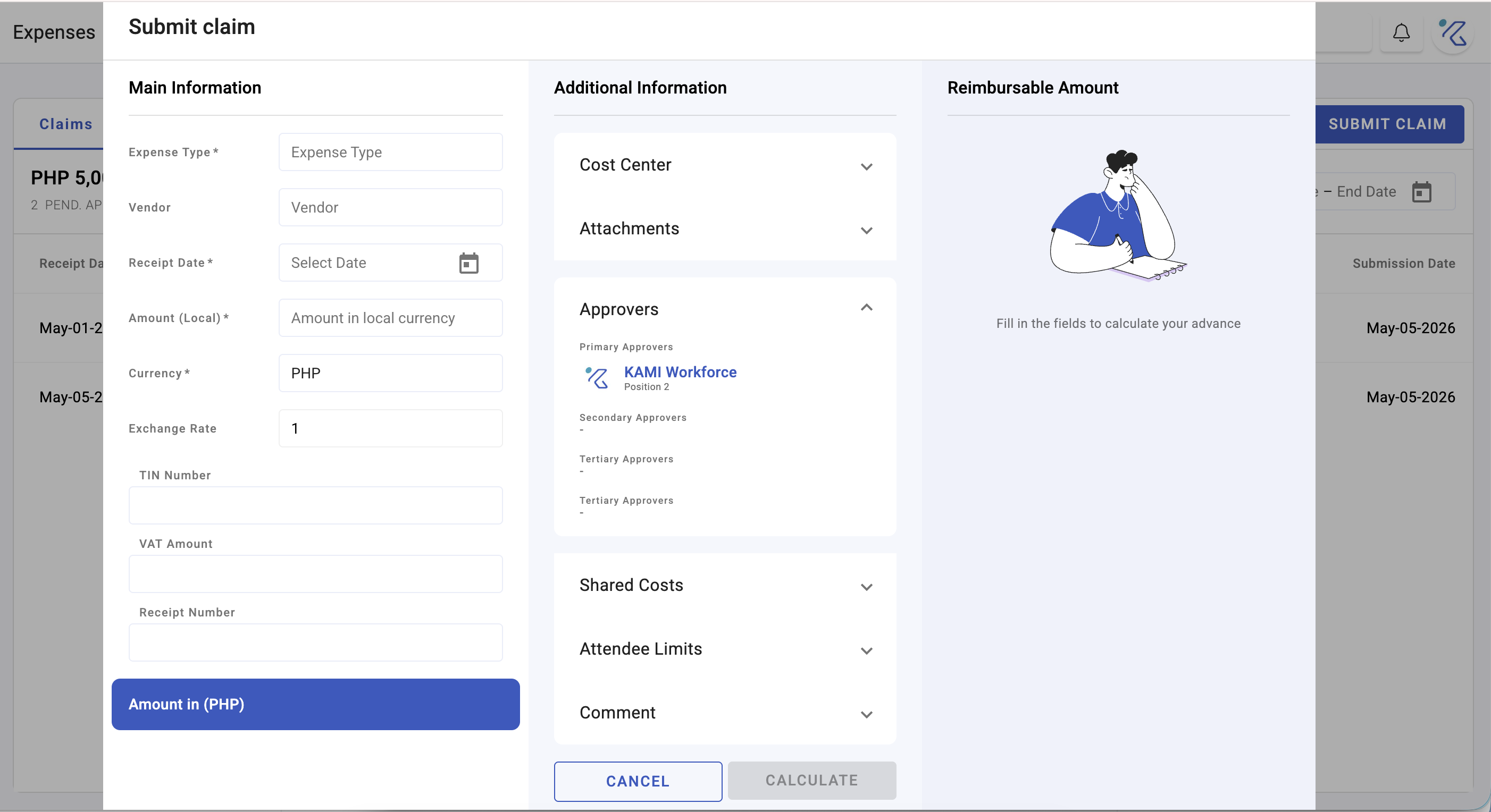
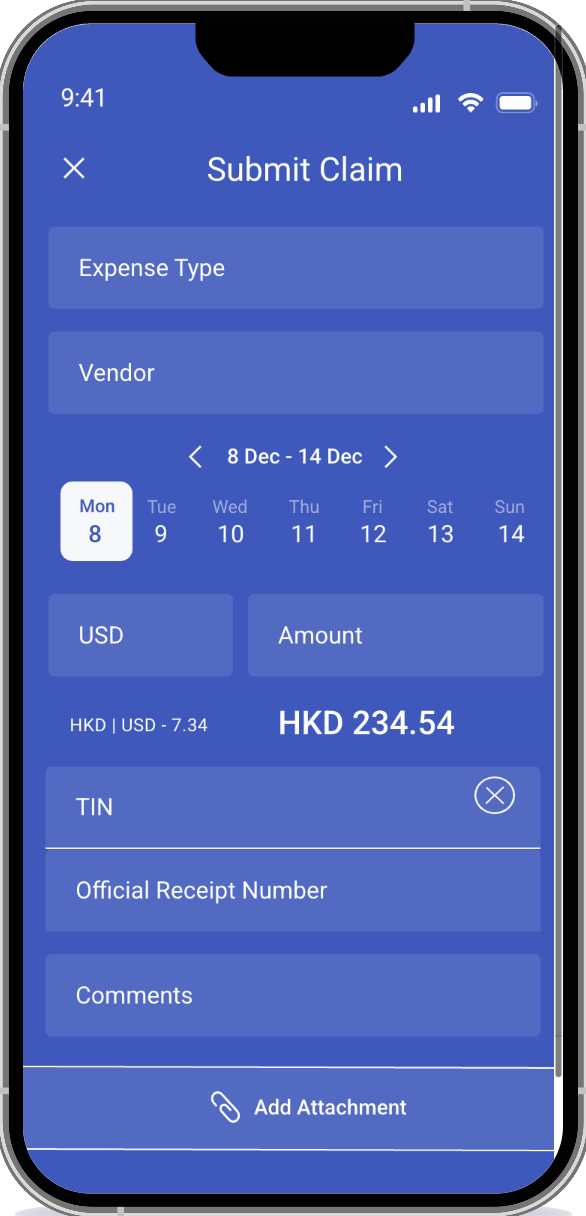
- Open Expenses › My expenses and start a claim.
- Choose the expense type — this decides the rules that apply.
- Enter the amount and the date.
- Attach the receipt and complete any required fields — receipt number, TIN, VAT, description.
- Submit.
Your claim goes to the approver for that type.
Why you may be paid less than you claimed
Two settings on the expense type can reduce what you receive, and both are policy rather than error:
| Means | |
|---|---|
| Excess | An amount you bear before anything is reimbursed |
| Co-pay | A percentage of the rest that you also bear |
With an excess of 500 and a co-pay of 20%, a claim of 2,000 reimburses 1,200 — you bear the first 500, plus 20% of the remaining 1,500.
If that applies to a type you use, your company's policy should say so. If it does not, ask — it is a reasonable thing to know before spending.
What Happens Next
- Your claim moves from requested to pending, then approved or declined.
- Approved claims are reimbursed by the method your company uses — often through payroll, in which case it appears on your payslip.
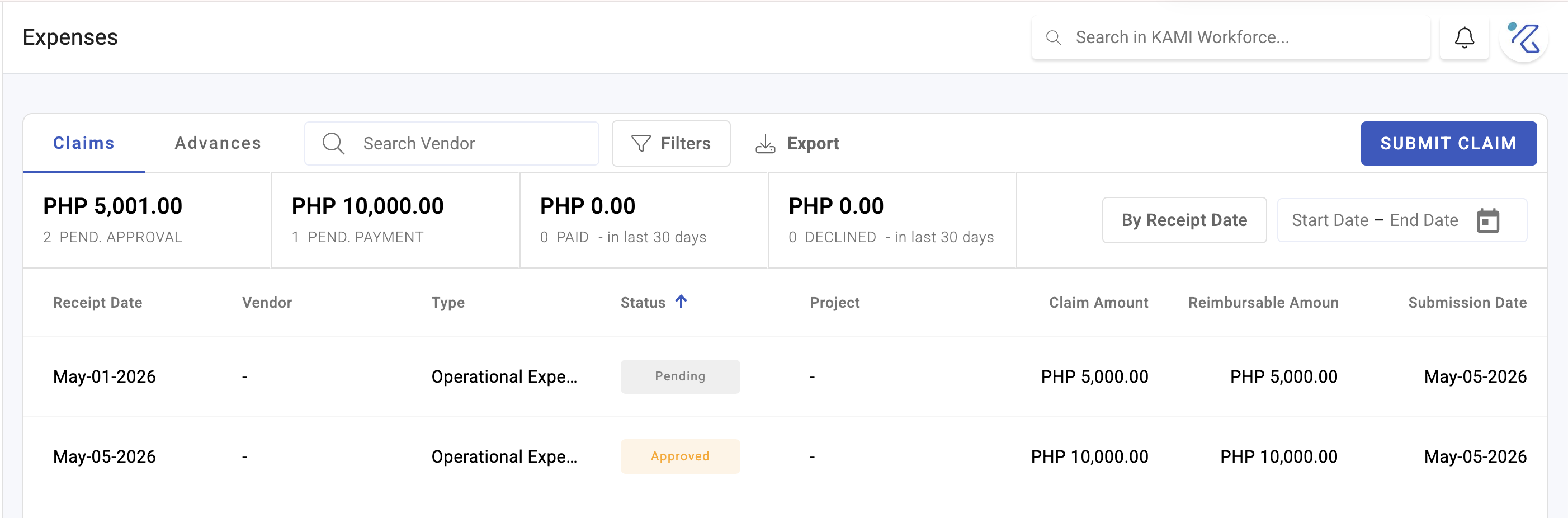
- You can track the status of your claims in My expenses.
Tips
- Photograph the receipt when you get it, not at month end. Faded thermal receipts are the most common reason a valid claim cannot be substantiated.
- Submit promptly. Types can limit how old a receipt may be, and late claims are also harder for approvers to verify.
- Write a useful description. "Client lunch — Acme contract renewal, 3 attendees" is approved quickly; "lunch" invites a question.
- Check the limit before a large spend, not after. Approvers cannot reimburse beyond the type's limit.
- Claim against the right type. The type decides the rules, and a claim in the wrong category may be rejected even though the spending was legitimate.
Troubleshooting / FAQ
Q: My claim was declined for a missing receipt number. That type requires it. Requirements differ by type.
Q: I was reimbursed less than I claimed. Check the type's excess and co-pay. Both are deliberate policy settings.
Q: My claim was rejected because of the receipt date. The type restricts how far back a receipt may be dated.
Q: I cannot see the expense type I need. Types can be restricted by group, position or employment type, and can exclude probationary employees.
Q: When will I be paid? It depends on the method. Reimbursement through payroll arrives with your next payslip.
Q: Can I claim on behalf of someone else? Claims are made by the person who spent. If you paid for a colleague's expense, claim it yourself with an explanation.
Screenshots
These screenshots came from our previous help centre and may show an earlier version of the interface.
How to Submit an Expense Claim (Employee)
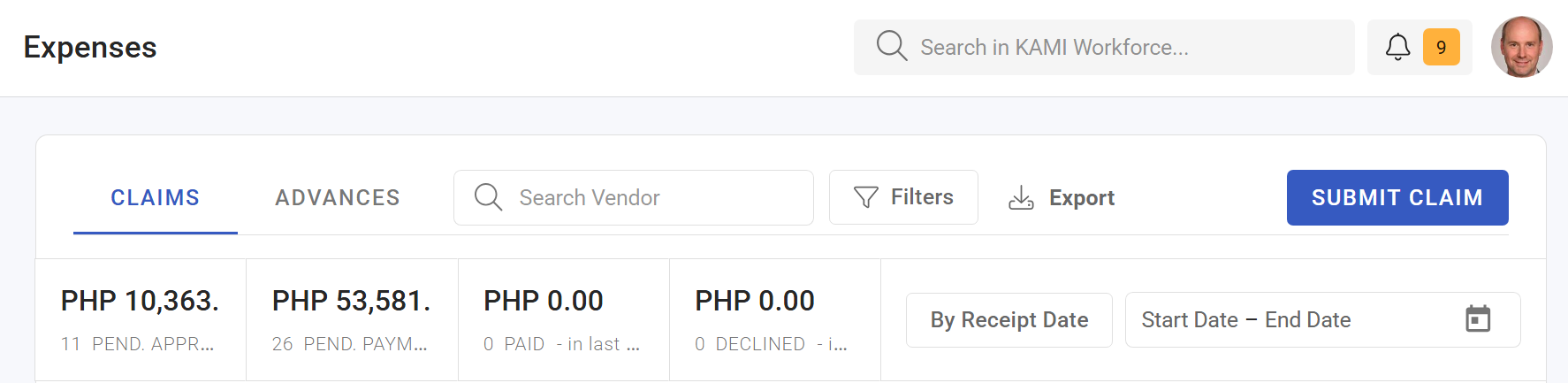
My Expenses





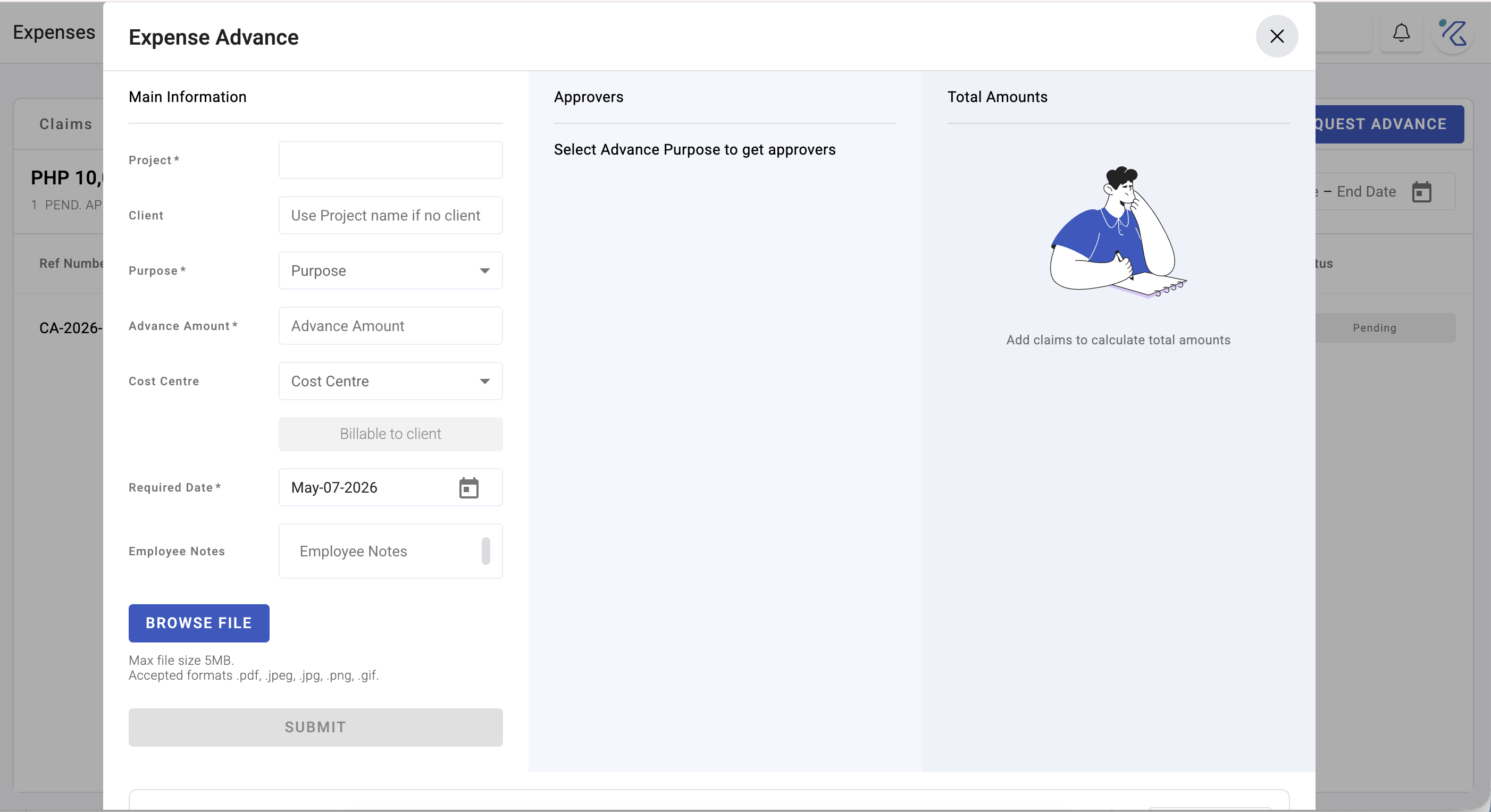
Submit Expense Claims and Advances