KAMI QuickPay: advance wages
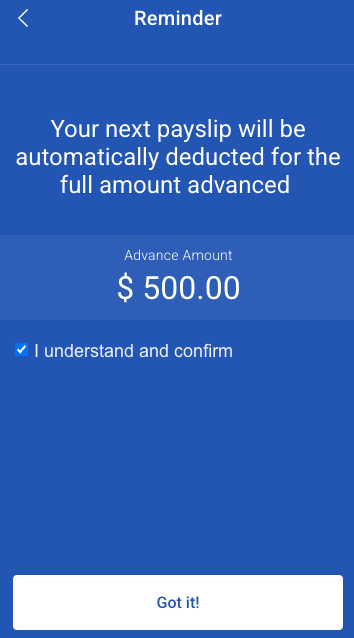
QuickPay lets an employee draw part of the pay they have already earned this period, before payday. It is not a loan: there is no term and no repayment schedule, because the money is theirs — it is simply released early and recovered from the next payslip.
Where: Benefits › Advance wages You need: benefits rights, and the settings right to configure it
How it differs from a loan
| QuickPay advance | Loan | |
|---|---|---|
| What is released | Wages already earned this period | Company money |
| Recovered by | The next payslip, in full | Instalments over months |
| Cost to the employee | A fee | Fee and interest over the term |
| Credit assessment | Earned wages set the limit | Loan type limits and service rules |
Because the limit is what someone has already worked for, QuickPay cannot lend more than the employee is owed. That is what makes it a fundamentally different product from a loan, and it is worth saying plainly to employees who ask for "an advance" meaning a loan.
What controls how much can be drawn
| Setting | Decides | Default |
|---|---|---|
| Cut-off rate | The share of earned wages available | 60% |
| Minimum allowed advance | A floor an employee can request even if earned wages are lower | — |
| Maximum outstanding | The most that can be outstanding at once | — |
| Fee | The charge for the advance | 3.5 |
| Minimum fee | A floor on that charge | — |
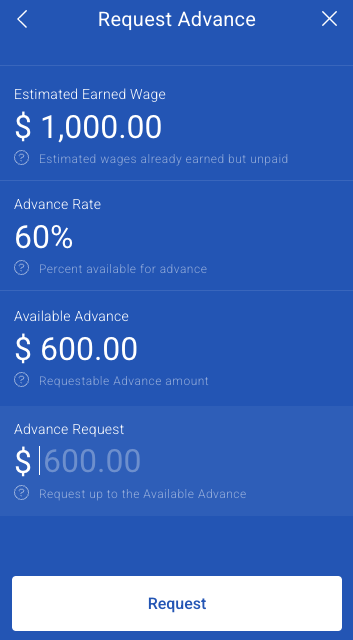
The cut-off rate is the important one. At 60%, someone who has earned a given amount so far this period can draw 60% of it — the remainder stays to cover deductions, contributions and tax, so the payslip does not come out negative.
⚠️ Raising the cut-off rate increases the chance that an employee's next payslip nets to nothing after the advance and their statutory deductions. The default leaves deliberate headroom. Raise it only if you have modelled what happens to a heavily deducted payslip.
Abuse and failure controls
QuickPay moves money on demand, so it has controls a loan does not need:
| Setting | Purpose | Default |
|---|---|---|
| Maximum failed attempts | Failures before the employee is blocked | 3 |
| Failure window | The period those failures are counted over | 24 hours |
| Block duration | How long a block lasts | 24 hours |
| Blackout periods | Date ranges each month when QuickPay is off for everyone | — |
Blackout periods are typically set around payroll processing, so advances are not being drawn against a period that is being calculated.
Who is eligible
Eligibility is defined by any combination of employment type, department, position, branch, subsidiary, profile group and cost centre. There is also an option for KAMI's own checks.
This is how you offer QuickPay to, say, regular employees in operations without extending it to probationary staff or contractors.
How to set up QuickPay
- Open Benefits › Advance wages settings.
- Activate QuickPay for the company.
- Set the cut-off rate, fee, minimum fee, minimum allowed advance and maximum outstanding.
- Set the failure controls and any blackout periods.
- Define eligibility by the groupings you use.
- Test with one employee before announcing it.
What Happens Next
- Eligible employees can request an advance up to their available amount.
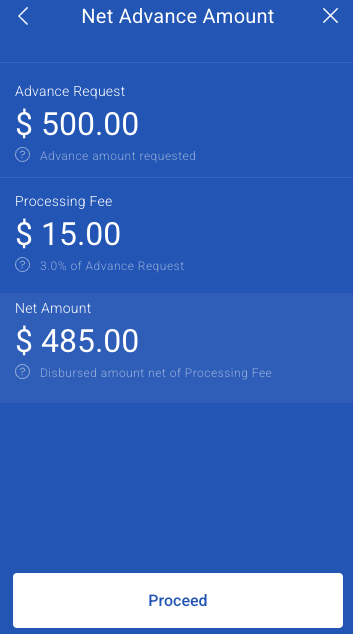
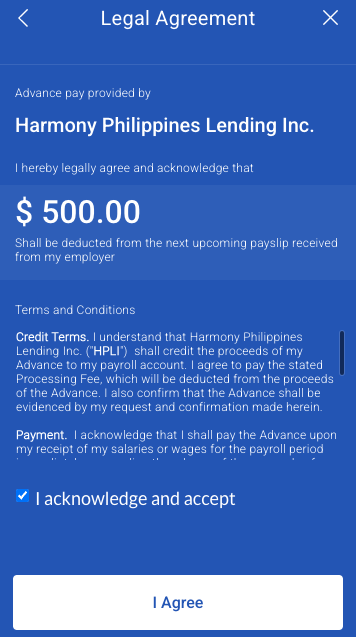
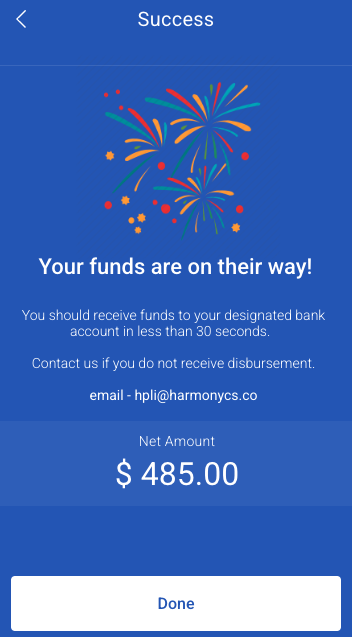
- The advance and its fee are recovered from the next payslip — see Repaying advances.
- Failed attempts count toward a block within the failure window.
- Blackout periods switch it off for everyone, without notice to the employee unless you give it.
Tips
- Explain the cut-off rate to employees before launch. "I earned this much, why can I only take part of it" is the first question, every time, and the answer is that the rest covers their deductions.
- Set blackout periods around your payroll processing days. An advance drawn mid-calculation is an avoidable reconciliation problem.
- Start eligibility narrow and widen it. Withdrawing a benefit is much harder than extending one.
- Check the fee against local regulation before activating. Charging employees to access their own earned wages is regulated in some jurisdictions.
- Watch employees who use it every period. Habitual use is usually a sign of a pay or budgeting problem worth a conversation rather than a product to keep selling.
Troubleshooting / FAQ
Q: An employee cannot request an advance. Check eligibility, whether they are blocked after failed attempts, whether a blackout period is active, and whether they have reached the maximum outstanding.
Q: The available amount is lower than they expected. It is a share of earned wages, set by the cut-off rate — not the full amount earned.
Q: An employee is blocked. They exceeded the failed-attempt limit within the failure window. The block lifts after the block period.
Q: Their next payslip was almost nothing. The advance and fee were recovered from it. This is what the cut-off rate exists to limit.
Q: Can an advance be spread over several payslips? No — it is recovered from the next payslip. If someone needs to spread repayment, they need a loan, not an advance.
Screenshots
These screenshots came from our previous help centre and may show an earlier version of the interface.