Running a payroll batch cycle
A payroll run takes a period of attendance and turns it into payslips you can check, approve and pay. This is the process end to end, and the points in it that are hard to undo.
Where: Payroll › the payroll run You need: payroll rights for that batch cycle — see Payroll user rights
Before You Start
Close attendance first. Calculation reads timekeeping as it stands at that moment. An amendment approved after you calculate is not in the payslip until you recalculate it.
Check the joiners and leavers. Anyone hired or terminated inside the period is prorated, and a wrong employment date is a wrong payslip.
Know your cut-off. The cut-off is the period whose work is being paid. It is not the pay date. Work done after the cut-off belongs to the next run, however close to payday it happened.
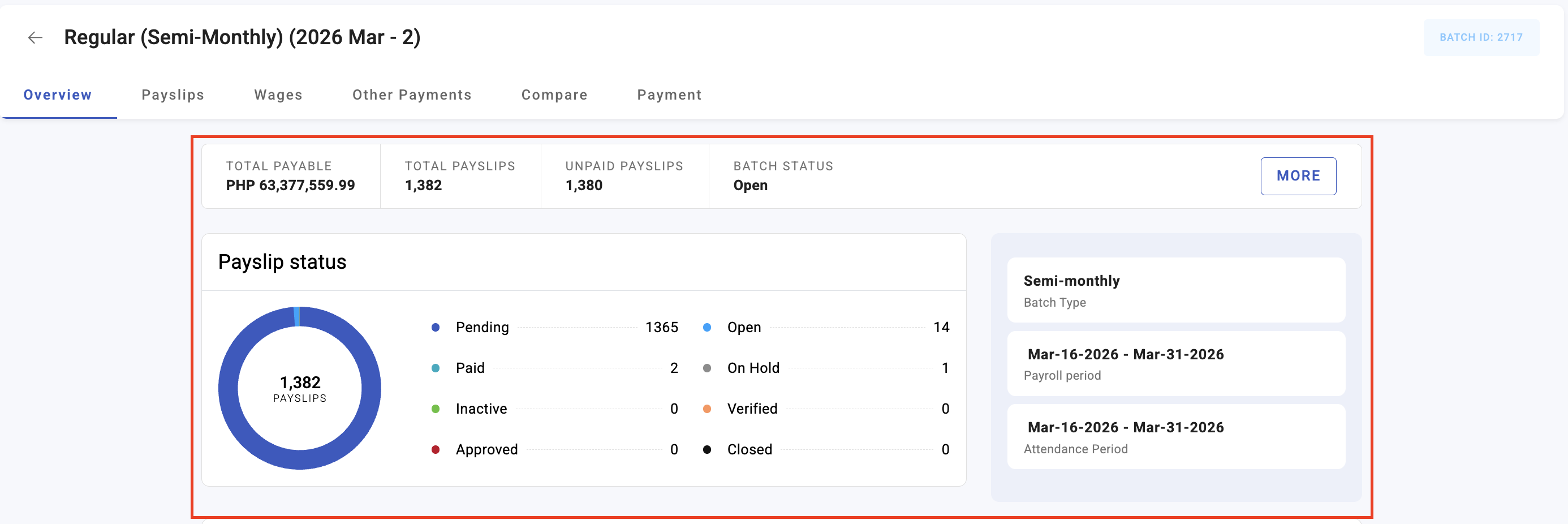
The statuses a payslip moves through
| Status | Means |
|---|---|
| Pending | Exists, not yet calculated — no figures |
| Verified | Calculated and checked by the preparer |
| Approved | Signed off by an approver |
| Closed | Final; ready to be paid |
| Paid | Money released |
| On Hold | Pulled out of the run pending review |
| Inactive | Not part of this run |
How to run payroll
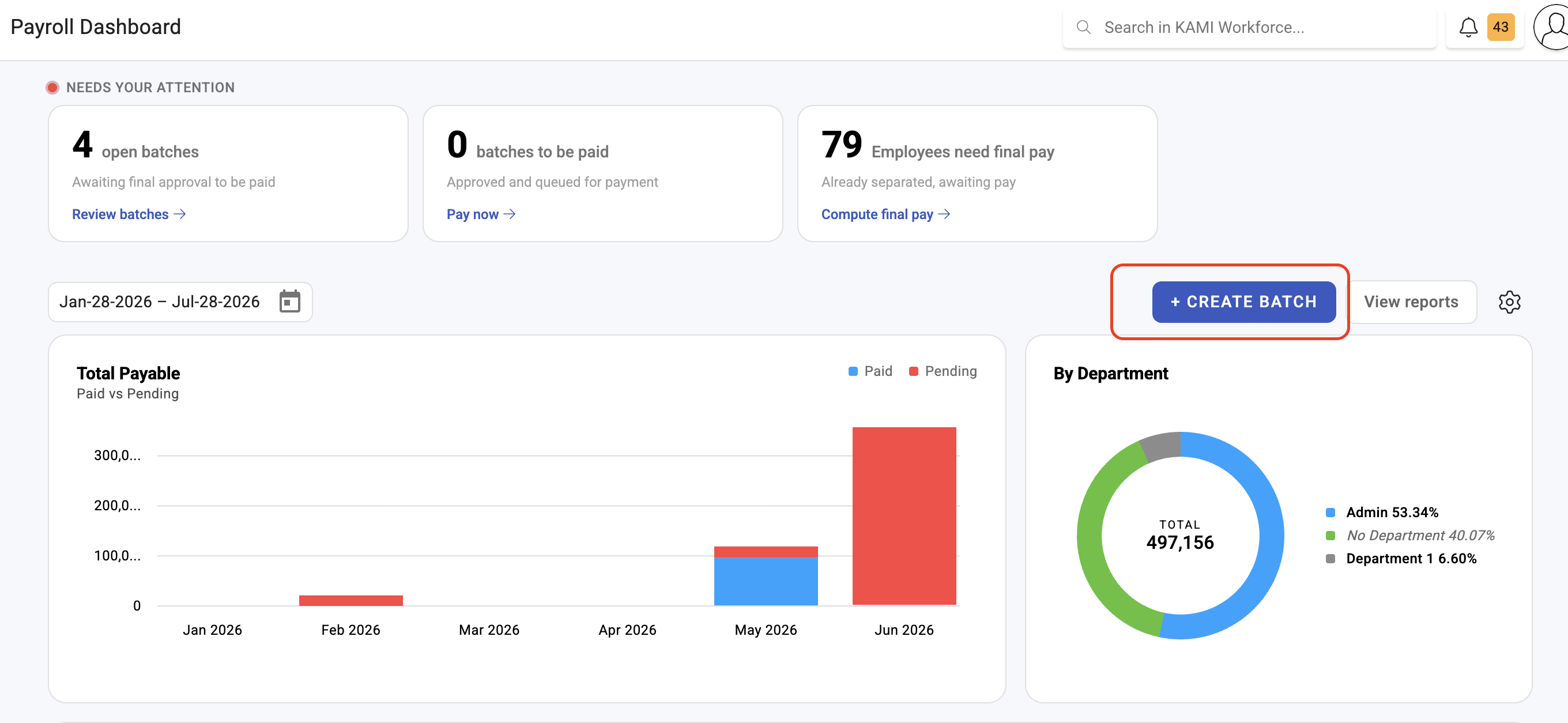
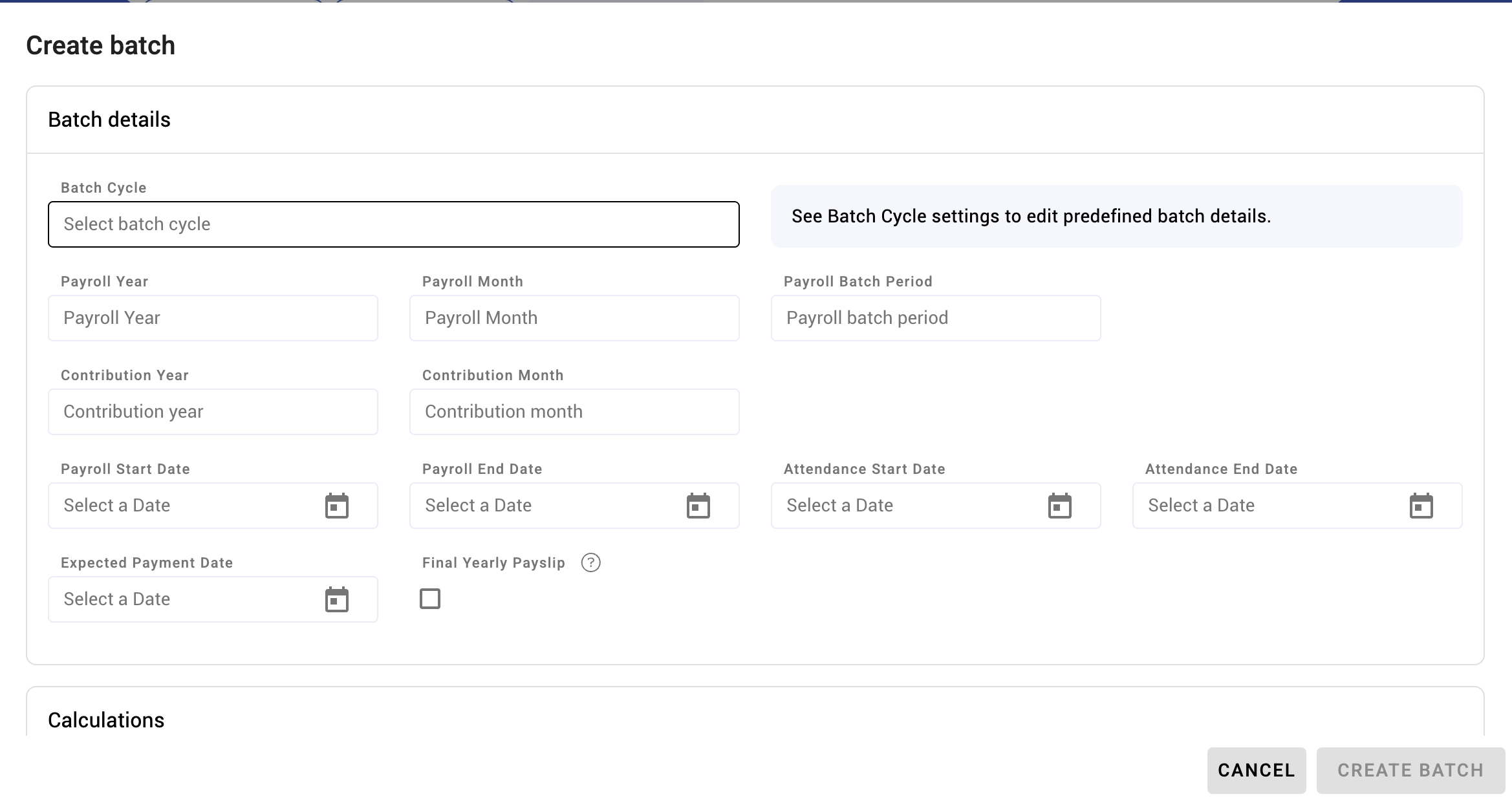
- Open the payroll run from the Payroll dashboard.
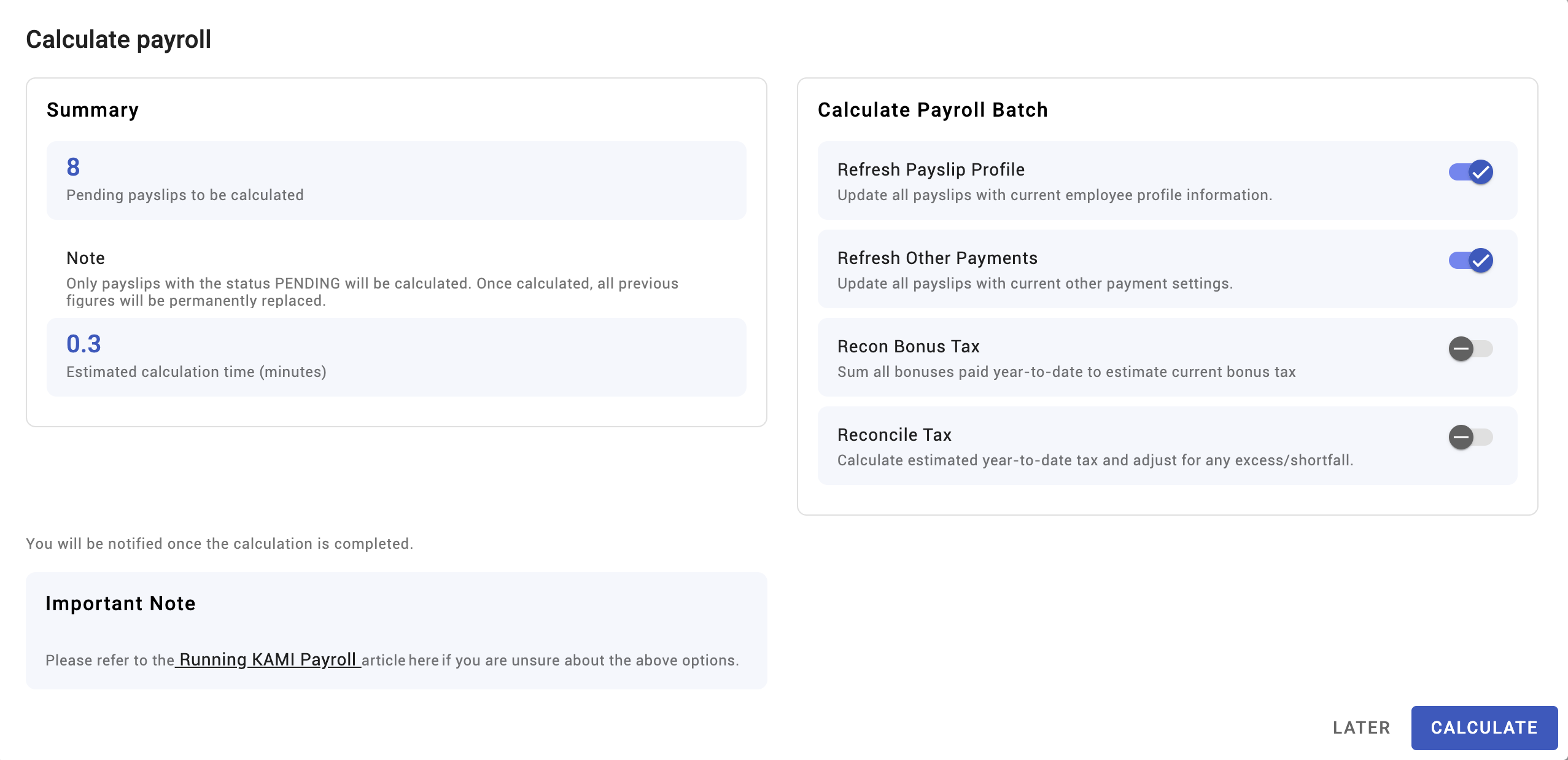
- Calculate. Use Calculate payroll for the whole batch, or Calculate payslip for one employee.
- Review the results on the Payslips tab, and use the Wages, Others and Compare tabs to check the detail.
- Verify the payslips you are satisfied with.
- Approve — this runs through the approver flow configured for the cycle.
- Close the approved payslips.
- Pay from the Payment tab.
⚠️ Calculating replaces everything. In KAMI's own words: "Only payslips with the status PENDING will be calculated. Once calculated, all previous figures will be permanently replaced." Any manual adjustment you made to a payslip is gone. Calculate first, adjust second — never the other way round.
Recalculating
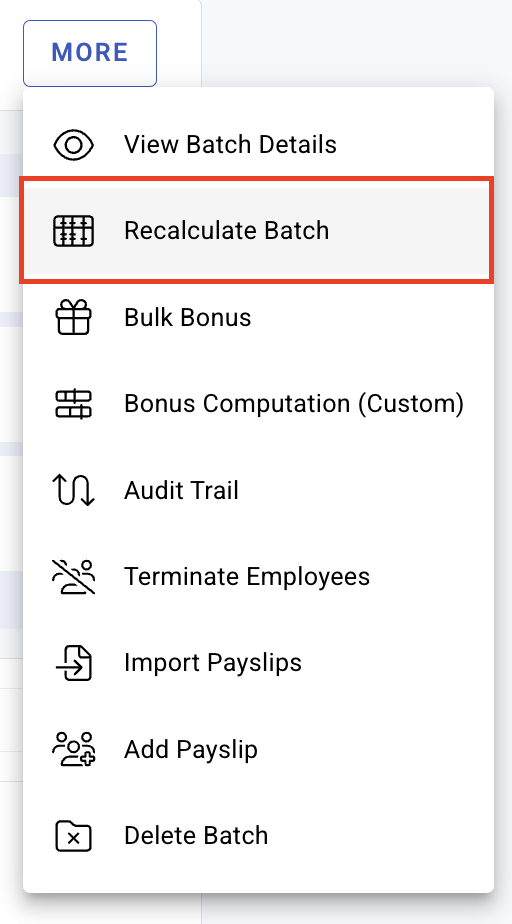
Recalculate if you changed an employee's profile or their timekeeping records after calculating. You can recalculate a single payslip or the whole batch.
The same warning applies with more force: recalculation discards the current figures and rebuilds them. If someone hand-adjusted a payslip after the last calculation, recalculating throws that adjustment away without asking.
The two different "closes"
This trips up nearly everyone, because the same word means two things:
| What it is | When it can happen | |
|---|---|---|
| Closing a payslip | A payslip status, after Approved | Once approved |
| Closing the batch | Finishing the whole run | Only once all active payslips are paid |
So the order is: close the payslips, pay them, then close the batch. A batch that refuses to close almost always has an unpaid active payslip in it — including ones sitting On Hold.
Only Closed payslips can be processed as Paid from the Payment tab.
Payslips on hold
A payslip On Hold is deliberately held out of the run — a disputed figure, an unresolved amendment, a leaver whose final pay is not settled. It needs review and release before the run can finish.
Holding one employee is almost always better than delaying the whole run for everyone else.
What Happens Next
- Calculated figures are stored on the payslip. Later changes to settings, wage bases or statutory tables do not reach back into it.
- Approving follows the cycle's approver flow; approvers are notified.
- Paying feeds the disbursement records and the statutory and year-end reports for the period.
- Reopening a batch is possible but means the period is live again — treat it as an exception, not a routine correction.
Tips
- Calculate early, and calculate more than once. The first calculation is a draft. Its value is showing you what is wrong while there is still time.
- Use Compare against the previous run. Anything materially different from last period is either a real change you can name or an error. This catches more than reading payslips individually.
- Never hand-adjust before calculating. The calculation will overwrite it. Get the figures right at source — attendance, profile, other payments — then calculate.
- Hold rather than delay. One contested payslip on hold lets the other several hundred be paid on time.
- Agree who verifies and who approves. They should not be the same person; the second pair of eyes is the entire control.
Troubleshooting / FAQ
Q: I calculated and lost a manual adjustment. Expected — calculating replaces all previous figures. Re-enter the adjustment, then avoid recalculating that payslip.
Q: A payslip did not calculate. Only payslips in Pending are picked up by a batch calculation. Anything already calculated, on hold or inactive is skipped. Use Recalculate for those.
Q: The batch will not close. Every active payslip must be paid first. Look for payslips on hold or approved-but-unpaid.
Q: An amendment was approved after I calculated. Is it in the payslip? No. Recalculate that payslip to pick it up.
Q: Can I pay one employee before the rest? Yes — close and pay that payslip. The batch stays open until the others are done.
Screenshots
These screenshots came from our previous help centre and may show an earlier version of the interface.