Standard and dynamic schedules
A schedule is what tells KAMI when someone is expected to work — and therefore what their attendance is judged against. There are two ways to set one, and choosing wrongly is the most common cause of a scheduling job that takes all afternoon.
Where: an employee's profile for standard schedules; Calendar › Team calendar for dynamic You need: the attendance/schedule management rights
Which one, when
| Your team | Use | Why |
|---|---|---|
| Works the same pattern every week | Standard schedule | Set once, applies indefinitely |
| Works a rota that changes week to week | Dynamic scheduling | Built per period, not assumed |
| Same pattern, occasional exceptions | Standard schedule + event templates for the exceptions | Do not rebuild the week for one training day |
| Optional shifts people choose | Open shifts | Published, then claimed |
The mistake to avoid: using dynamic scheduling for a fixed-pattern team. It works, and it means someone rebuilds next week every week, forever. If the pattern repeats, make it a standard schedule.
Standard schedules
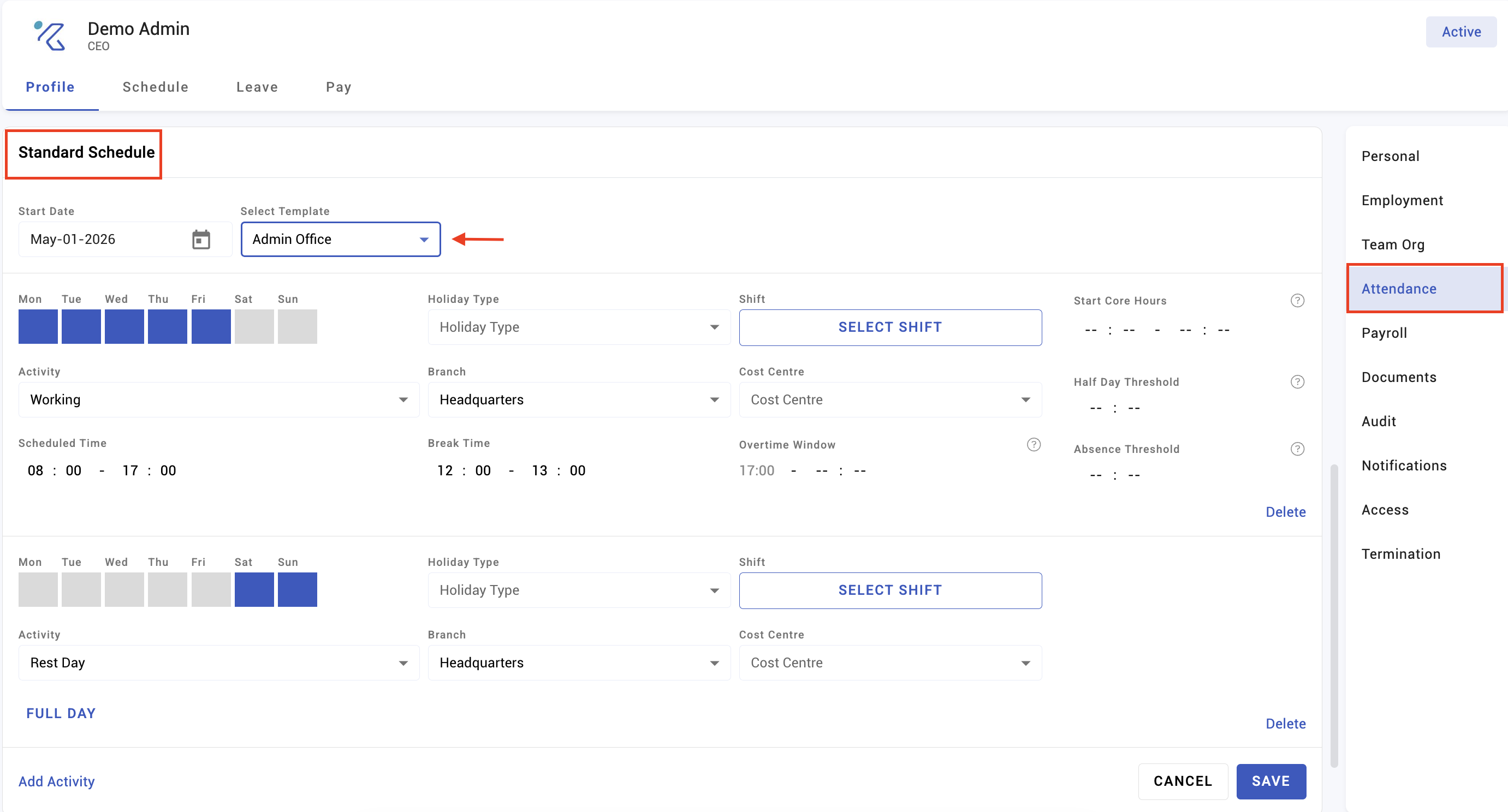
A standard schedule attaches a recurring weekly pattern to an employee — which days they work, which shift applies, and which are rest days. It then keeps applying, so nobody has to schedule an ordinary week.
Assigning to one employee is done on their profile. Assigning in bulk is the route for a team joining the same pattern, and is far quicker than repeating the profile route for each person.
Changing a standard schedule applies going forward. It does not retrospectively rewrite events that already exist — those keep the schedule they were created with until refreshed. See How timekeeping is calculated.
Dynamic scheduling
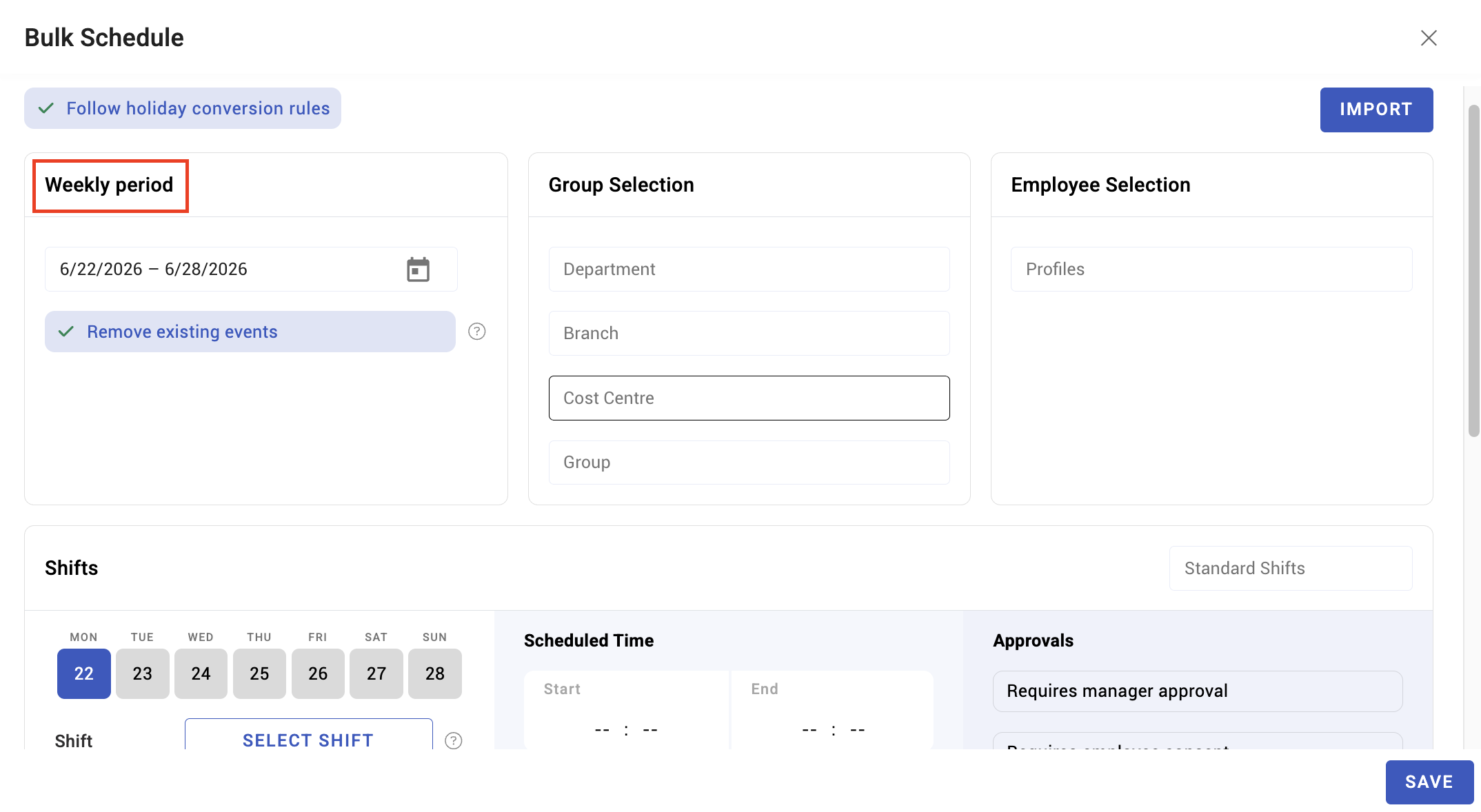
Dynamic scheduling builds a schedule for a defined period rather than assuming a repeating one. Use it where the rota genuinely varies: shift work, seasonal cover, sites whose staffing changes with demand.
There are two routes:
Bulk event by weekly period — build the week on the team calendar for a group of employees at once, then move to the next period. Copy and paste blocks rather than re-entering repeated patterns.
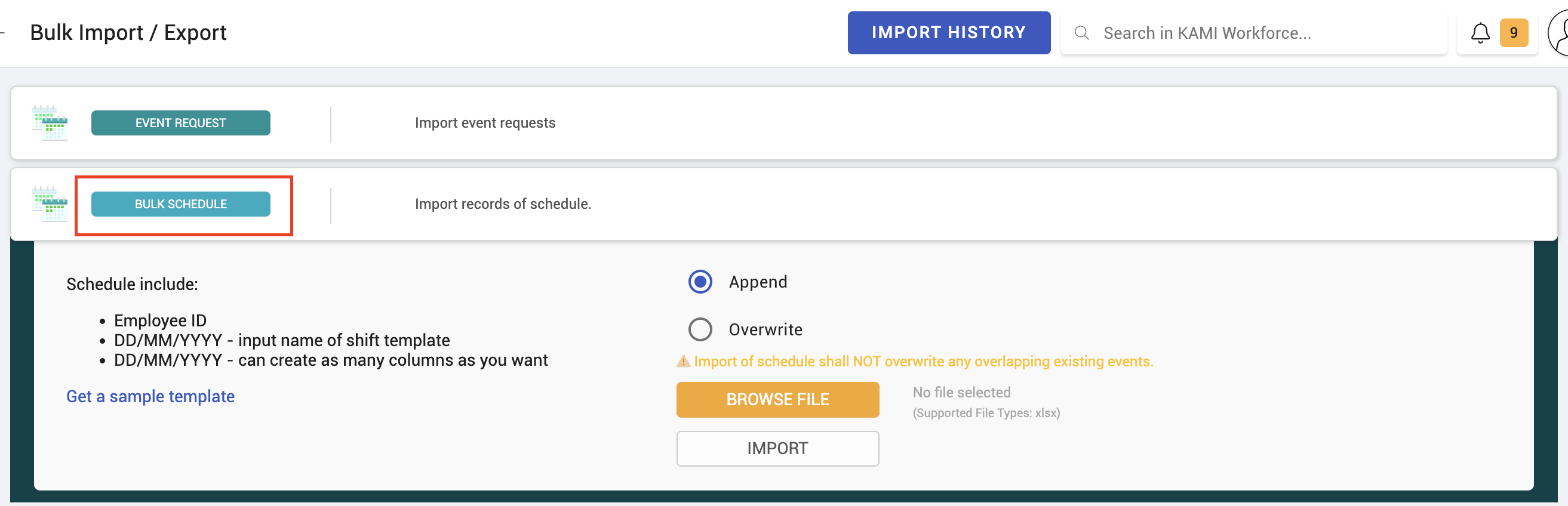
Bulk schedule import — download the template, fill in who works what and when, and import it. This is the route for a large or complex rota, and for rotas that are planned in a spreadsheet before they reach KAMI, which is most of them.
When importing, fill the template exactly as issued: the employee identifier, dates, and the activity or shift for each. A rota that half-imports because of a mismatched identifier is worse than one that fails outright, because the gaps are not obvious.
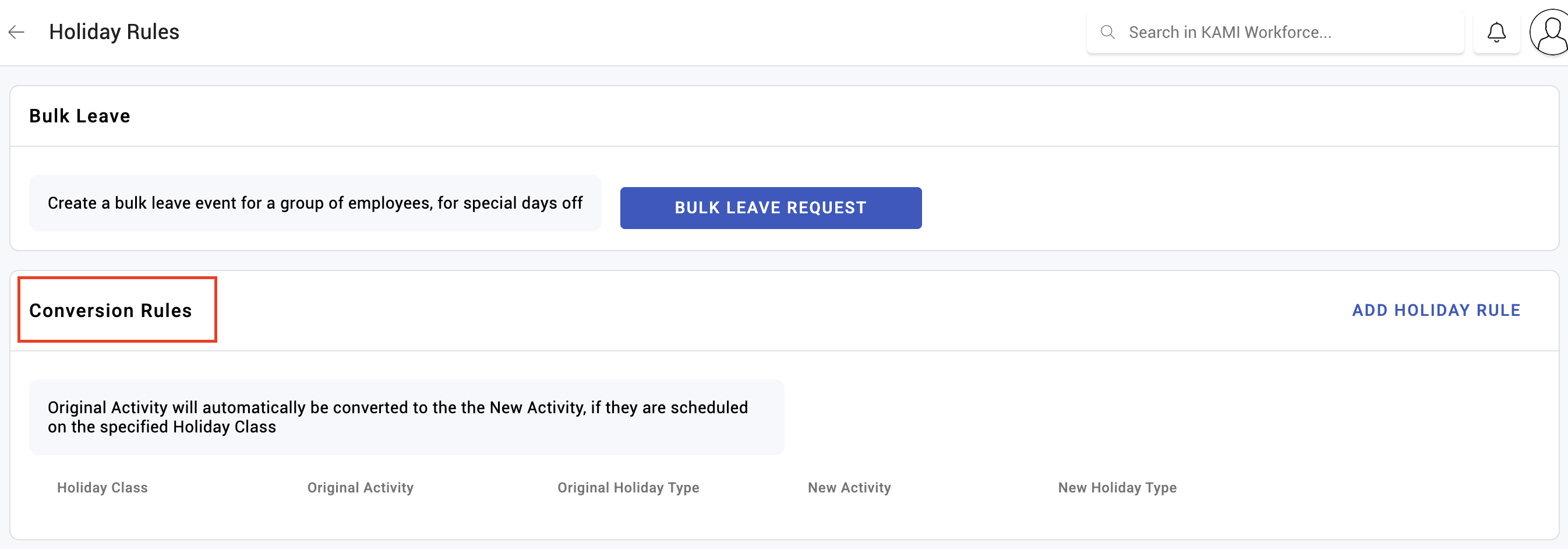
Holiday conversion applies to dynamically scheduled events as it does to any others — a scheduled day that lands on a holiday is treated according to the holiday's class. See Holiday rules.
What Happens Next
- Scheduled days become events, which is what attendance is then measured against.
- Employees see their schedule in their own calendar, and it drives what "expected working hours" means for each day.
- Without a schedule there is no expectation, so an unscheduled person cannot be late, under time, or absent — they simply have no event. The Events page counts these as profiles with no EWH.
- Scheduled hours feed the timesheet, and therefore payroll.
Tips
- Schedule ahead of the period, not during it. Attendance judged against a schedule created afterwards is not judgement, it is bookkeeping.
- Import rather than click for anything over about twenty people. The template exists because bulk scheduling by hand is where errors enter.
- Check the import result before the period starts. Compare a sample of employees against the rota you meant to load; a partial import looks like a thin week rather than a failure.
- Do not mix the two for the same team. A team with both a standard schedule and dynamic events is hard to reason about when something is wrong. Pick one per team.
- Rest days are part of the schedule. Leaving them blank rather than marking them is what produces "why is this person absent on Sunday".
Troubleshooting / FAQ
Q: An employee has no attendance record at all for a day they worked. They were not scheduled. Check the schedule first — attendance attaches to an event, and no schedule means no event.
Q: I changed the standard schedule but old days are unchanged. Expected. Events keep the settings they were calculated with; refresh the affected period.
Q: The bulk import ran but only some rows appeared. Employee identifiers that do not match are skipped. Compare the import result against the template row count rather than assuming success.
Screenshots
These screenshots came from our previous help centre and may show an earlier version of the interface.
Set Up Standard Work Schedules
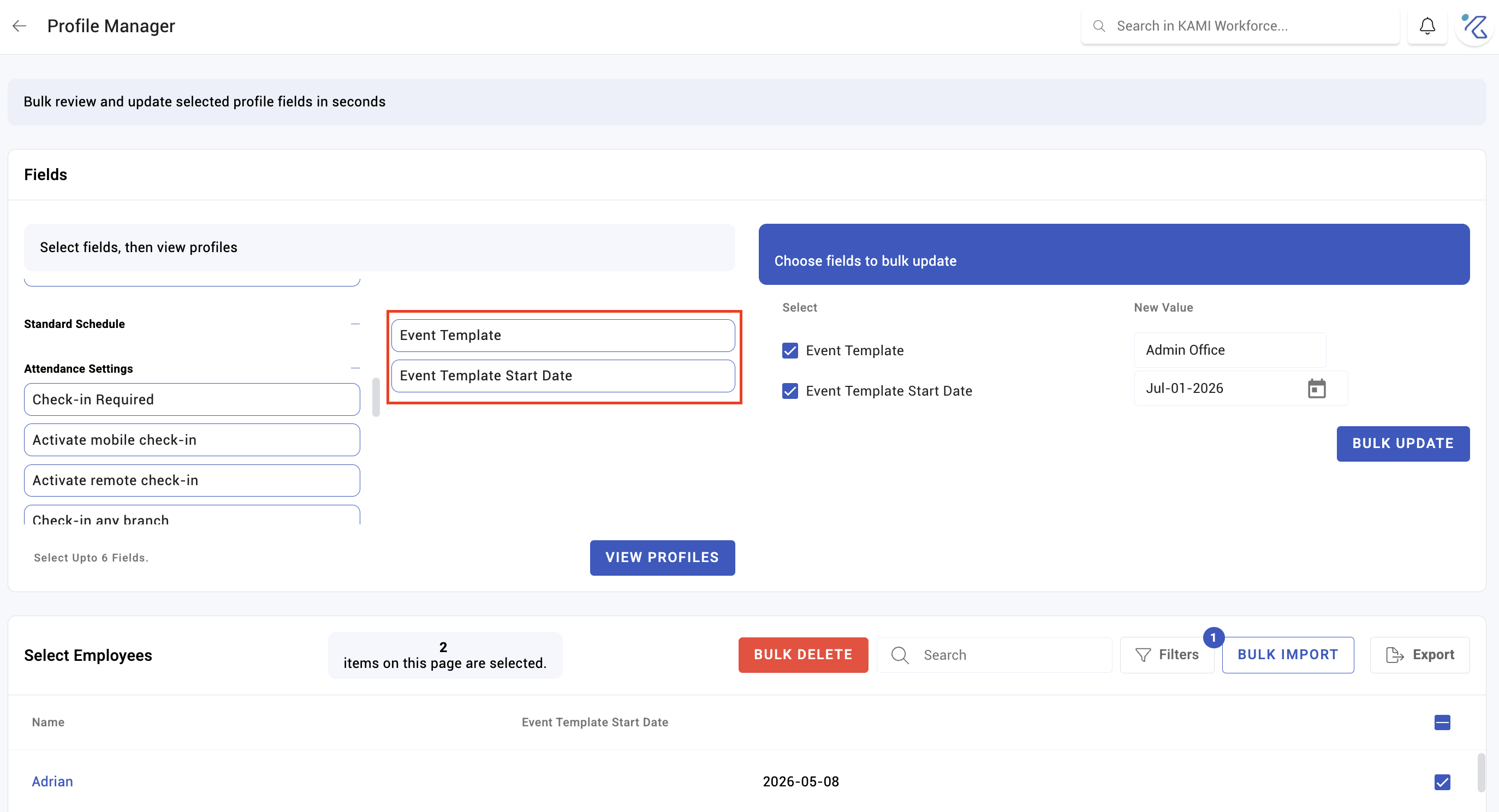
Set Up Dynamic Schedules