Event templates
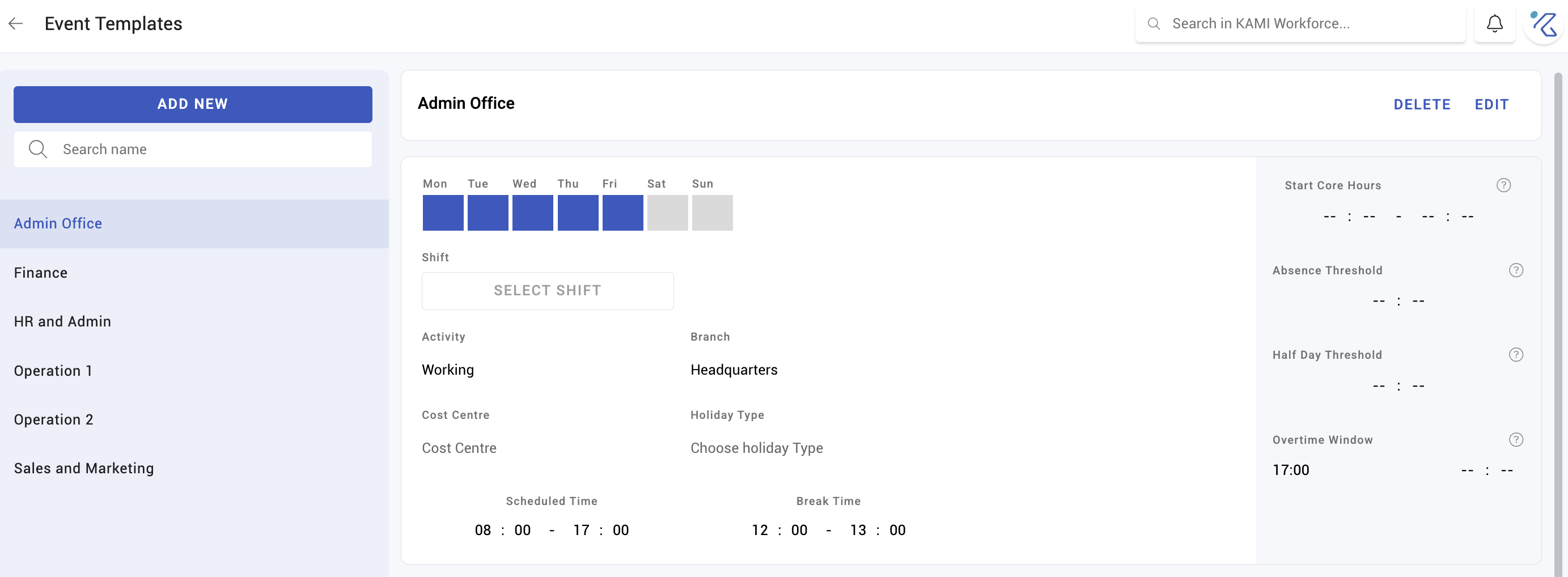
An event template is a reusable day: an activity, its times, break, thresholds and overtime behaviour, saved so you can schedule it without re-entering the details every time.
Where: Settings › Calendar › Event templates You need: the calendar settings right
Templates versus shifts — which one, when
They overlap, and choosing wrongly means either rebuilding rotas by hand or maintaining a shift nobody uses:
| Shift | Event template | |
|---|---|---|
| What it is | A recurring working pattern people are assigned to | A ready-made day you drop onto the calendar |
| Use it for | "This person works 9–6, Monday to Friday" | Training days, half-days, night cover, company events |
| How it reaches someone | Assigned, then it keeps applying | Applied to specific dates |
The rule of thumb: the pattern is a shift; the exceptions are templates. Anything you find yourself configuring by hand more than twice is a template.
For a rota that changes every week, neither is the answer — see Standard and dynamic schedules.
What a template holds
- The activity it creates — see Activities and how they pay
- Times, break time, and whether it is a full day
- Absence threshold — the same under-time logic shifts use, deciding when the day counts as absent
- Enable flexibility to check in anytime within these times — a flexible check-in window
- Allow automatic overtime within these times — the overtime window
- Choose holiday type — how it behaves on a holiday, per Holiday rules
Templates are scoped by branch, cost centre and the usual dimensions, so the right ones appear for the right people.
What Happens Next
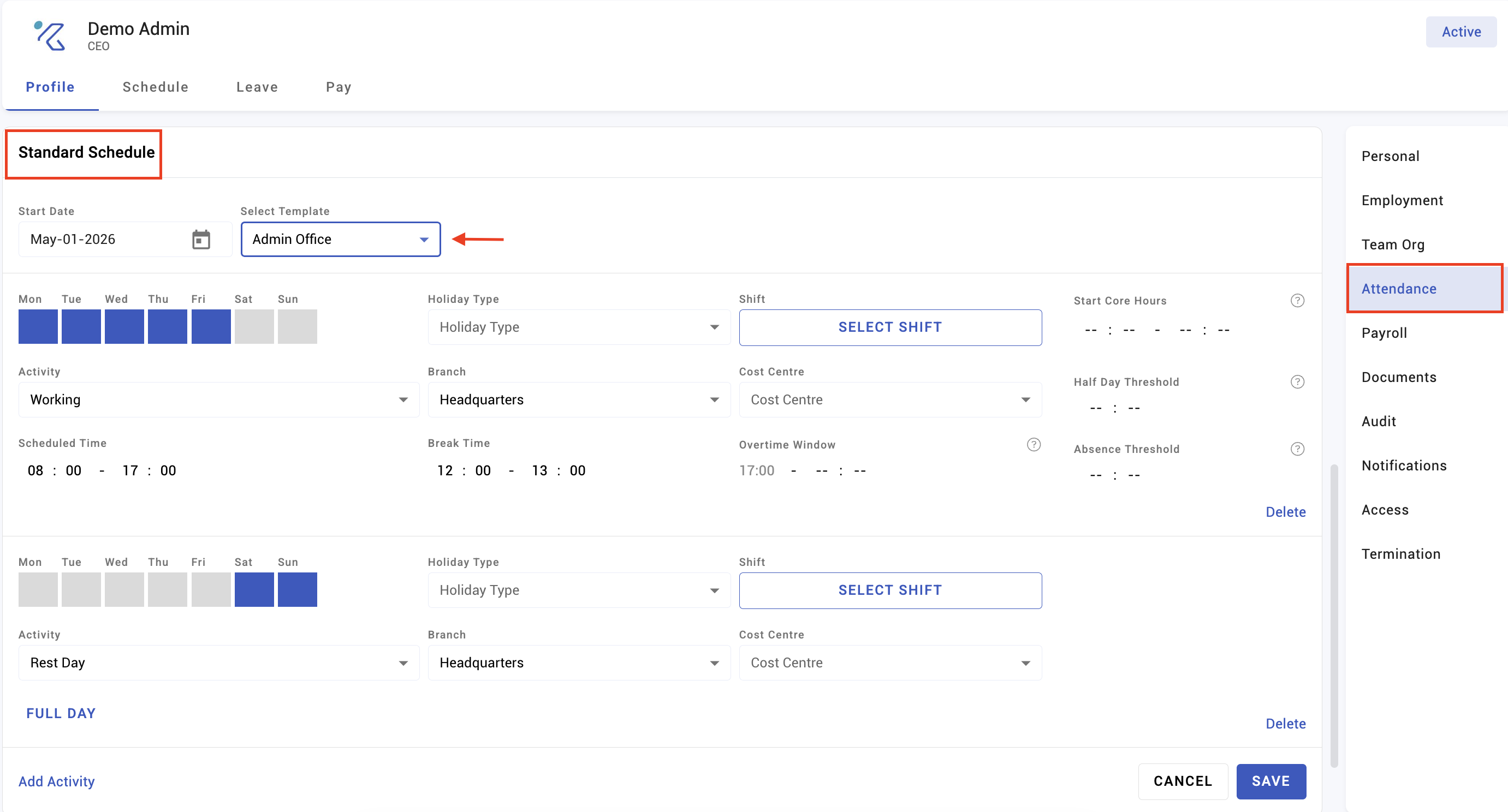
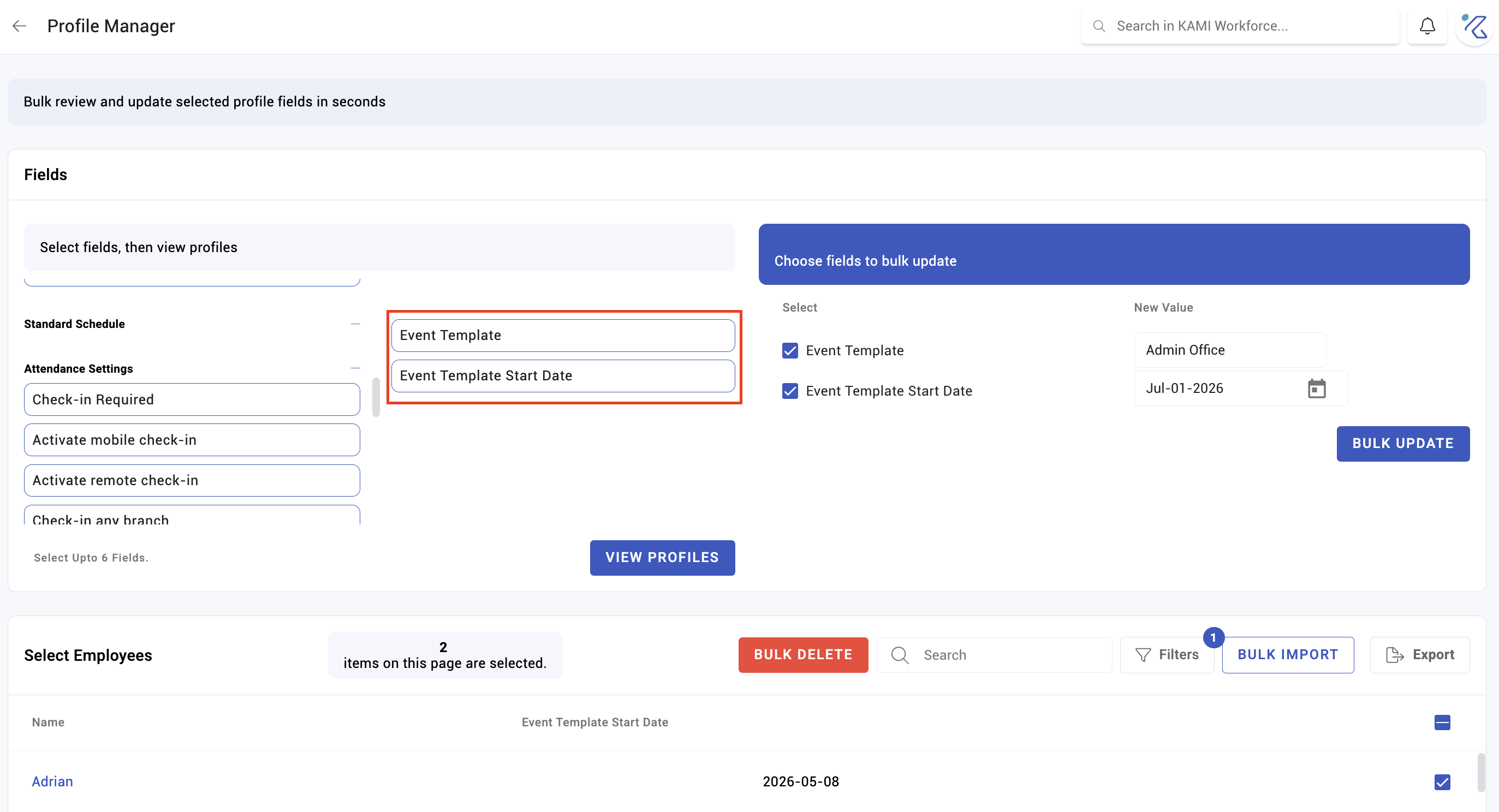
- Applying a template creates events on the chosen dates, which attendance is then measured against.
- The thresholds inside the template decide absence for those days, exactly as a shift's would. A template with a careless absence threshold produces wrong absences just as reliably.
- Templates copy at the moment of use. Editing a template later does not change days already scheduled from it — those were created from the template as it stood.
- Resulting hours flow to the timesheet under the activity's tag.
Tips
- Set the absence threshold deliberately on every template. It is easy to treat a template as cosmetic — a name and some times — and inherit a default that marks a half-day training session as an absence.
- Name templates for the occasion, not the times. "Training day" is findable a year later; "0900-1300" is not.
- Build one for anything seasonal before the season. Company anniversary, stocktake, year-end — the day you need it is the day you have no time to configure it.
- Review templates annually. They accumulate, and a template built for a one-off event in 2024 is a trap for whoever picks it by mistake.
Troubleshooting / FAQ
Q: A day created from a template was marked absent. Check the template's absence threshold against the hours actually worked. A short scheduled day with a full-day threshold produces exactly this.
Q: I edited a template and previously scheduled days did not change. Expected — templates copy at the point of use. Fix those days directly, or reapply.
Q: The template is not available for a team. Check its branch and cost centre scope.
Screenshots
These screenshots came from our previous help centre and may show an earlier version of the interface.