Termination settings
Termination settings decide what final pay contains: which components are due for which reason for leaving, on what wage basis, and at what multiplier. They are configured once against your legal advice and then applied consistently to everyone who leaves.
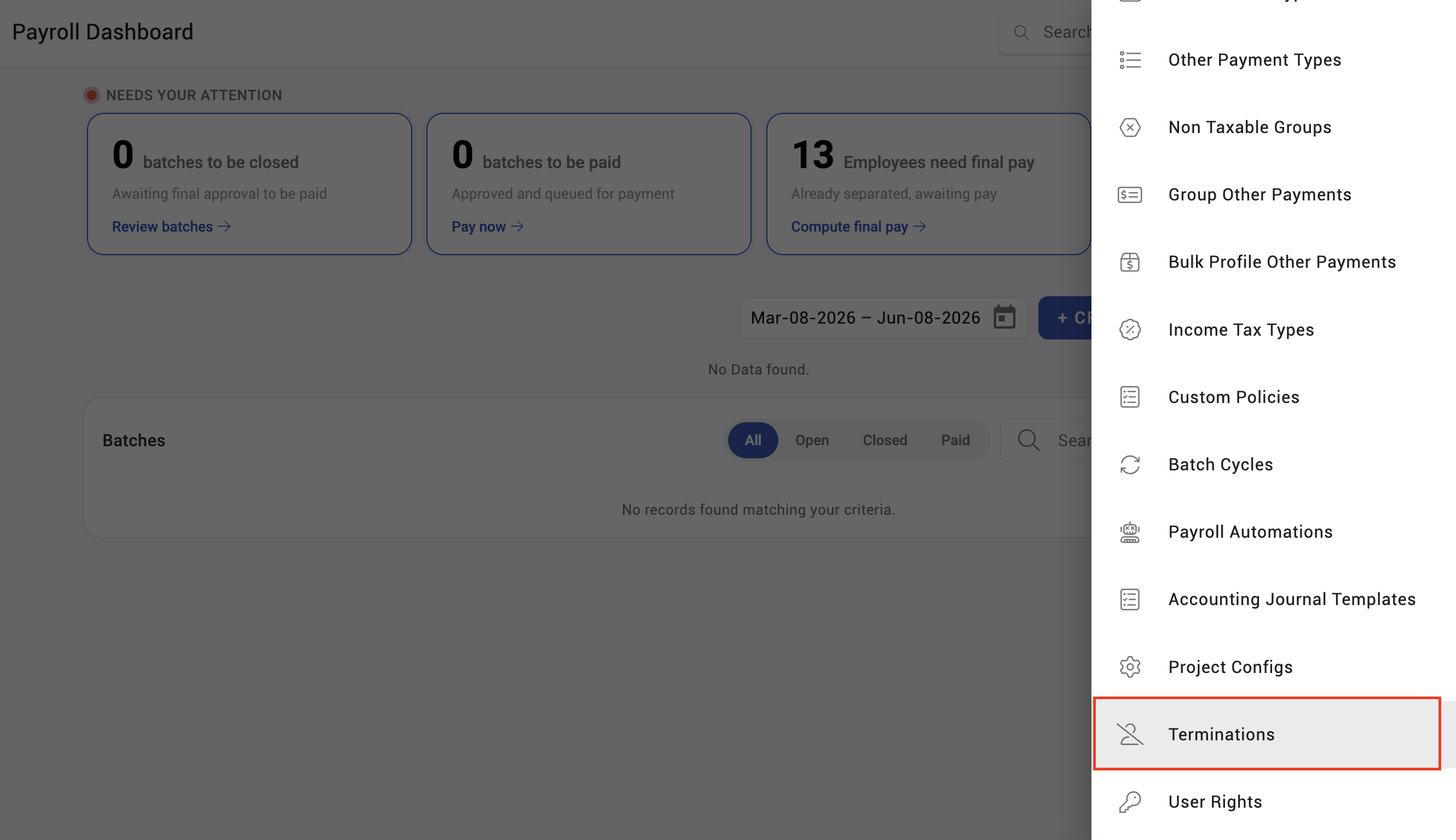
Where: Settings › Payroll › Termination You need: the payroll settings right
Before You Start
This is a legal configuration, not a preference. Severance, service rewards and retirement benefits are governed by statute and by your employment contracts. Get the rules from whoever owns employment law and configure what they tell you.
Country matters. Termination reasons and their entitlements are defined per country. If you operate in several, each needs configuring separately.
The three rule types
| Rule type | Governs |
|---|---|
| Severance | Severance pay |
| Service reward | Long-service entitlement |
| Retirement benefit | Retirement entitlement |
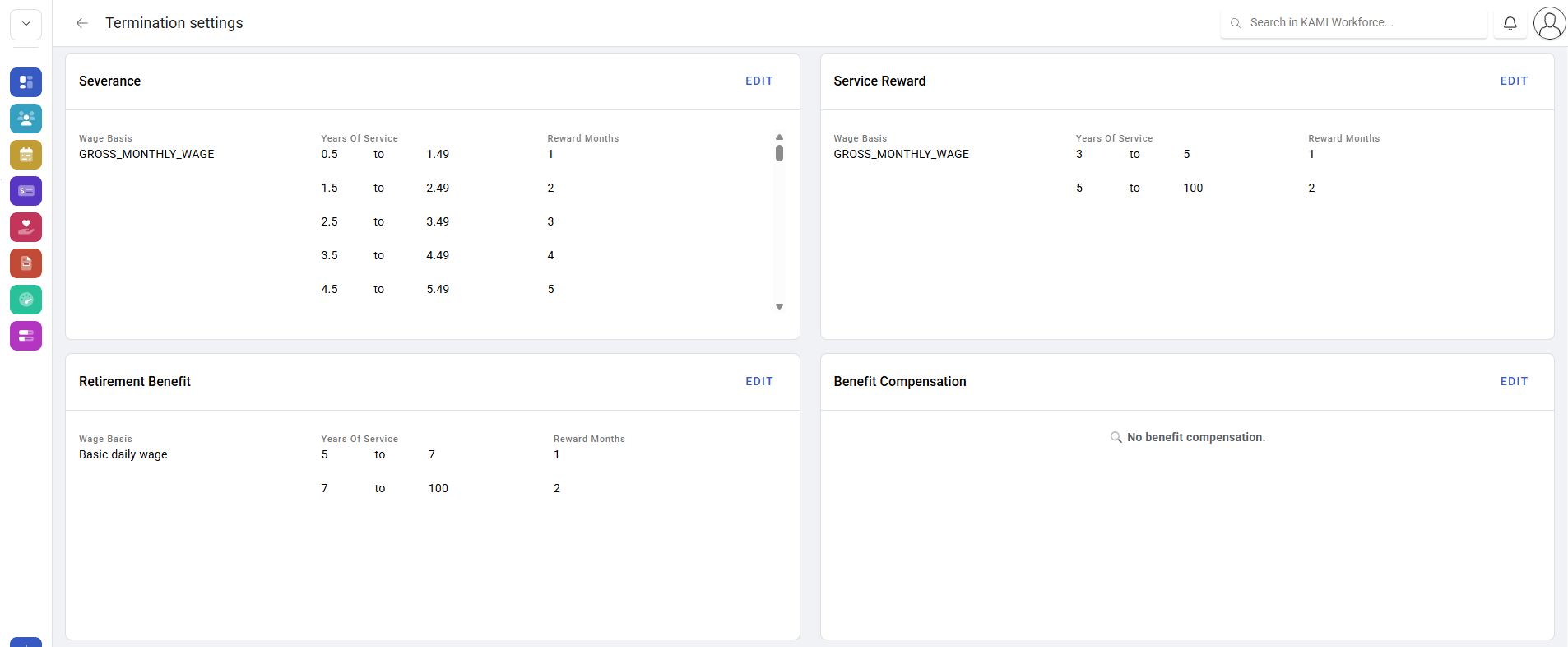
Each rule carries a wage basis and a table — typically length of service against a multiplier.
The components final pay can contain
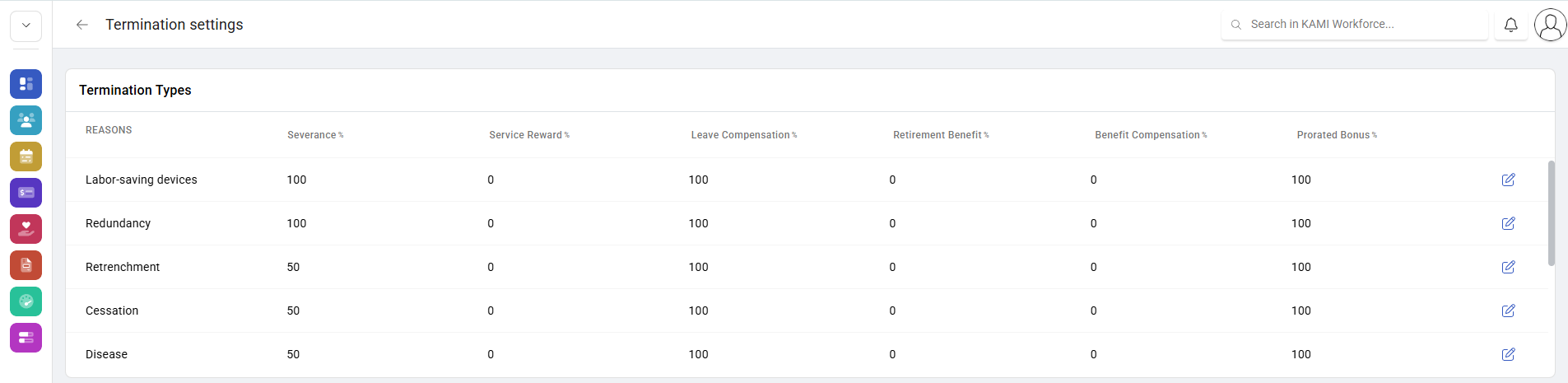
Beyond the three configurable rules, final pay may include payment in lieu of notice, leave compensation, contribution compensation and a prorated bonus. Which apply is driven by the termination reason — see Final pay on termination.
The wage basis changes the amount
Each rule is calculated on a wage basis you choose: basic hourly, basic daily, gross daily, basic monthly, fixed monthly, gross monthly, average total wage, or basic salary.
⚠️ One month's gross monthly wage is materially more than one month's basic for anyone with allowances. The multiplier gets the attention; the wage basis quietly doubles the difference. Set both deliberately and record the legal basis for each.
How to configure termination settings
- Open Settings › Payroll › Termination.
- For each termination reason, set which components are due.
- For severance, service reward and retirement benefit, set the wage basis and the table of service against multiplier.
- Save.
- Test on a real historical leaver — calculate what KAMI would produce and compare against what was actually paid.
What Happens Next
- Settings apply when a final payslip is calculated. Payslips already calculated do not change.
- Separation pay is taxed on the termination basis, which is a different treatment from regular income.
- A change here affects everyone who leaves from that point on, so it should be deliberate and dated.
Tips
- Test against a real past leaver before going live. It is the only way to know the configuration matches what your company actually pays.
- Record the legal source for every rule alongside it. In two years nobody will remember why the multiplier is what it is, and someone will ask.
- Review after any change in employment law, and diary it. Nothing in KAMI will tell you a statute moved.
- Check the boundaries in the service table. An employee at exactly five years is where an off-by-one in a service band shows up.
- Do not tune these settings to make one case come out right. Fix the case; the settings apply to everyone.
Troubleshooting / FAQ
Q: A component is missing from someone's final pay. It is not enabled for that termination reason, or the reason recorded is not the one intended.
Q: Severance is lower than expected. Check the wage basis before the multiplier. Basic and gross bases differ substantially.
Q: Two leavers with the same service got different amounts. Check their termination reasons and their wage composition — allowances change gross-based calculations.
Q: We changed the settings — do past final payslips change? No, unless they are recalculated.
Screenshots
These screenshots came from our previous help centre and may show an earlier version of the interface.