Missing Data report
The Missing Data report lists employees whose profiles are incomplete. It is the least glamorous report in My Team and the one that prevents the most downstream trouble: almost every payroll gap, undercounting report and automation that fails to fire traces back to a field nobody filled in.
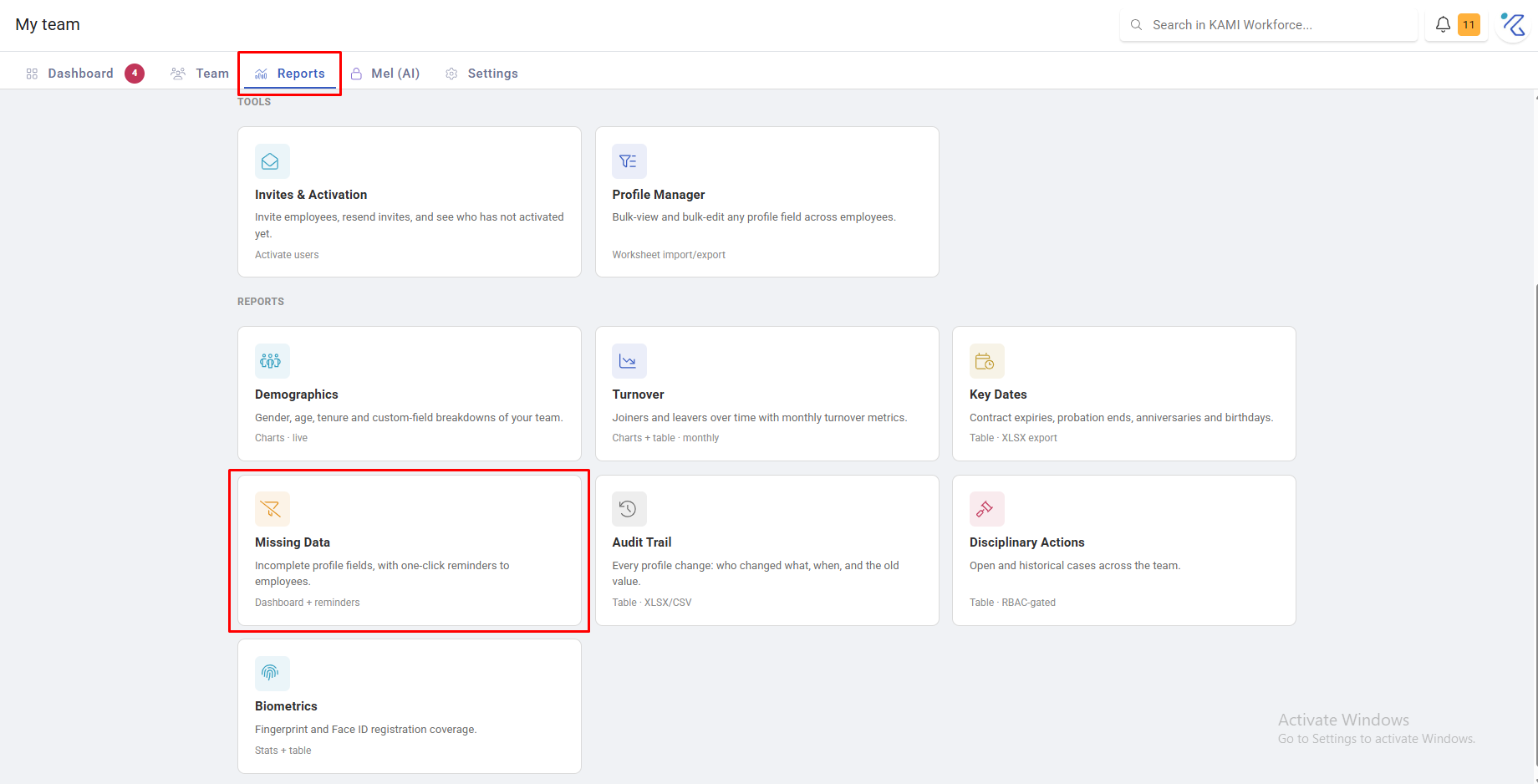
Where: My Team › Reports › Missing Data
You need: the Reports (team) right
When to use this, and when not to
| The question | Use |
|---|---|
| Whose records are incomplete? | Missing Data |
| Who changed this field, and when? | Audit Trail |
| What is coming up for my team? | Key Dates |
| Who has not activated their account? | Invites & Activation |
What it shows
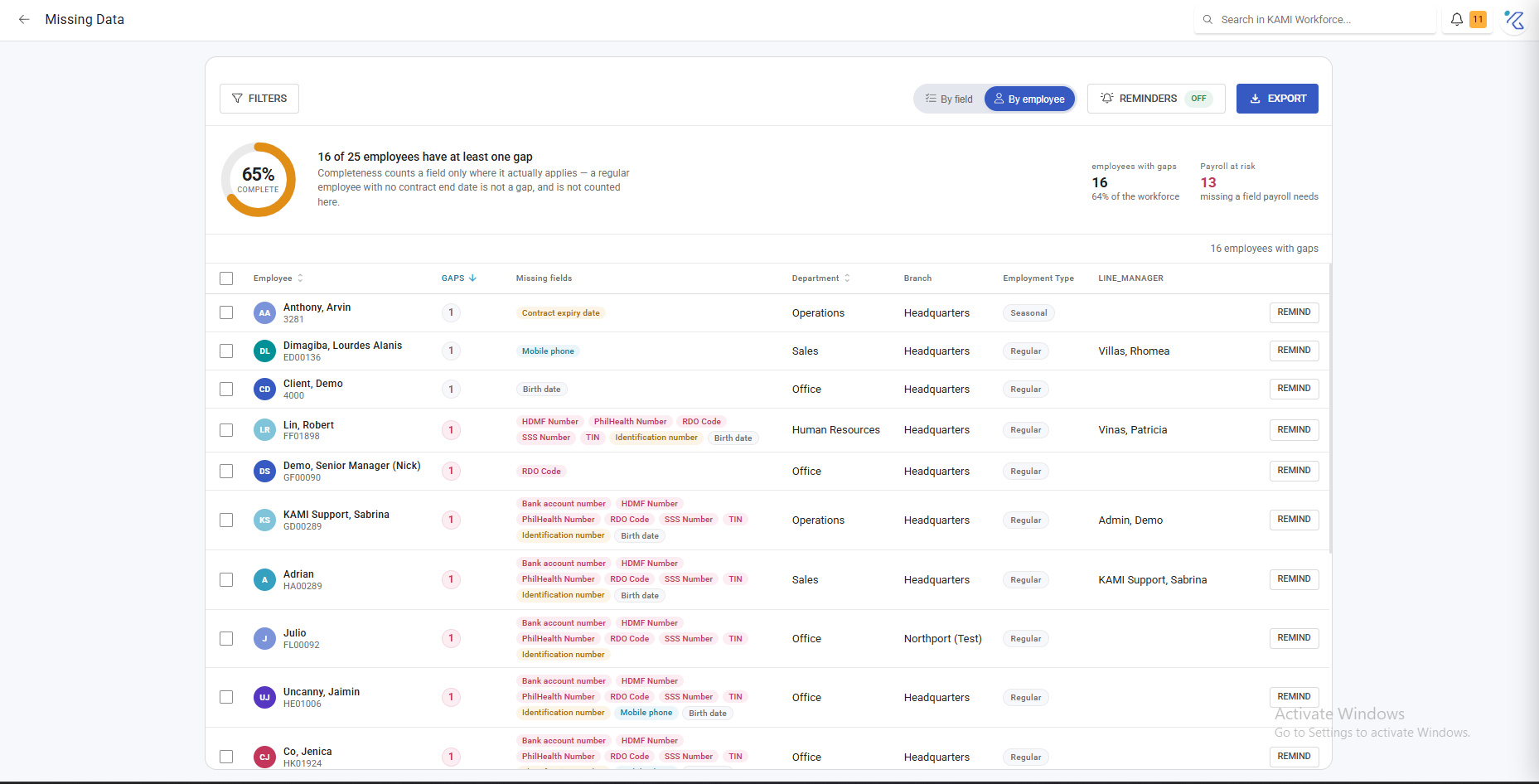
Employees with gaps in the fields that matter, grouped so you can see whether the problem is one person or one department. Filter by branch, department, position, cost centre and group, and export.
The fields worth caring about most, because of what depends on them:
- Hire date — leave accrual, tenure, key dates and turnover all read it
- Expected working hours — without it, attendance cannot judge tardiness or absence at all, and the person silently improves every attendance rate
- Placement (branch, department, position) — approvals route on it, and Profile Automations key off it
- Email or mobile — no contact means no invite, so the person can never activate
- Payroll fields — wage, batch, payment method: gaps here surface on payday
Chasing the gaps
The report supports one-click reminders to the employees concerned, which is far more effective than a manager collating the list and emailing people individually.
Use it for the fields employees can supply themselves — contact details, emergency contacts, bank details. Fields only HR can set need fixing directly, or in bulk with Profile Manager.
What Happens Next
- Reminders go to the employees, who complete their own details.
- Completed fields drop off the report on its next read — it is live, not a snapshot.
- Filling expected working hours makes that person visible to attendance judgement for the first time, which can change your attendance rates. That is a correction, not a regression.
Tips
- Run it monthly, as a standing task. Ten minutes a month prevents the pattern where a payroll run surfaces twelve problems at once.
- Run it before anything that depends on complete data — a payroll go-live, a bulk import, a first attendance period.
- Fix by department, not by person. Gaps cluster: one department onboarded without a step usually produces the same gap in everyone hired that month.
- Chase employees for what only they know, and fix the rest yourself. Sending a reminder for a field the employee cannot edit trains people to ignore reminders.
Troubleshooting / FAQ
Q: The same people appear every month. The reminder may be for a field they cannot edit themselves, or they are ignoring it. Check which field, then fix it directly.
Q: Someone shows as missing data but their profile looks complete. Check the specific field flagged — commonly expected working hours, which sits in attendance settings rather than the obvious part of the profile.
Q: Our attendance rates dropped after we fixed missing EWH. Expected. Employees without expected hours could not be marked absent, so they were flattering the rate. The new figure is the accurate one.