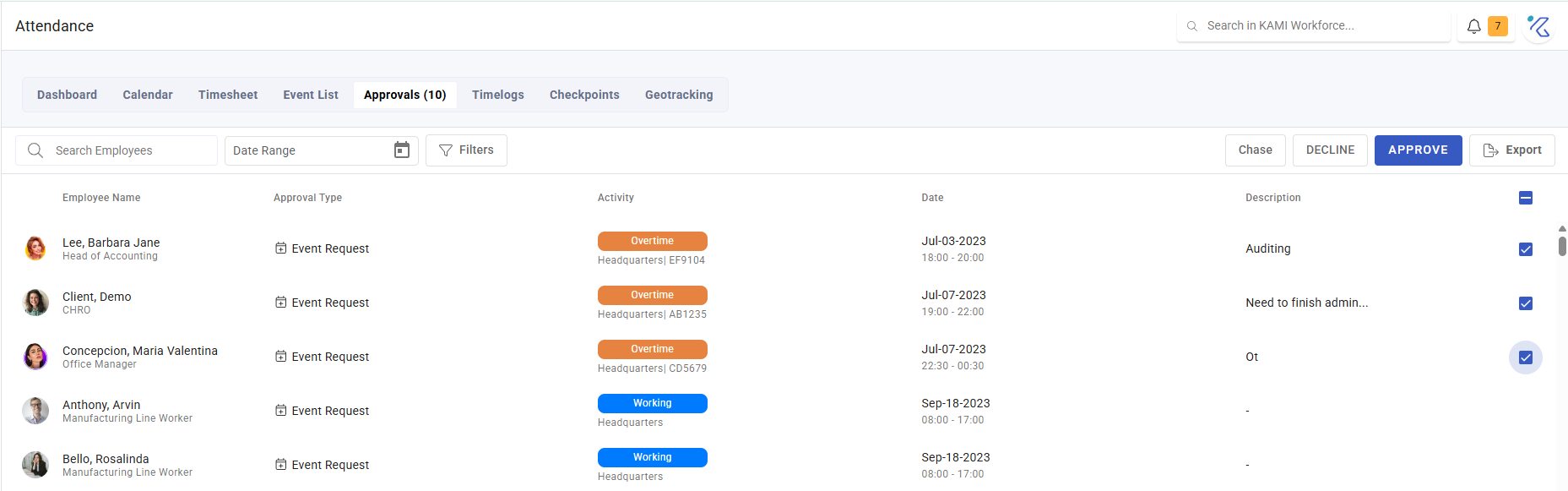
Approving attendance and leave requests
Approvals is the queue of everything waiting on a decision from you — attendance corrections and leave, in one place. On a system that feeds payroll, this queue is the control: it is where someone other than the requester confirms what will be paid.
Where: Calendar › Approvals You need: the approval rights for your scope
What arrives here
Five kinds of request, and knowing which is which saves most of the confusion:
| Type | What is being asked | What to check |
|---|---|---|
| Event request | A new attendance event — work that was not scheduled | Was it authorised? |
| Event amendment | A change to an existing attendance record | Does the change match the evidence? |
| Timelog amendment | A change to the raw check-in/out times | Do the time logs support it? |
| Leave approval | A new leave request | Balance, and cover |
| Leave amendment request | A change to leave already booked | Whether the original still stands |
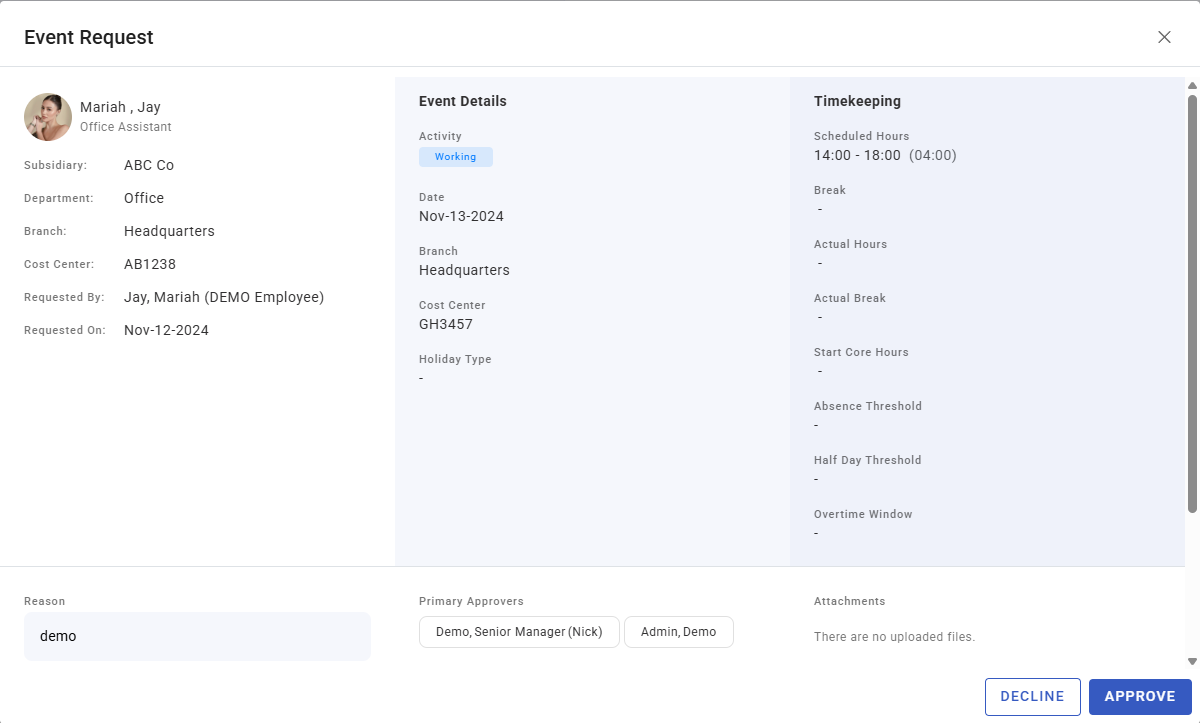
Each shows the employee, date, activity, a description of what is being asked, and any comment the requester left. Leave requests also show the person's leave balance, so the consequence is visible before you agree to it.
Deciding
Approve or decline, with a comment. Select several and act together — attendance corrections arrive in clusters (a device outage, a holiday handled wrongly) and usually deserve one decision rather than thirty.
Chase nudges a request sitting with someone else.
What to actually check
- Does the correction match the evidence? Open the time logs for that day. A missing tap with a plausible explanation is routine; a rewritten day with no supporting record deserves a question.
- For leave, read the balance shown. Approving leave someone does not have creates a payroll problem later, and the number is in front of you.
- Watch the clusters. Twenty amendments for the same date is one event, not twenty stories. Find out what happened before approving each individually — the fix may be a setting, not thirty approvals.
- Is this the right kind of request? An event amendment where a timelog amendment was needed will "fix" the day while leaving the underlying tap wrong, so the same problem recurs next month.
What Happens Next
- Approved — the record is updated and recalculated, and flows into the timesheet for the period.
- Declined — nothing changes. The day stays as it was, which usually means it stays wrong; tell the requester what to do instead, or it simply sits there.
- Either way the decision is recorded against the request, with your comment.
Why the queue must not sit
Two hard deadlines, both external to the queue:
- Corrections expire. The attendance lock and correction-days window close off past dates. An unapproved request eventually cannot be actioned at all — see Calendar rules and the attendance lock.
- Payroll runs regardless. An unapproved correction means the timesheet is wrong at cut-off, and fixing pay afterwards costs far more than a decision now.
Tips
- Work the queue on a fixed day each week, and always before payroll cut-off. Attendance approvals are the kind of task that is never urgent until it is impossible.
- Decline with a reason and a next step. A bare decline produces a resubmission of the same request.
- Escalate patterns, do not absorb them. If one team generates most of the corrections, the cause is a device, a rota or a misunderstanding — and approving diligently every week hides it.
- Separate approving from amending in your rights setup. Someone who can amend a record and approve their own amendment is not being checked by anyone. See Attendance user rights.
Troubleshooting / FAQ
Q: A request disappeared from my queue. Someone else with the same scope actioned it, or the attendance lock closed the period.
Q: I approved a correction but the timesheet is unchanged. Refresh the affected events — see Events.
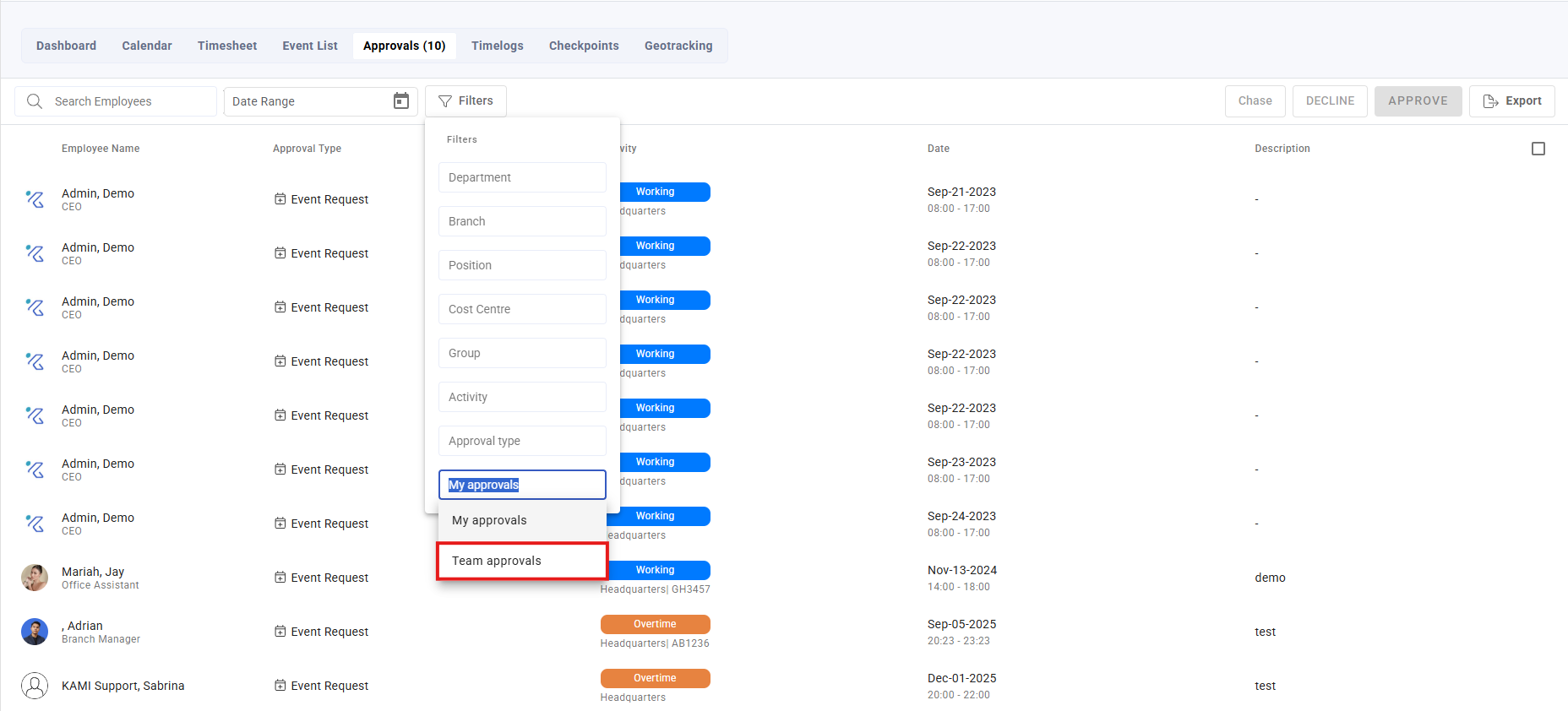
Q: I have no requests but my team says they raised some. Check your scope, and whether you are actually the configured approver. Being someone's manager and being their approver are separate settings.
Screenshots
These screenshots came from our previous help centre and may show an earlier version of the interface.