Expense types: limits, receipts and rules
An expense type is a spending policy expressed as settings: what can be claimed, by whom, up to how much, with what evidence, and how much the employee bears themselves. Nearly every question about whether a claim is allowed is answered here.
Where: Settings › Expenses › Expense types
You need: the expense settings right
Before You Start
Have the policy written down first. An expense type is the enforcement of a policy, not a substitute for having one. If the policy is unclear, the settings will be too, and people will discover the rules by having claims rejected.
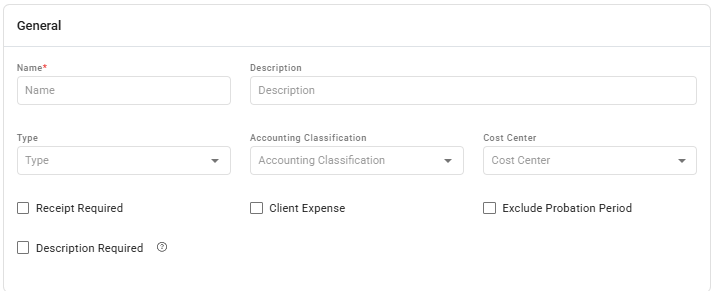
Decide the accounting treatment. Each type carries a classification and can carry a cost centre, which is how expenses reach your accounts correctly.
What evidence you require
| Setting | Requires |
|---|---|
| Receipt required | A receipt attached to the claim |
| Receipt number required | The receipt's own number recorded |
| TIN required | The supplier's tax identification number |
| VAT amount required | The VAT broken out |
| Receipt backdate | How far back a receipt may be dated |
| Description required | An explanation from the claimant |
The tax fields matter more than they look: if you intend to reclaim input VAT, the data has to be captured at claim time. Adding the requirement later does not retrofit it onto claims already made.
The six kinds of limit
This is where most of the policy lives, and the limits stack: 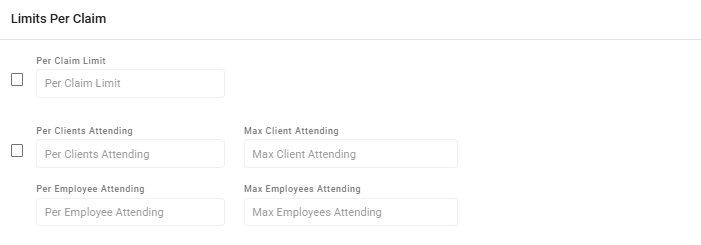
| Limit | Caps |
|---|---|
| Per claim | A single claim |
| Per employee | What one employee can claim, with a count |
| Per client | What can be claimed against one client, with a count |
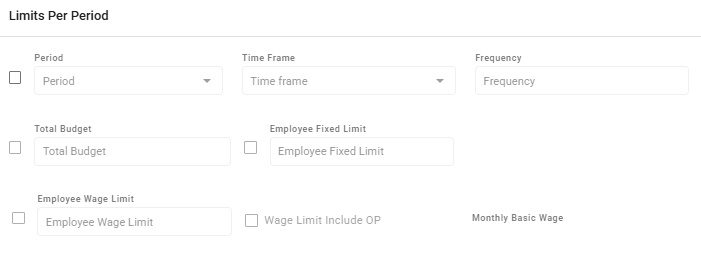
| Per period | Spend over a monthly, quarterly, semi-annual or yearly window |
| Total budget | The whole type, across everyone |
| Wage limit | A multiple of the employee's monthly basic wage |
Two of these are worth dwelling on.
The period limit has a frame. A yearly limit can run on the calendar or from the employee's hire date. Hire-date framing gives every employee a full allowance from the day they join, rather than a pro-rated slice of the company year — usually fairer, and usually what people assume is happening.
The wage limit is a multiple of monthly basic wage, optionally including other payments. It scales the entitlement to the person, which suits things like relocation or equipment allowances where a flat figure would be generous to one person and inadequate for another.
Excess and co-pay
These two work like an insurance policy, and they are the settings employees most often misunderstand:

| Setting | Means |
|---|---|
| Excess | The amount the employee bears before anything is reimbursed |
| Co-pay | The percentage of the amount above the excess the employee still bears |
A worked example. With an excess of 500 and a co-pay of 20%, on a claim of 2,000:
- The first 500 is the employee's
- Of the remaining 1,500, the employee bears 20% — 300
- The company reimburses 1,200
⚠️ If you set an excess or a co-pay, say so in your policy in exactly these terms. An employee who claims 2,000 and is reimbursed 1,200 will assume something went wrong unless they already knew the rule.
Who can claim it
Types can be restricted by profile group, position, employment type, or named individuals, and probationary employees can be excluded outright.
Restricting by group ages better than restricting by named individuals — people join and leave, and a named list quietly goes stale.
Vendors and approvers
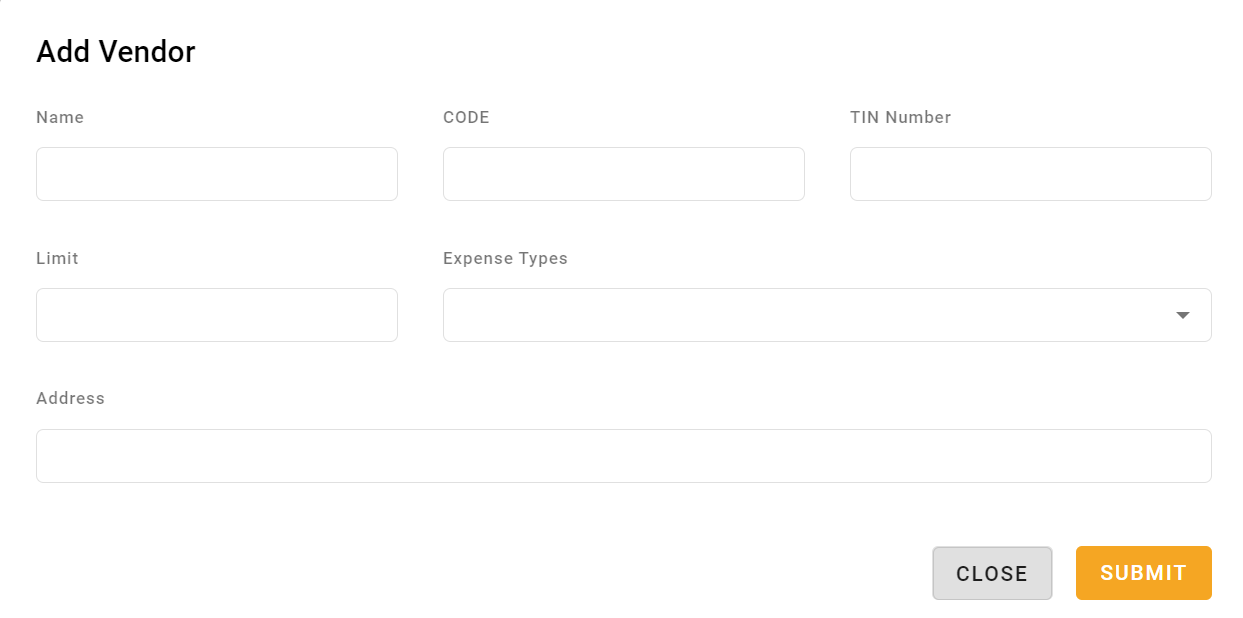
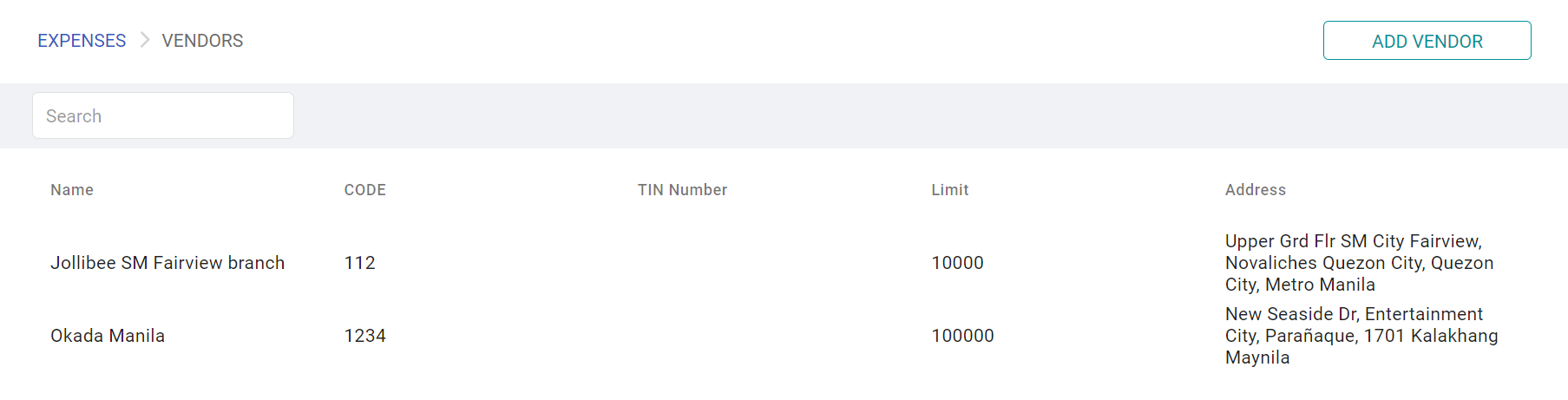
Approved vendors restrict a type to a defined supplier list — appropriate where you have negotiated rates or need spend to go through particular suppliers.
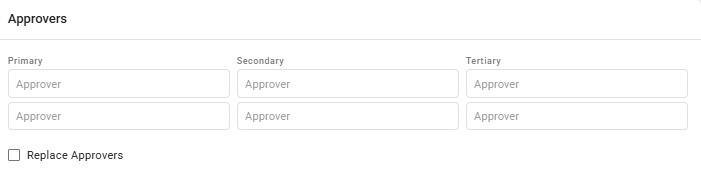
Replace approvers lets the type override the normal approval route, so a sensitive category can go to a specific person regardless of the claimant's usual chain.
How to create an expense type
- Open Settings › Expenses › Expense types.
- Name it and set its classification and cost centre.
- Set the evidence requirements.
- Set the limits you need — start with per-claim and per-period.
- Set excess and co-pay if your policy has them.
- Restrict who can claim it.
- Add approved vendors if applicable.
- Test with one real claim before publishing the type.
What Happens Next
- Employees can claim against the type, within its limits.
- Limits are evaluated as claims are made, so a limit reached mid-period blocks further claims until the window resets.
- The classification and cost centre carry through to accounting.
- Changing a type affects future claims; it does not revisit claims already approved.
Tips
- Submit one real claim against a new type before letting anyone else use it. Limits, excess and required fields interact, and the claim form is where you see the result.
- Prefer period limits with a hire-date frame for annual allowances, unless your policy genuinely runs on the calendar year.
- Publish the excess and co-pay to employees. These are the settings that generate complaints, entirely because nobody was told.
- Use groups, not named profiles. A list of individuals is a maintenance job nobody remembers.
- Review total budgets quarterly. A type that quietly exhausts its budget starts rejecting valid claims, and the claimant sees a refusal rather than an explanation.
Troubleshooting / FAQ
Q: An employee cannot claim against a type. Check the eligibility restrictions, whether they are on probation, and whether a limit has been reached.
Q: A claim was reimbursed for less than it was for. Excess and co-pay. Work through the calculation with them — the figures are deterministic.
Q: The annual limit reset at an odd time. The period frame is set to hire date rather than calendar.
Q: A claim was rejected for a missing receipt number. That type requires it. The requirement is per type, not company-wide.
Q: We changed a limit — does it affect approved claims? No. Changes apply to claims made afterwards.
Screenshots
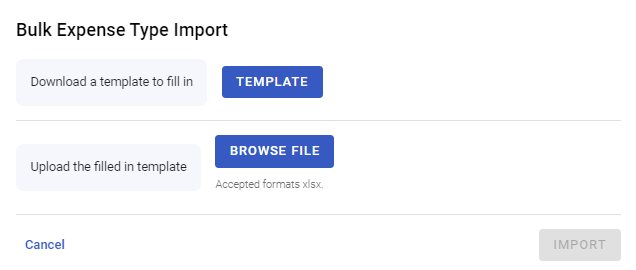
These screenshots came from our previous help centre and may show an earlier version of the interface.