Guided walkthroughs
My Team has narrated tours built into the product. They walk you through a page, pointing at things as they explain them — useful when you are new, or when you are about to use a page you have not touched before.
Where: in My Team, on the pages that have a tour
You need: nothing 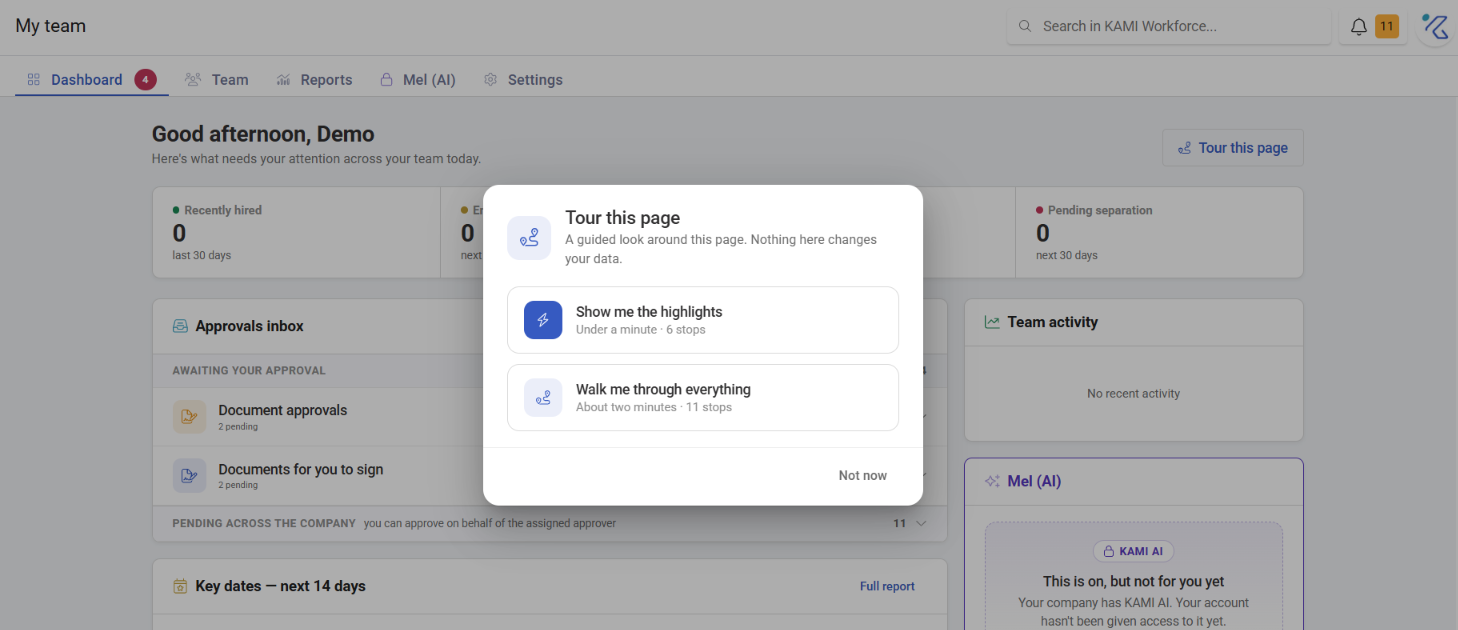
When to use this, and when not to
| You want | Use |
|---|---|
| To understand a page you are looking at | A walkthrough |
| To understand how a feature works in depth | This knowledge base |
| To be shown where a specific button is | A walkthrough |
| Something you can refer back to later | An article — tours are not searchable |
Walkthroughs and this knowledge base do different jobs. A tour is good at orientation — where things are on this screen — and poor at reference, because you cannot search it, quote it, or come back to one specific paragraph.
What Happens Next
- The tour highlights parts of the page in sequence, with narration.
- It changes nothing — a walkthrough is a guided look, not an action.
- You can leave at any point; nothing depends on finishing.
Tips
- Take the tour before your first real task on a page, not during it. Learning the layout while trying to do something is how mistakes happen.
- Point new joiners at them on day one. A tour costs a couple of minutes and saves a colleague explaining the same screen.
- Use the KB for anything you need twice. If you find yourself re-taking a tour to remember something, the article is what you actually want.