Cost centres
A cost centre is where an employee's labour cost is charged. It is the piece of your organisation structure that finance cares about most, and the one HR most often leaves until someone from finance asks for it.
Where: My Team › Settings › Organization › Cost Centres
You need: the cost centres right — granted separately from the general Team organisation right 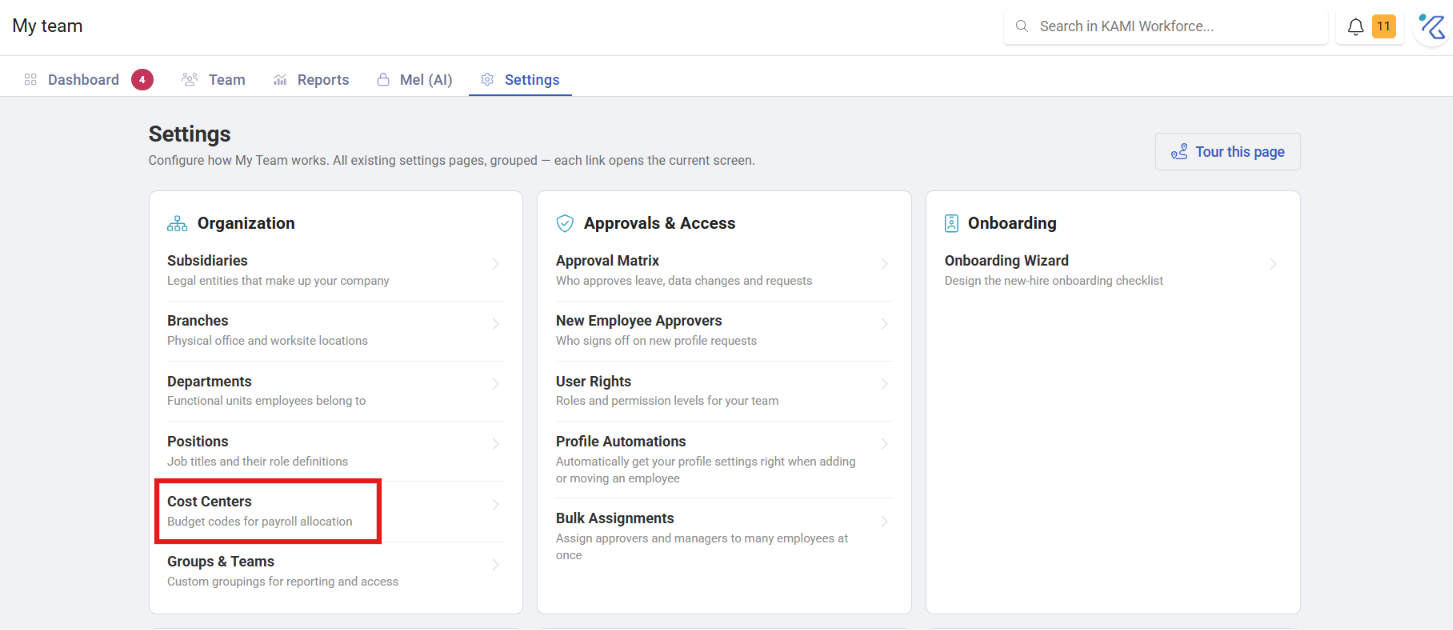
When to use a cost centre
| You want to represent | Use |
|---|---|
| Where labour cost is charged | Cost centre |
| A functional grouping of people | Department |
| A physical location | Branch |
| A separate legal entity | Subsidiary |
Cost centres and departments are not the same thing, and conflating them is the usual mistake. A department is how the organisation is managed; a cost centre is how cost is accounted for. They often overlap — and where they do not, the difference matters to finance rather than to you.
Why it has its own permission
Cost centres carry a separate right from the rest of the organisation structure, because they usually belong to finance rather than HR. Getting them wrong misstates the accounts rather than just a report, so the ability to create and change them is deliberately narrower than the ability to create departments.
Setting one up
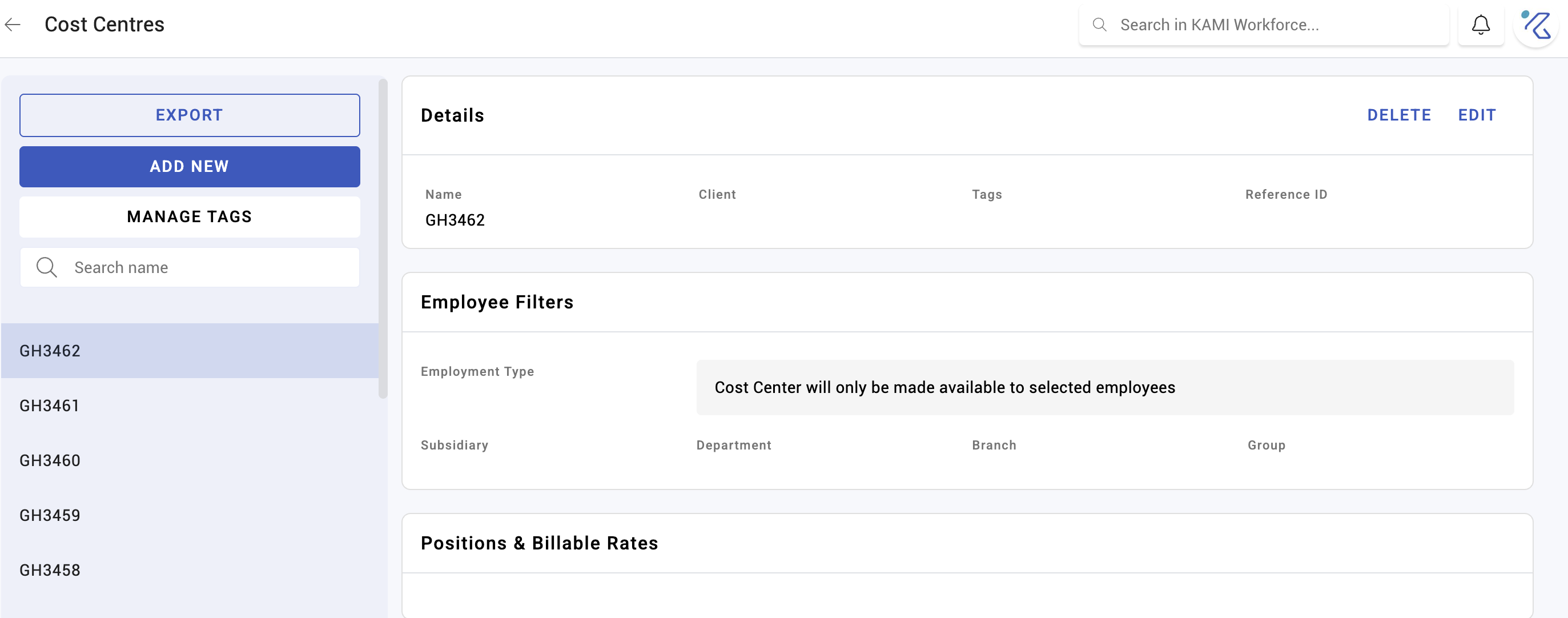
Create the cost centre, then assign employees to it. Assignment can be done per profile, in bulk with Profile Manager, or by import for a whole company at once.
What Happens Next
- The cost centre becomes available as a filter across My Team, Attendance and reporting — nearly every list and report in KAMI can be sliced by it.
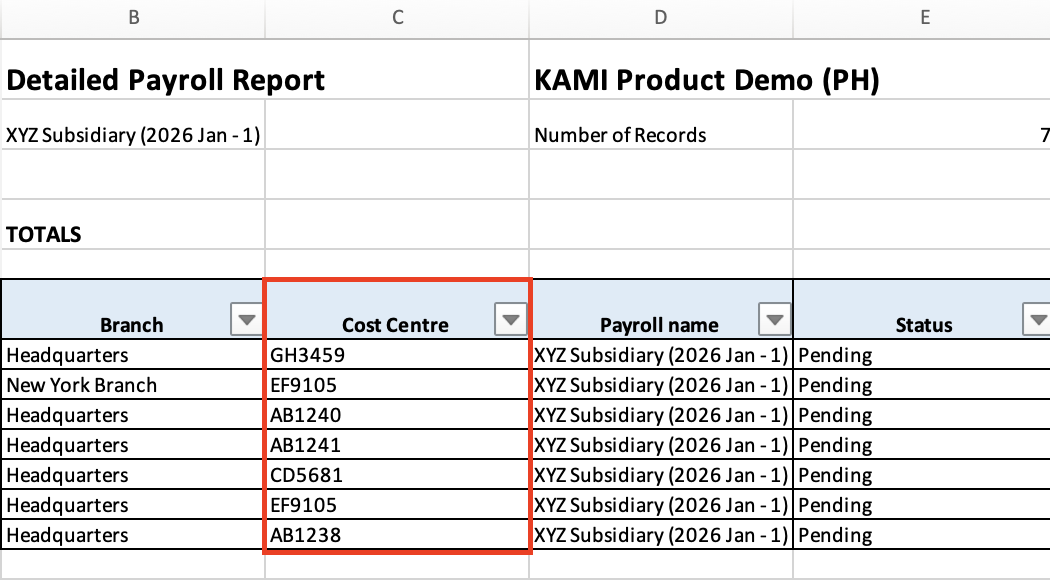
- Labour cost for those employees is attributed to it, which is what finance draws on.
- Changing someone's cost centre changes attribution from that point; it does not restate history.
Tips
- Agree the list with finance before creating anything. Cost centres usually already exist in your accounting system, and the two should match exactly — a KAMI cost centre with no counterpart in the ledger is an orphan that someone has to reconcile by hand every period.
- Assign at onboarding, not at month end. An unassigned employee's cost lands nowhere, and finding out during a close is the expensive version.
- Use the same codes as finance, not friendlier names. "CC-4100" is unhelpful to read and correct to report; "Marketing" is the opposite.
- Check for unassigned employees periodically. They are invisible in cost-centre reporting rather than flagged.
Troubleshooting / FAQ
Q: I cannot create cost centres though I manage departments. They have their own right. Ask whoever administers permissions.
Q: An employee's cost is not appearing under any cost centre. They have not been assigned to one.
Q: We changed someone's cost centre — did past periods move? No. Attribution changes going forward.
Screenshots
These screenshots came from our previous help centre and may show an earlier version of the interface.