The Kanban board
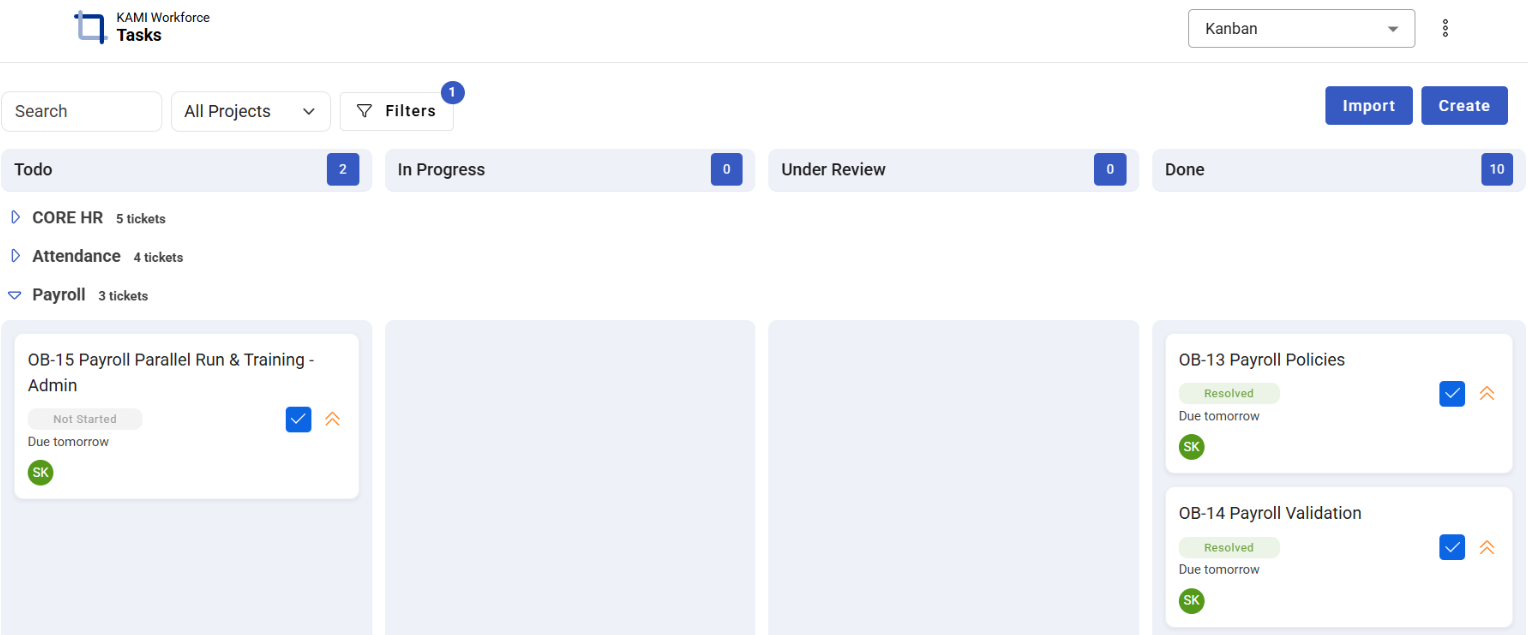
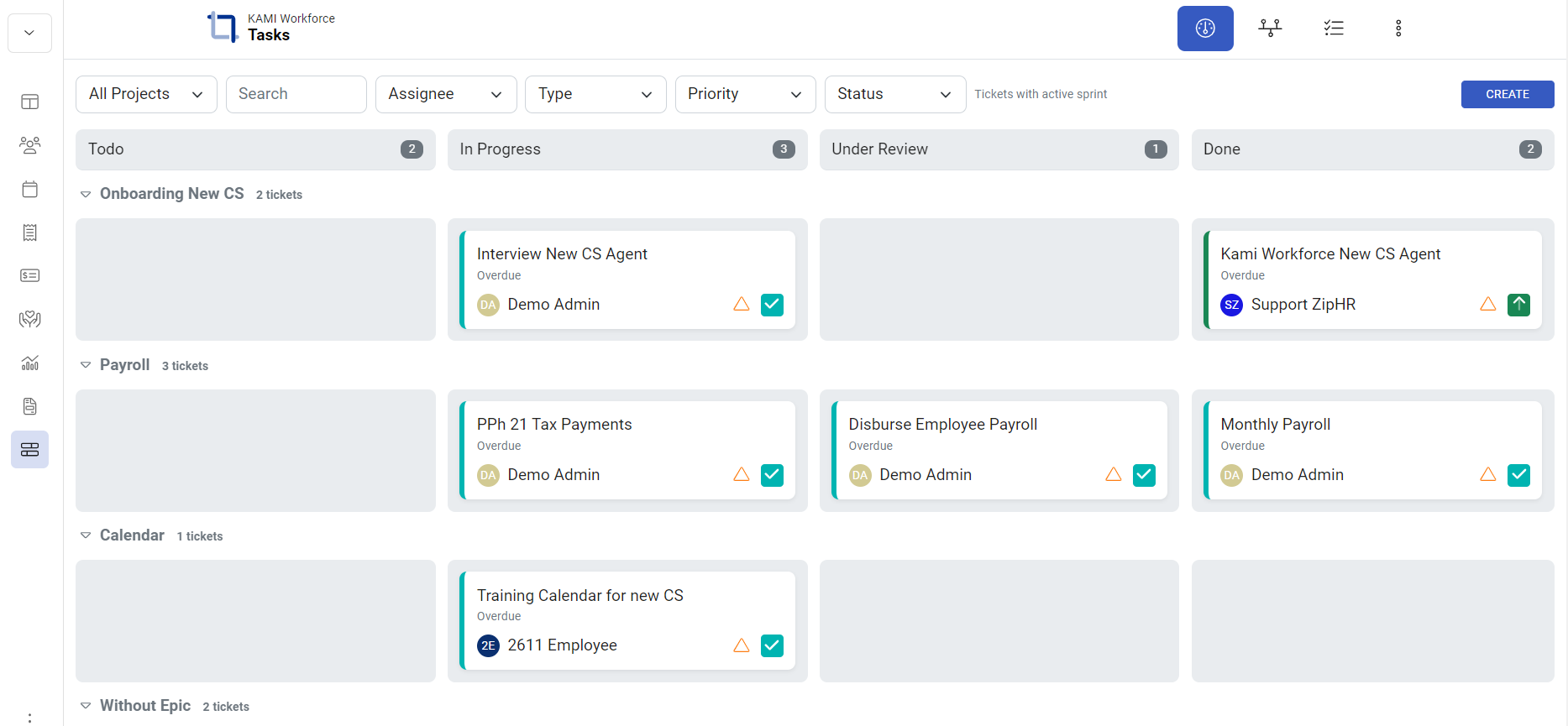
The board is where a sprint gets worked: every ticket as a card, in columns that mirror your workflow. Drag a card to move it — the board is the ticket's status, made physical.
Where: Kanban in the main menu You need: access to the project
When to use this, and when not to
| The question | Use |
|---|---|
| How is the sprint going right now? | The board |
| What am I doing today? | My Work |
| Show me every ticket matching X, and change them together | List view |
| What lands when, and what blocks what? | Timeline |
| How did the sprint actually go? | Insights |
The board is for working a sprint. It is deliberately bad at bulk changes and at anything spanning months — reach for List or Timeline there rather than fighting it.
Reading the board
Columns are the project's statuses — see Statuses, priorities and ticket types. Cards carry the ticket's key, title, type, priority and assignee. Unassigned tickets are marked as such, which on a sprint board is usually a problem to fix rather than a fact to note.
Lanes by epic. By default the board groups tickets into horizontal lanes, one per epic, so it reads as initiatives rather than one undifferentiated pile. Toggle the grouping off for a single flat board.
Working the board
- Drag cards between columns as work progresses — that is updating the ticket's status
- Search to find a card fast
- Right-click a card for quick actions: change status, copy link, move to epic, delete
- Create new tickets without leaving the board
- Click any card to open the full ticket
If the board looks empty and should not, check the filters first — it tells you when no tickets match the current filters, and an active filter is the usual culprit.
What Happens Next
- Moving a card changes the ticket's status, which is visible immediately to everyone and recorded in its history.
- Status changes can trigger automations — moving a ticket to Blocked may notify a manager.
- Completion figures in Insights are built from these movements, so a board that is updated honestly produces reports that mean something.
Tips
- The board is the standup. Walk the columns right to left: what is nearly done, what is stuck in review, what is blocked. The blocked cards are the conversation.
- Cards move when work moves. A board updated once a week before the demo is not a board, it is a slide.
- Watch the Under Review pile. Work that is "done except review" is not done, and this column is where sprints quietly die.
- Fix unassigned cards at planning, not mid-sprint. An unassigned card in an active sprint is work nobody has agreed to do.
- Group by epic when planning, flat when working. Lanes show whether an initiative is progressing; a flat board shows what to pick up next.
Troubleshooting / FAQ
Q: The board is empty. Check the filters, then whether the sprint is Active — the board shows the current sprint, and a sprint nobody activated is not current. See Sprints.
Q: A ticket I expected is not on the board. It may not be in the sprint, or it may be filtered out by an epic lane.
Q: The column names do not match another project's. Statuses are per project; the six underlying columns are the same everywhere. See Statuses, priorities and ticket types.
Screenshots
These screenshots came from our previous help centre and may show an earlier version of the interface.
Tasks Board

Task Board (Kanban)