Notification settings
Notification settings decide how each kind of event reaches people — in the app, by email, or not at all. They are the difference between a system people check and a system people mute.
Where: My Team › Settings › Notifications
You need: the settings right for company-wide configuration; individuals control their own preferences 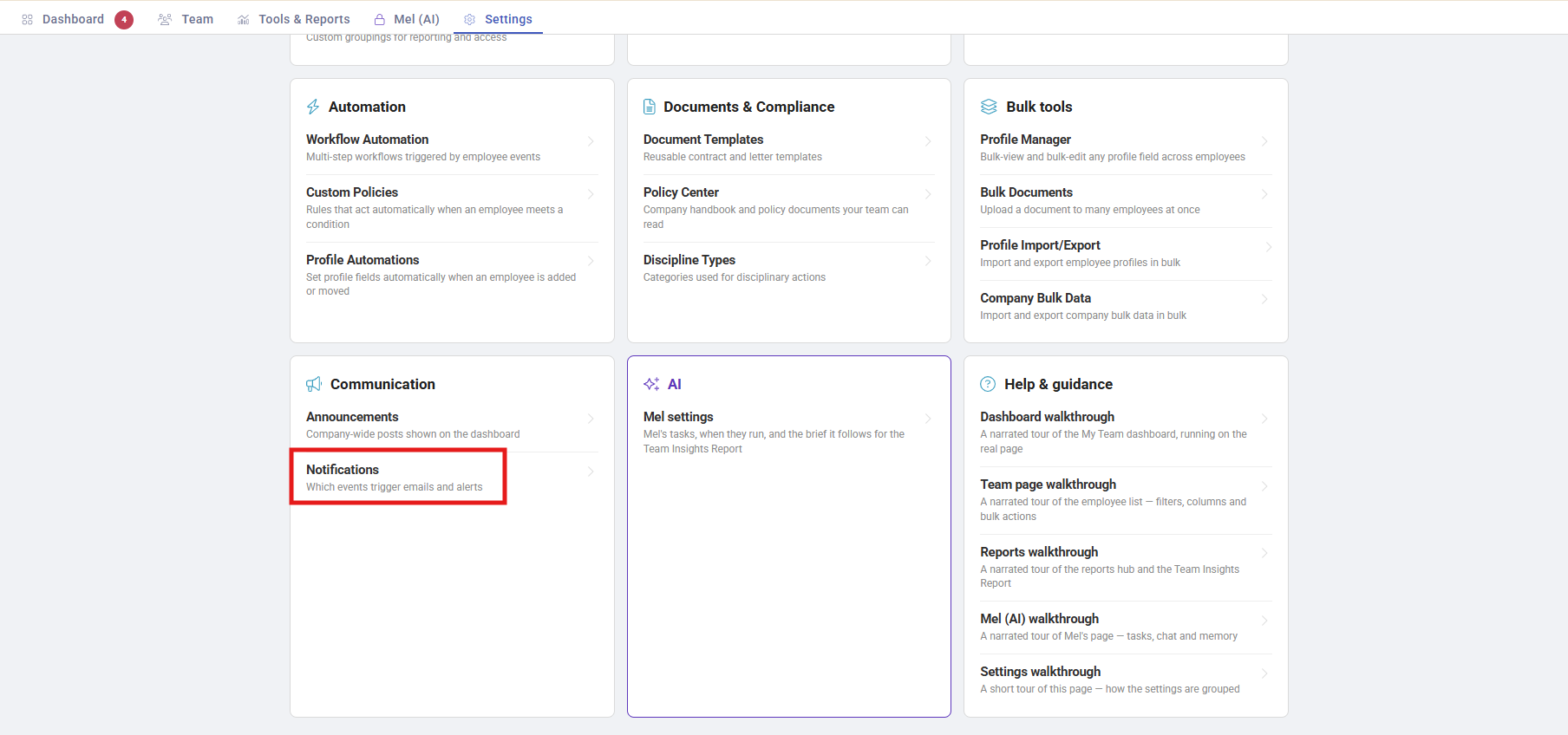
Which mechanism, when
KAMI has several ways of telling people things, and they are easy to confuse:
| You want | Use |
|---|---|
| To be told when something happens to a record | Notification settings |
| A message everyone sees on login | Announcements |
| Something to happen automatically on an event | Workflow Automation |
| A policy people must accept | Custom Policies |
How it works
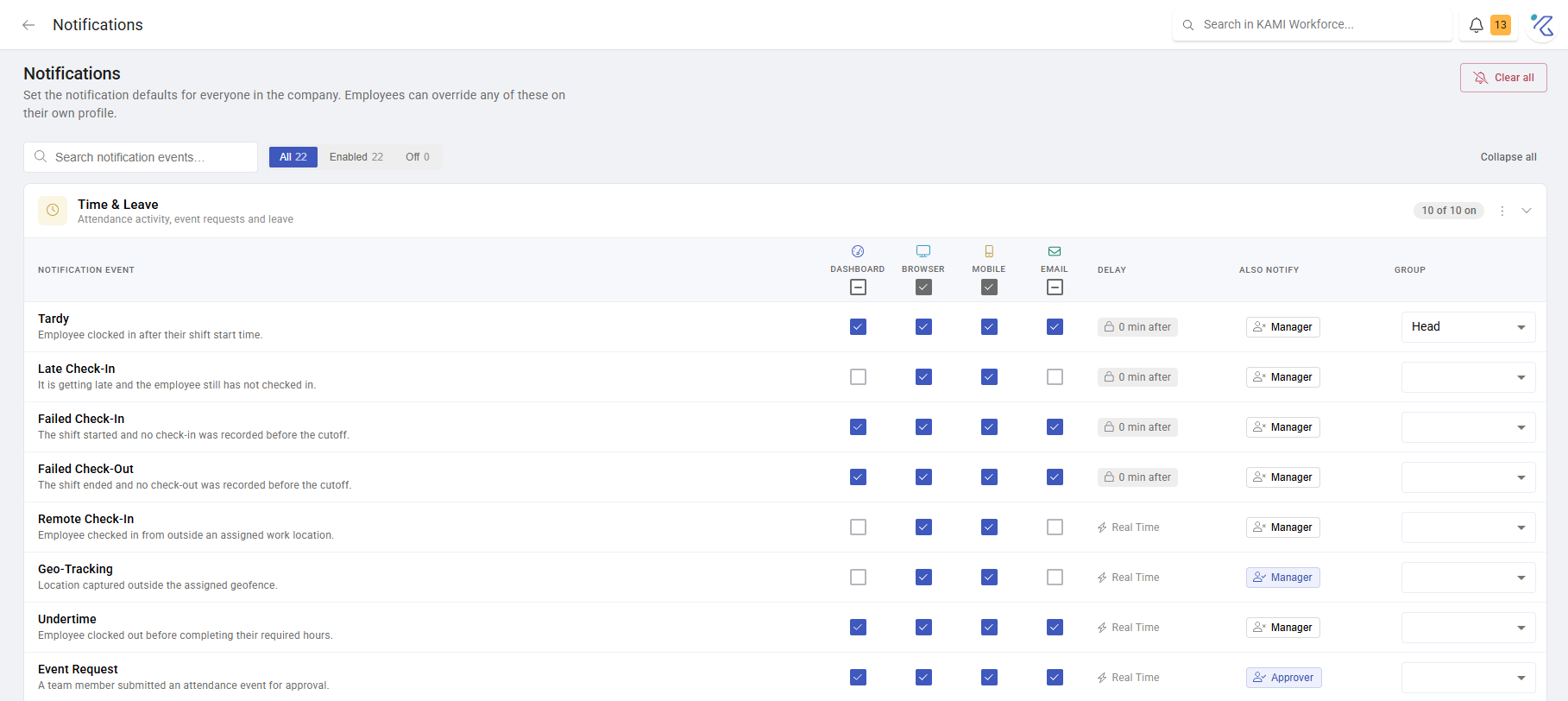
Choose, per kind of event, whether it goes to the in-app channel, email, or both. The two toggle independently, so an event can be recorded without interrupting anyone.
There are also per-employee manager notifications, which is how a specific manager is kept informed about a specific person rather than about everyone.
What Happens Next
- Changes apply to future events, not to what has already happened.
- Turning off email keeps the in-app record. People lose the interruption, not the information — which is usually what you want.
- Notifications from Workflow Automation and approvals reach people through these same settings, so a rule can fire correctly and still be invisible to its recipient.
Getting the balance right
This is the setting most often left at defaults and most worth deliberate thought, because both failure modes are bad:
Too much and people mute the channel entirely — at which point the notifications that mattered stop working too. Notification fatigue is not recoverable by sending more.
Too little and things wait unattended. Approvals in particular sit on a dashboard rather than chasing anyone, so if nothing notifies an approver, the queue depends on them remembering to look.
The workable default: everything in-app, and email only for what justifies interrupting someone's day — approvals waiting on them, and anything with a deadline.
Tips
- Set it deliberately once, then leave it. Repeated tinkering trains people to distrust what the settings mean.
- Email the approvers, at minimum. They are the people whose inaction blocks others, and the dashboard does not chase them.
- Ask the team after a month. The people receiving the notifications know whether the balance is right, and nobody asks them.
- Watch what happens after you add automations. A rule that fires often can quietly double someone's notification volume.
Troubleshooting / FAQ
Q: Someone is not receiving notifications they should. Check the event kind's channel settings, then the individual's own preferences, then whether they are actually the configured recipient — for approvals, being someone's manager does not make you their approver.
Q: Our team says they get too much email. Turn email off for the noisier event kinds and keep in-app on. Nothing is lost from the record.
Q: An automation fired but nobody heard about it. Automation notifications flow through these settings. If the channel is off, the rule still ran.