Approving requests in My Team
The My Team dashboard is built around one job: dealing with what is waiting on you. Requests do not arrive by email — they wait on the dashboard — so this page is the queue, and an unopened dashboard is a queue nobody is clearing.
Where: My Team › Dashboard
You need: to be configured as an approver, plus the rights for what you are approving 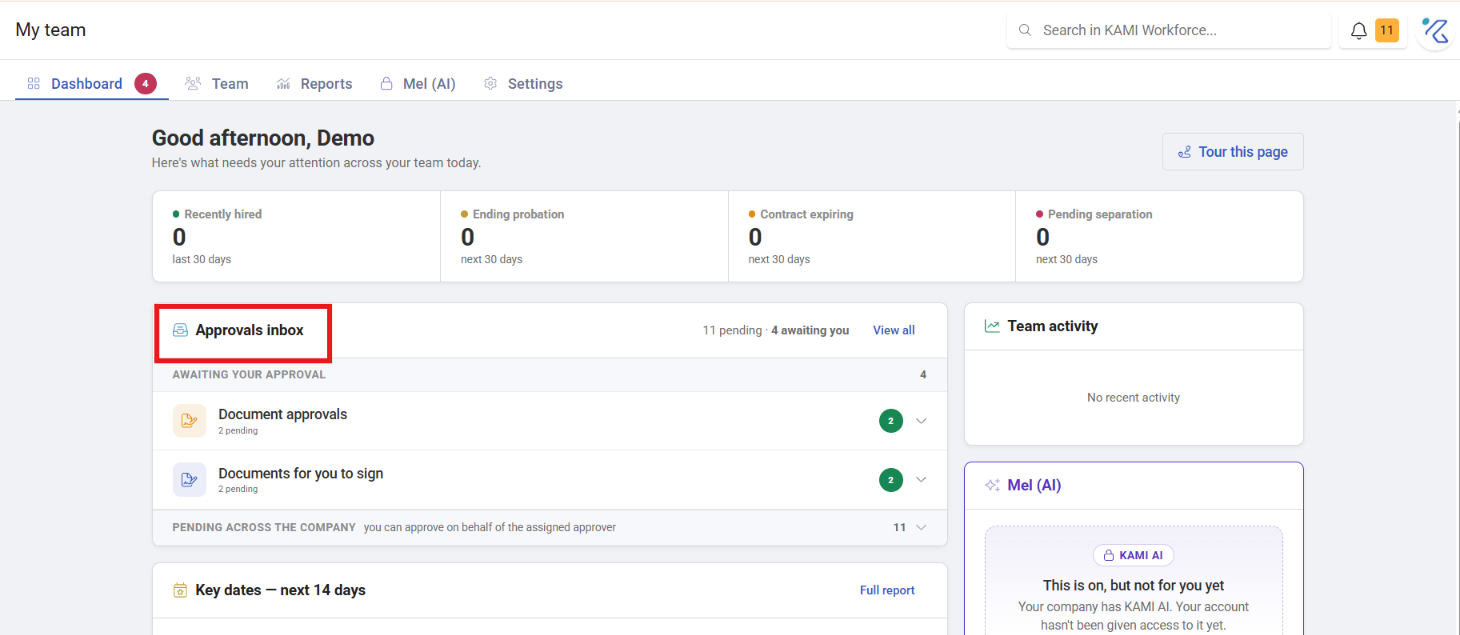
What arrives here
Requests route to you through the approval matrix, and can include:
- Employee profile changes
- New employees awaiting approval
- Documents for your approval
The tab shows a count of what you personally can act on — not everything outstanding in the company. 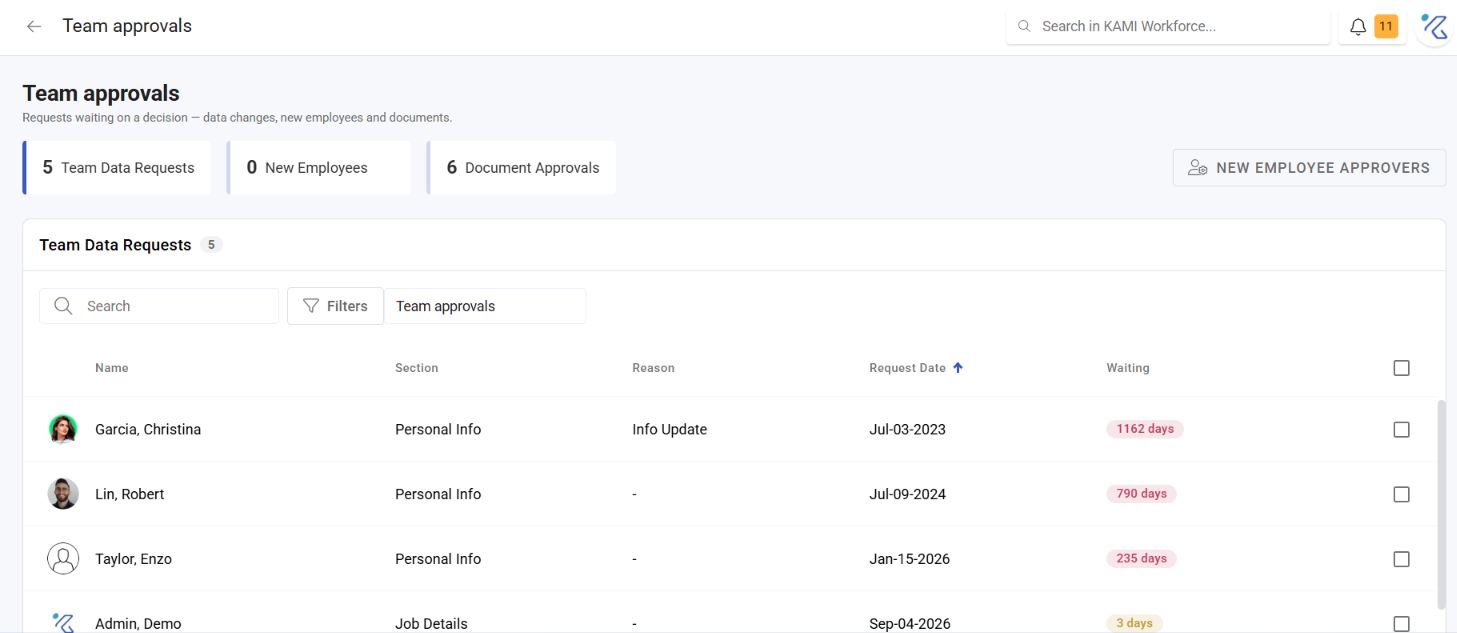
Deciding
Approve or decline, with a comment where the decision needs explaining.
What to check before approving depends on the request:
- Profile changes — particularly bank details, which are the ones worth a second look
- New employees — approving is what turns a created profile into an active employee
What Happens Next
- Approved — the change takes effect immediately and is recorded against the record with your name.
- Declined — nothing changes. The requester usually needs to do something else, so a bare decline produces a resubmission of the same request.
- New employee approvals move the profile out of Unapproved, at which point it appears in the normal Team list.
Why the queue must not sit
Two hard deadlines that have nothing to do with the queue itself:
- Attendance corrections expire. Once the attendance lock closes a period, an unapproved correction can no longer be actioned at all — see Calendar rules and the attendance lock.
- Payroll runs regardless. An unapproved leave request or correction means payroll pays what the record currently says.
Tips
- Check it daily, briefly. Two minutes each morning prevents the fortnightly hour of catching up on things that can no longer be fixed.
- Decline with a reason and a next step. "Not this period — resubmit for August" saves an exchange.
- Batch similar requests. Twenty attendance corrections on one date is one incident; understand it once and decide once.
- If you see nothing and expect something, you may not be the configured approver. Being someone's manager does not route requests to you — see Approval chains and the approval matrix.
- Arrange cover before leave. Deactivating or absenting an approver does not reassign their queue.
Troubleshooting / FAQ
Q: My queue is empty but my team says they submitted requests. Check whether you are the configured approver for that request type, and that their placement matches a route.
Q: I approved something and nothing happened. For attendance, the underlying event may need refreshing. For profile changes, check the audit trail to confirm it applied.
Q: A request disappeared before I actioned it. Someone else with the same scope actioned it, or the period locked.