Other payment types and groups
This is where you define the allowances, bonuses and deductions your company actually uses, and how each behaves. Getting it right once means everyone entering payments afterwards makes correct choices by default.
Where: Settings › Payroll › Other payment types, and Other payment groups You need: the payroll settings right
Types define behaviour, groups apply them to people
| What it is | Use for | |
|---|---|---|
| Type | A definition — how a payment is taxed and which wage bases it feeds | Every distinct kind of payment |
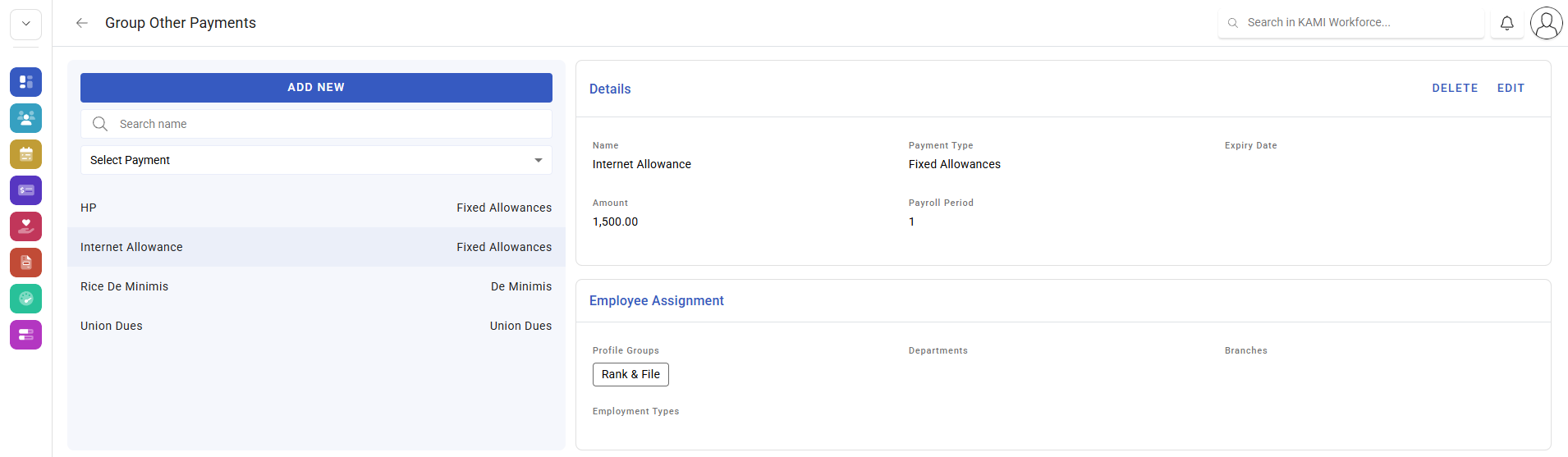
| Group | A set of payments applied to a set of employees | Recurring payments across many people |
A type without a group has to be entered by hand each time. A group is what makes a monthly allowance appear automatically for everyone entitled to it.
What a type controls
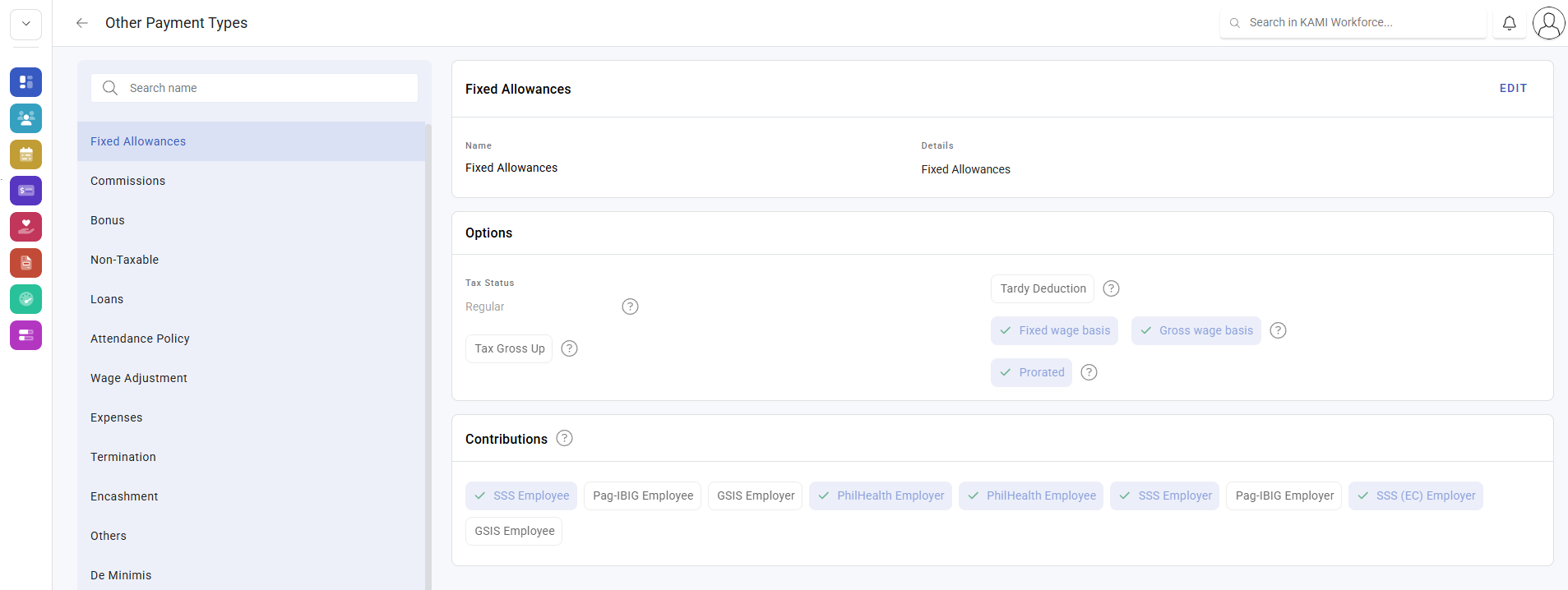
Each type carries the behaviours described in Other payments:
- Tax status — regular, bonus, termination, none, or none excluded
- Fixed wage basis — whether it feeds the fixed wage
- Gross wage basis — whether it feeds the gross wage, which can price overtime
- Prorated — whether a part-period employee receives a proportion
⚠️ The wage-basis flags are the ones to think hardest about. A new allowance that feeds the gross wage basis changes overtime pay for everyone who receives it — a consequence nobody associates with adding an allowance.
Defaults for these behaviours differ by country. Check each country you operate in rather than assuming the configuration travels.
How to set up types and groups
- Open Settings › Payroll › Other payment types.
- Create the type, named for what it is rather than for who receives it.
- Set its tax status and its wage basis flags deliberately.
- Decide whether it prorates.
- In Other payment groups, create a group for recurring payments and assign the employees.
- Run a test payslip and confirm the tax treatment and any effect on overtime.
What Happens Next
- Payments of that type behave according to its configuration at calculation.
- Changing a type does not alter payslips already calculated — recalculate anything that should reflect it.
- Group membership determines who receives a recurring payment in future runs.
- Adding a new type does not add it to the accounting journal — that mapping is separate, see The accounting journal.
Tips
- Create types centrally and few. Three similar allowances with different tax statuses is the standard way a company loses track of its own payroll.
- Name types so the tax treatment is guessable. Someone entering a payment at speed picks by name.
- Use groups for anything recurring. Manual entry every cycle is how one person gets missed, and the person missed is never the one who complains.
- Review the journal mapping after adding a type, or the journal will stop balancing in a month nobody expects.
- Do not repurpose an old type. Rename and reuse looks tidy and silently changes the meaning of your history.
Troubleshooting / FAQ
Q: An allowance is taxed differently for two employees. They are on different types. Two similarly named types can carry different tax statuses.
Q: Adding an allowance changed people's overtime. The type feeds a wage basis that overtime is priced from. Check whether that is the treatment you intended.
Q: A recurring payment did not appear this cycle. Check the employee is still in the group, and that the payslip was calculated after they were added.
Q: A new payment type is missing from the accounting journal. Journal mapping is separate and does not update automatically.
Q: Can a type be deleted? Prefer deactivating. Deleting something that has been paid makes history harder to explain.
Screenshots
These screenshots came from our previous help centre and may show an earlier version of the interface.