Disciplinary Actions report
The Disciplinary Actions report shows the pattern rather than the individual case: who has actions against them, who is approaching the end of your warning ladder, and what your team is being disciplined for most. It is also where actions get issued from.
Where: My Team › Reports › Disciplinary Actions
You need: the Employment write right to issue; Confidential Documents access to view
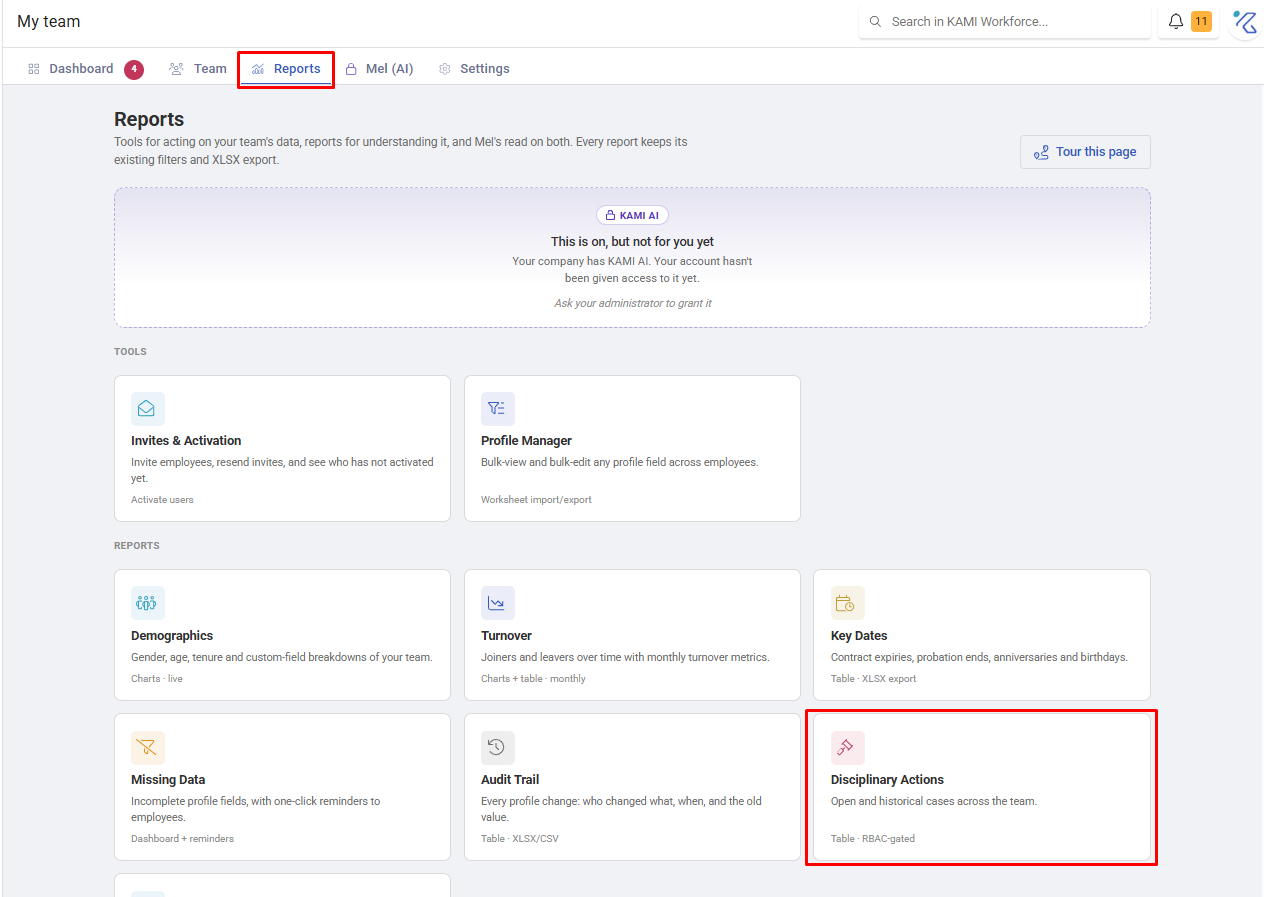
When to use this, and when not to
| The question | Use |
|---|---|
| What is the pattern across the team? | This report |
| What has happened to one person? | Their profile › Employment |
| How do I issue an action? | Logging and managing disciplinary actions |
| What kinds of action exist? | Discipline Types |
What it shows
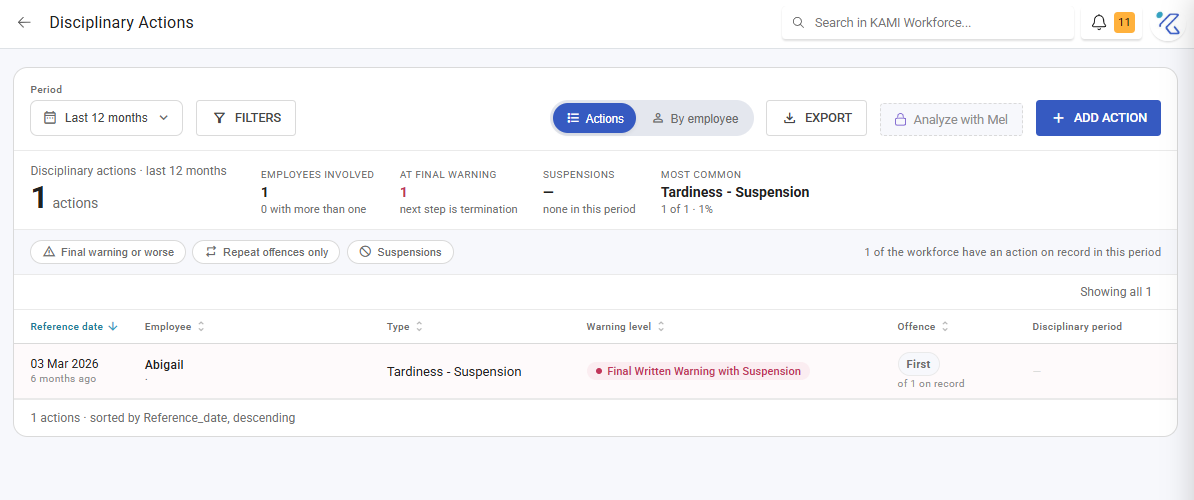
Pick a Period — a preset or a custom From/To range — and the report summarises:
| Card | What it tells you |
|---|---|
| Employees involved | How many people, and how many have more than one |
| At final warning | People whose next step is termination |
| Suspensions | How many actions suspended leave accrual |
| Most common | The discipline type issued most |
Below that, every action is listed with its type, offence, warning level, reference date, who issued it, when it was recorded, the remarks, and the disciplinary period and its length.
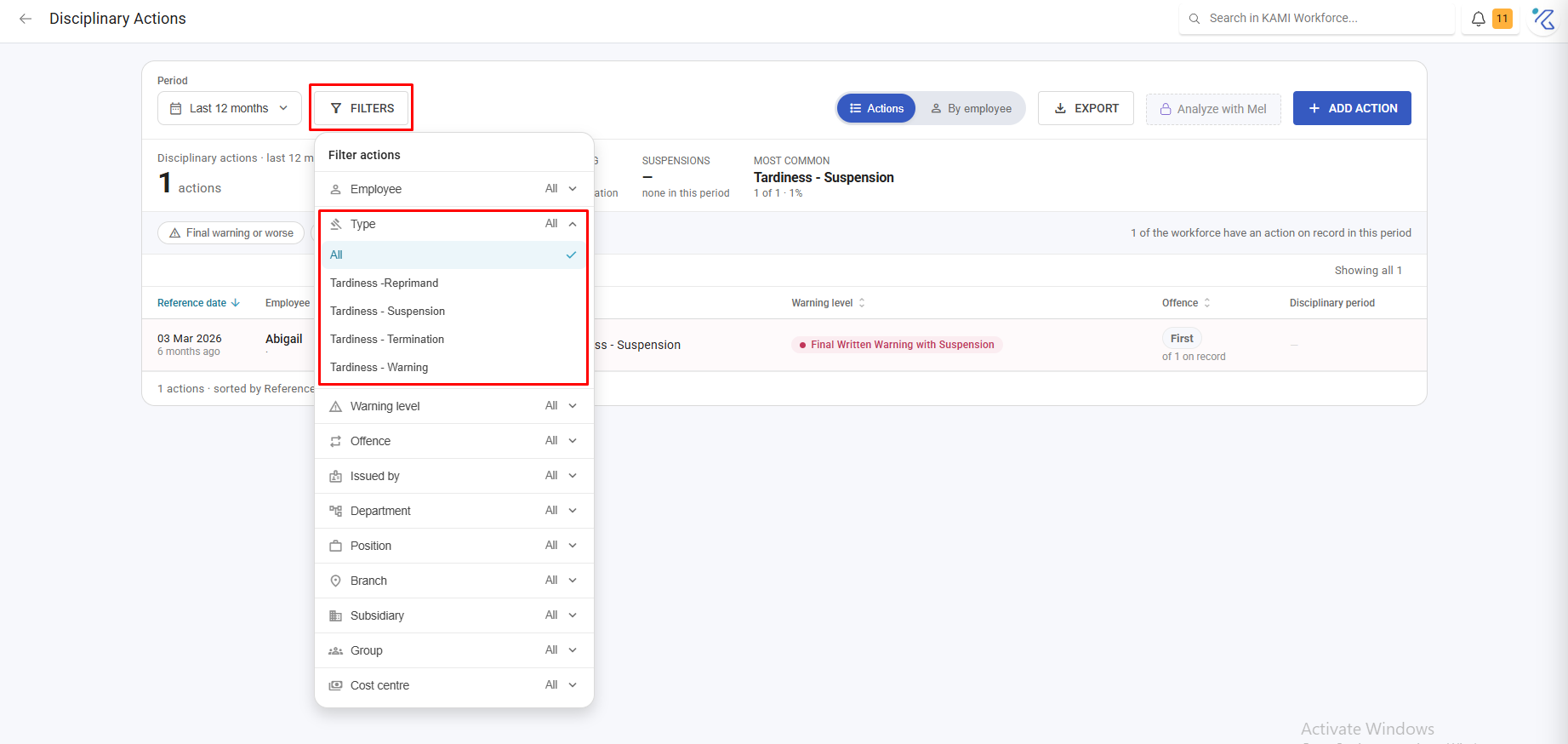
Filter by Types and by Escalation — single action versus repeat. That second filter is the most useful control on the page: it separates a one-off from a pattern in a single click.
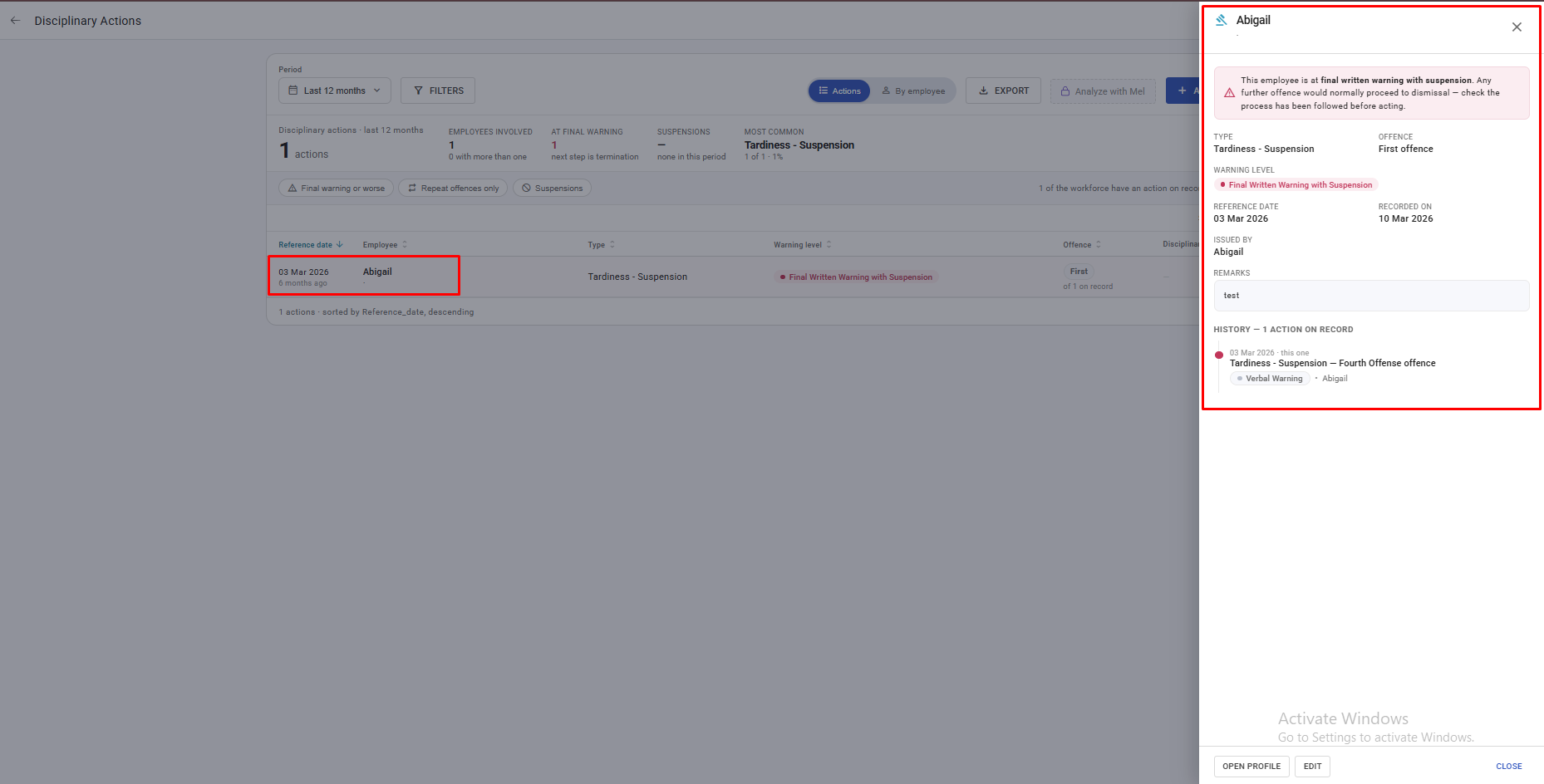
Open any row for full detail, including whether leave accrual was suspended. Where someone has reached the top of your ladder the detail says so explicitly: "This employee is at [level] — next step is termination."
Issuing from here
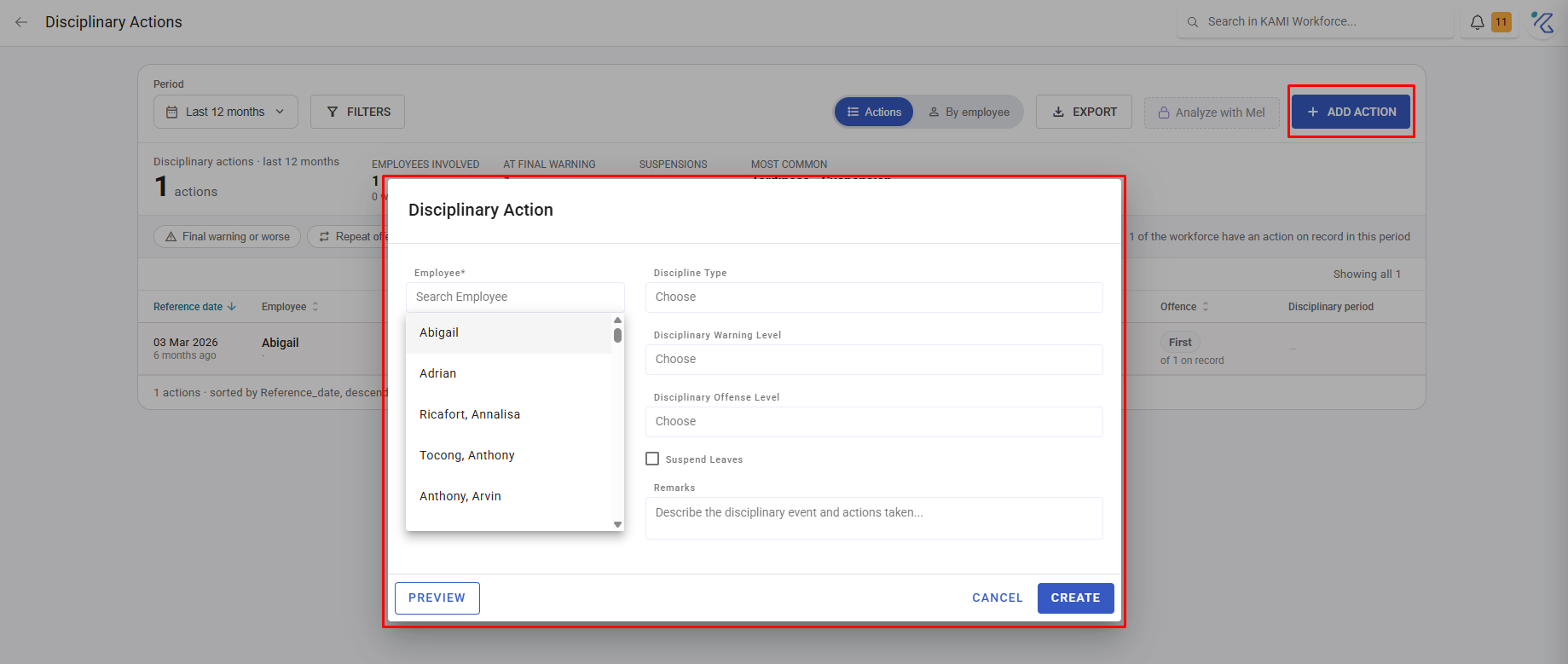
Add action on this page opens the same dialog as the employee's profile. The button only appears if you hold the Employment write right — KAMI hides rather than disables.
What Happens Next
- Issued actions notify the employee if their profile is active, apply the "Under disciplinary" badge for the action's period, and suspend leave accrual where set.
- The action becomes part of this report's totals immediately.
- Records are confidential — visible only to people with confidential-document access.
Reading it well
"At final warning" is a prompt, not an instruction. KAMI tells you someone has reached the last stage of your ladder; the decision, and the process around it, remain yours and your employment lawyer's.
Look at escalation before individuals. A repeat pattern concentrated in one team or one shift is usually about workload, scheduling or management rather than about the individuals — and treating it as individual misconduct is both unfair and ineffective.
A rising "most common" type is a signal. If tardiness dominates, ask whether something changed about shifts, transport or thresholds before concluding the team changed. Attendance thresholds in particular can manufacture tardiness — see Shifts.
Tips
- Review quarterly, filtered to repeat. That is the version of this report that changes decisions.
- Check the "at final warning" list before it is urgent. These are the conversations that go badly when they are rushed.
- Grant confidential-document access narrowly. This is among the most sensitive data in KAMI.
- Export before any formal process. The record as it stood is what matters, and it keeps changing.