Year-end payroll reports
Year-end reporting reconciles a whole year: what each employee earned, what was withheld, and whether the two agree with what was actually due. It is the point at which twelve months of small inconsistencies become visible.
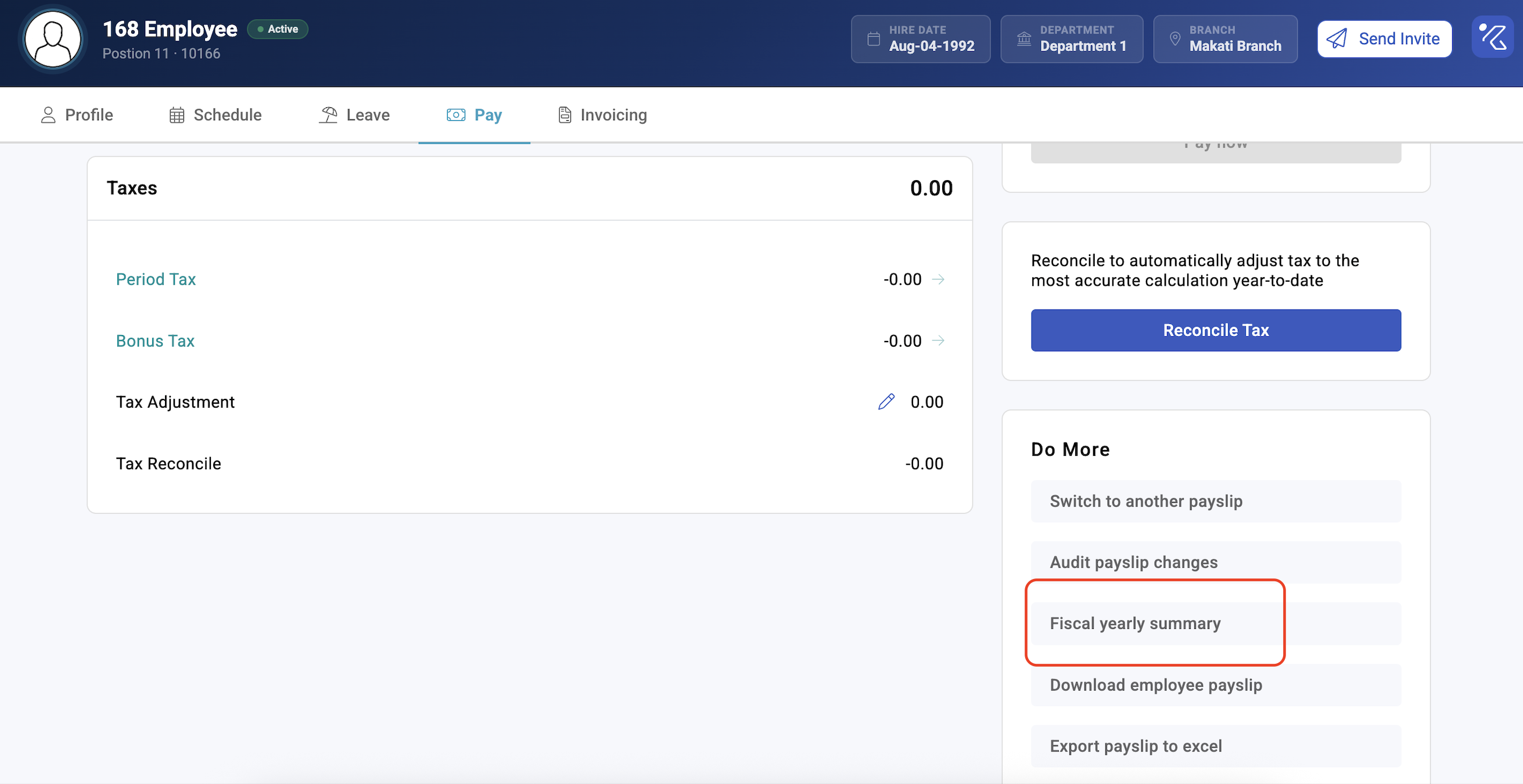
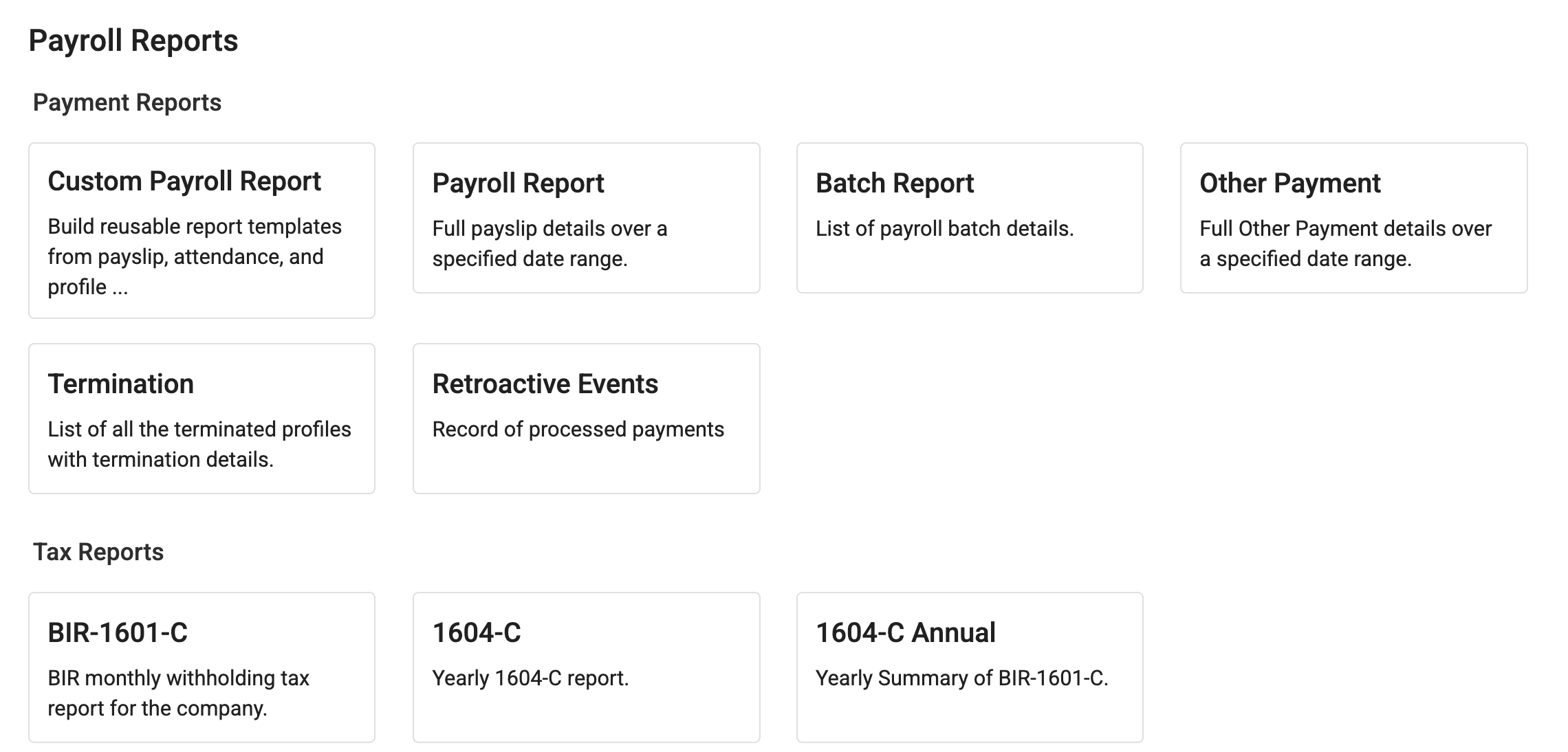
Where: Payroll › Reports You need: payroll rights across every batch cycle for the year
Before You Start
Every run for the year must be closed and paid. An open run is a hole in the year, and it will not be obvious in the totals.
Settle leavers. Anyone who left during the year still needs their year-end figures, and their final payslip is part of the year.
Confirm previous-employer income is recorded for anyone who joined mid-year. Without it, their annual figures describe part of a year as though it were the whole of it — see Income tax types.
Report on a settled status — Paid or Closed & Paid, never Pending.
Why the year-end figure moves
Because KAMI taxes on an annual basis and withholds a share each period, year-end is where any difference between the estimate and the reality is resolved. If your income tax type uses a reconciling method, the final periods of the year already absorb most of it — see Payslip tax details explained.
That is expected behaviour, and it is worth explaining to employees before December rather than after.
Certificates and statutory forms
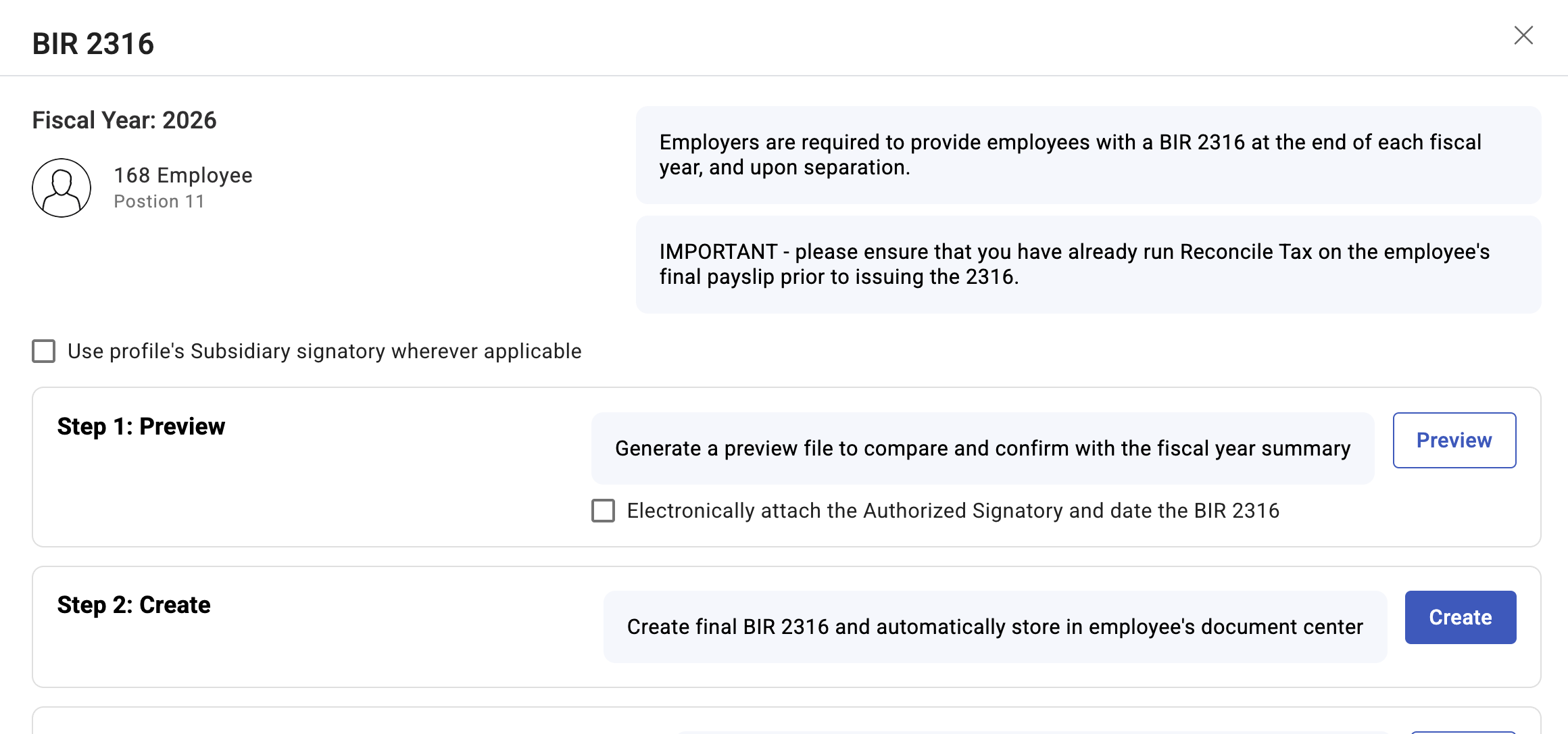
KAMI supports configurable report templates for statutory year-end forms — in the Philippines, BIR Form 2316, the certificate of compensation paid and tax withheld.
The template maps payslip figures onto the form's own cells. Once configured it is repeatable, which is the point: the form is the same every year and the mapping should not be rebuilt annually.
How to produce year-end reporting
- Confirm the year is complete — every run closed and paid, leavers settled.
- Generate the annual payroll, tax and contribution reports for the full year, on a settled status.
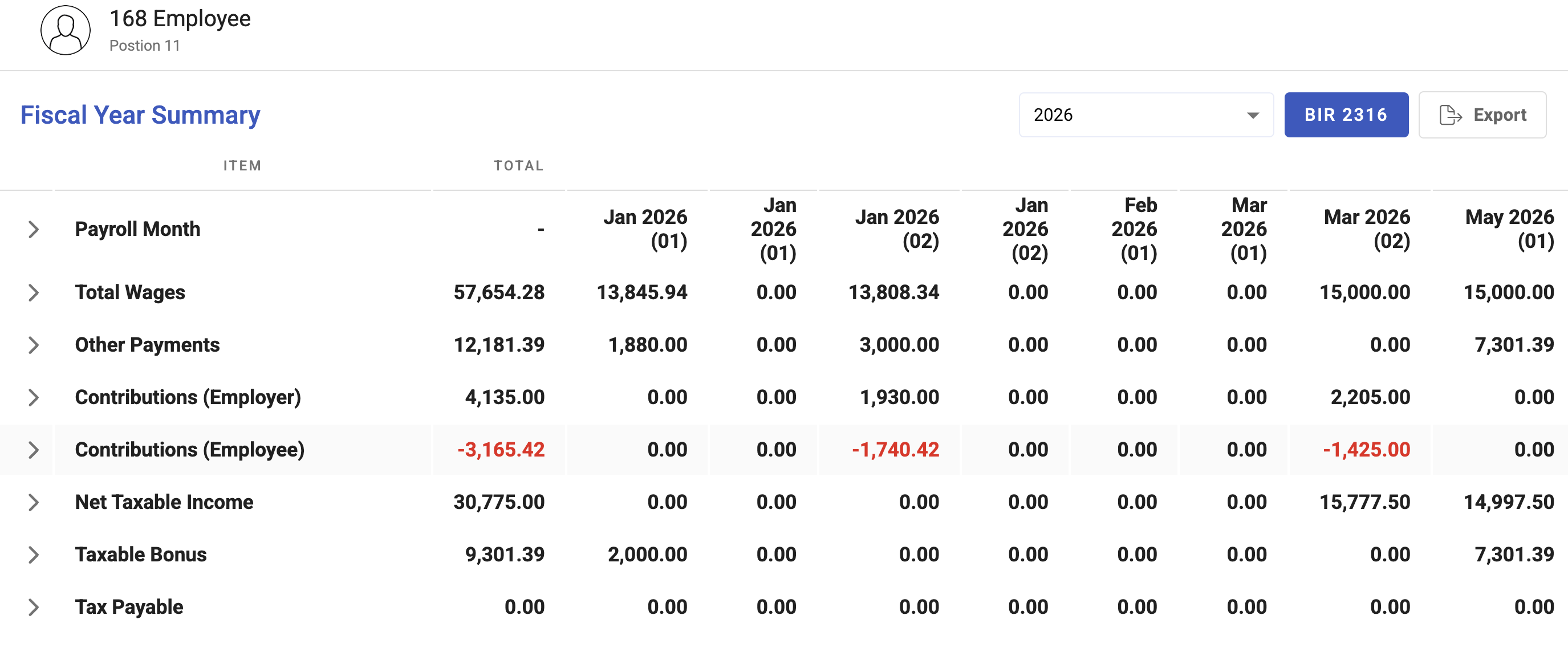
- Reconcile the year against the twelve periods. The annual total must equal the sum of the periods; if it does not, a run is missing or a payslip is in an unexpected state.
- Generate the statutory certificates from the configured template.
- Check a sample by hand — a full-year employee, a mid-year joiner, and a leaver.
- Export and keep everything.
What Happens Next
- The exports are what you file and what you give employees. KAMI does not submit for you.
- Generated reports keep the columns they were produced with, so a later template change does not alter what you issued.
- Corrections made after issuing certificates will not match them; handle those through the authority's amendment process rather than quietly regenerating.
Tips
- Start the reconciliation in November. Everything wrong in December was already wrong in March, and there is no time to fix it in January.
- Check mid-year joiners and leavers individually. They are a small number of people and they account for most year-end errors.
- Keep the exports permanently, with the date they were generated. Reissuing from live data years later will not necessarily reproduce them.
- Reconcile the year against the sum of the months before issuing anything to employees. A certificate that disagrees with a payslip generates a query you cannot easily close.
- Do not correct year-end by adjusting the report. Fix the payslip, recalculate, regenerate — the report is a view, not the record.
Troubleshooting / FAQ
Q: The annual total does not equal the sum of the periods. A run is missing from the selection, or a payslip is in a status the filter excludes. Check both before looking anywhere else.
Q: An employee's certificate shows less than they earned. Check for a run that was never closed, and for previous-employer income if they joined mid-year.
Q: December's tax is far larger or smaller than other months. A reconciling estimation method resolving the year's over- or under-withholding.
Q: A leaver has no year-end figures. Their final payslip may not be closed and paid. Settle it, then regenerate.
Q: We issued certificates and then found an error. Correct the payslip and regenerate, but treat the reissue explicitly — employees may already have filed on the first one.
Screenshots
These screenshots came from our previous help centre and may show an earlier version of the interface.