Invites & Activation report
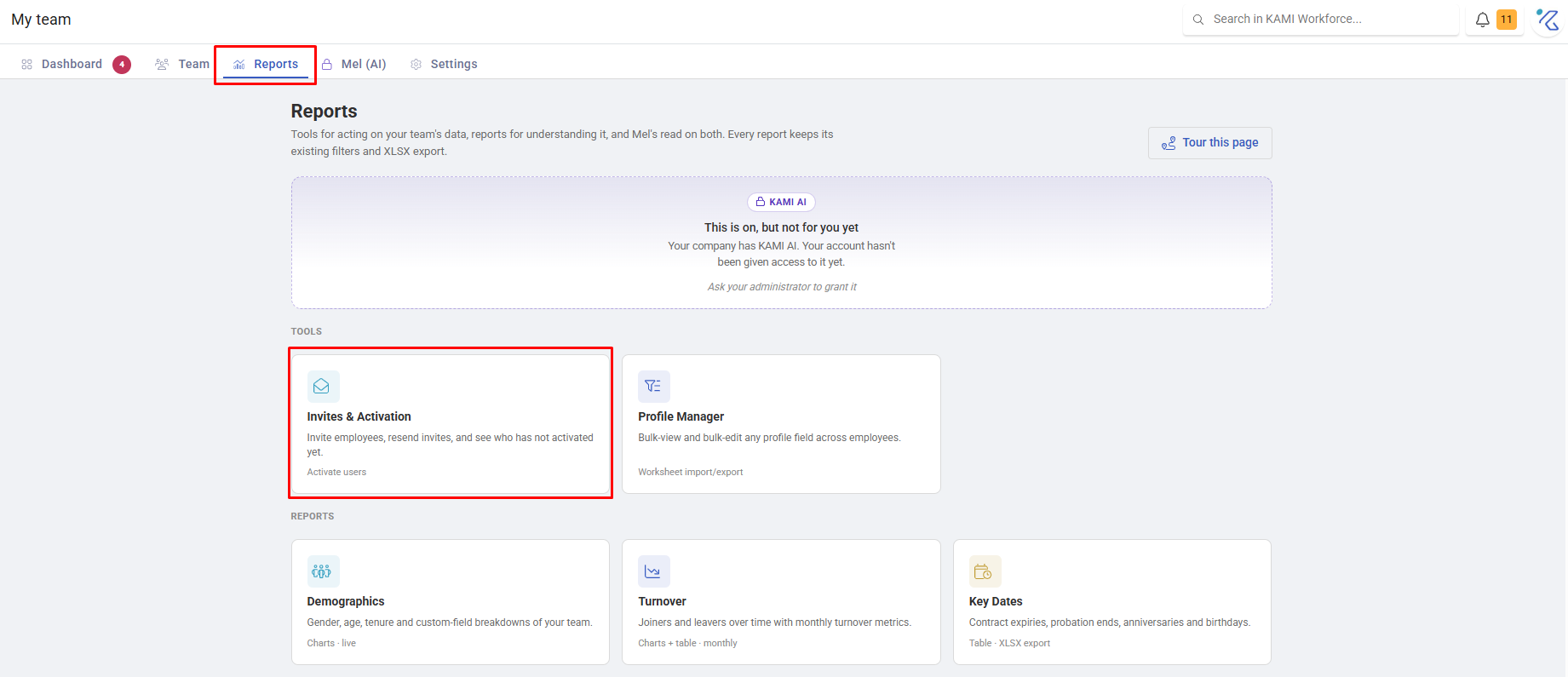
Adding an employee to KAMI does not let them log in. The Invites & Activation tool is where you send invitations, chase the people who have not acted on them, and see who is still stuck — which is usually a longer list than anyone expects.
Where: My Team › Reports › Invites & Activation
You need: the rights to manage employees
The four states
Every employee is in one of these, and the whole tool is about moving people rightwards:
| Status | Meaning |
|---|---|
| Uninvited | Created, no invite sent yet |
| Invited | Invite sent; waiting for them to activate |
| Active | They have set a password and can log in |
| Deactivated | No longer has access |
Uninvited is the state people forget. The invite toggle in the Add Employee wizard is off by default, so an employee created without deliberately turning it on sits invisible and unable to log in until someone notices. See Adding and onboarding employees.
Sending invites
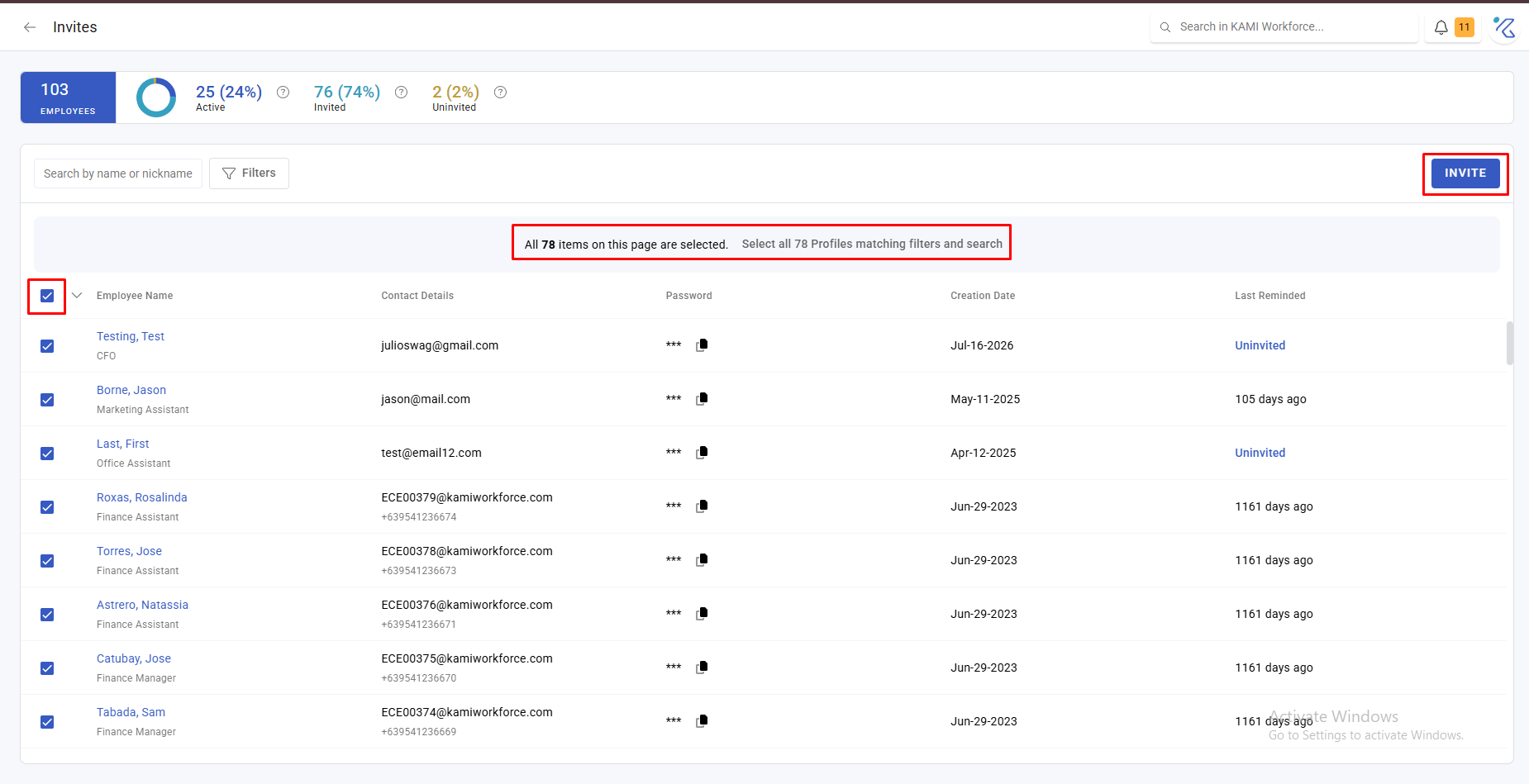
Select who to invite and confirm. You can also copy a generated password to hand over directly — useful for someone standing in front of you, or where email is unreliable.
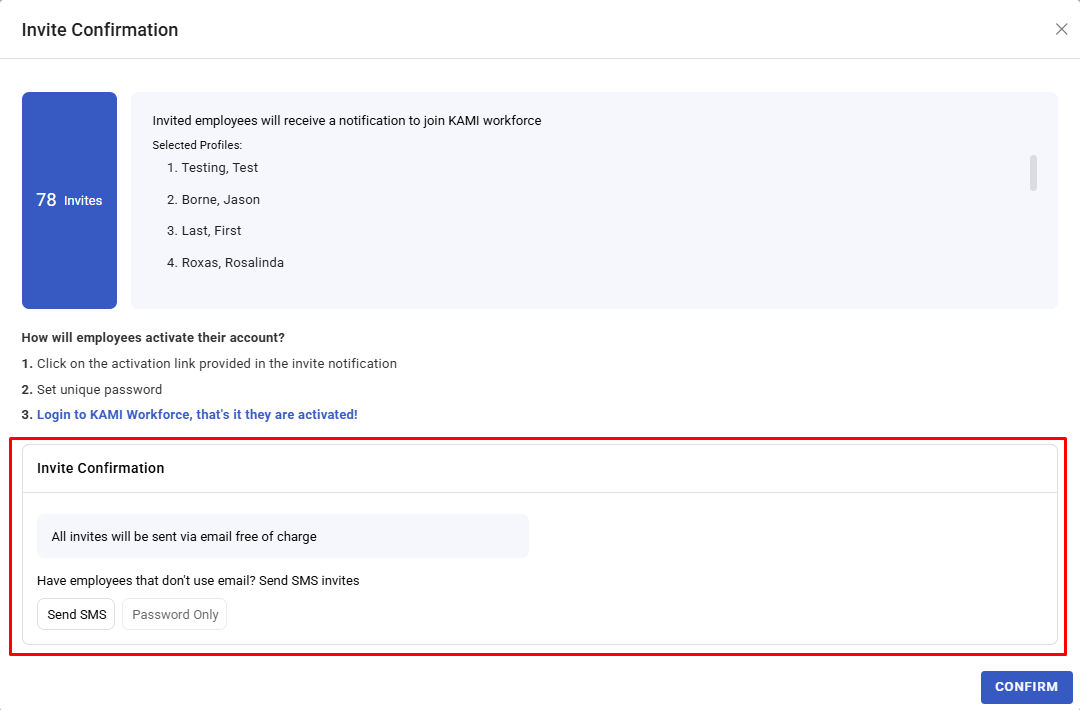
Invites go by email, and by SMS where the person has a mobile and your company has SMS enabled.
Chasing
Use the same screen to re-send to people who have not activated.
⚠️ You can only re-send to the same person once every 20-24 hours. If someone says a second invite never arrived, this is usually why. Wait, or hand over a generated password instead.
What Happens Next
- An invite sends an activation link; the employee sets a password and becomes Active.
- Activating triggers a confirmation email to them.
- Until they activate, they cannot log in, cannot see payslips, and cannot submit anything — so an unactivated employee is invisible to every self-service process.
Tips
- Invite in batches after checking profiles, not as you create each person. It gives you one moment to verify rather than one per employee — and someone who logs in to a half-built profile sees the gaps.
- Run this report a week after any intake. The people who did not activate are the ones who will surface as problems on payday, when they cannot see a payslip.
- Hand over a password directly for anyone hard to reach. Field staff and people without work email are the usual long-tail here, and chasing by email will never resolve them.
- Check Uninvited before assuming everyone is set up. It is the state that produces "I never got access" months later.
Troubleshooting / FAQ
Q: I re-sent an invite and they say nothing arrived. Re-sends are limited to once every 20 hours per person. Wait, or copy the generated password and hand it over.
Q: Someone cannot be invited. They have no real email or mobile — commonly a profile created with a placeholder company email. Add a real address first.
Q: An employee is Active but cannot see anything. Activation gives them access; what they can see is user rights. See User rights and access control.