Sprints
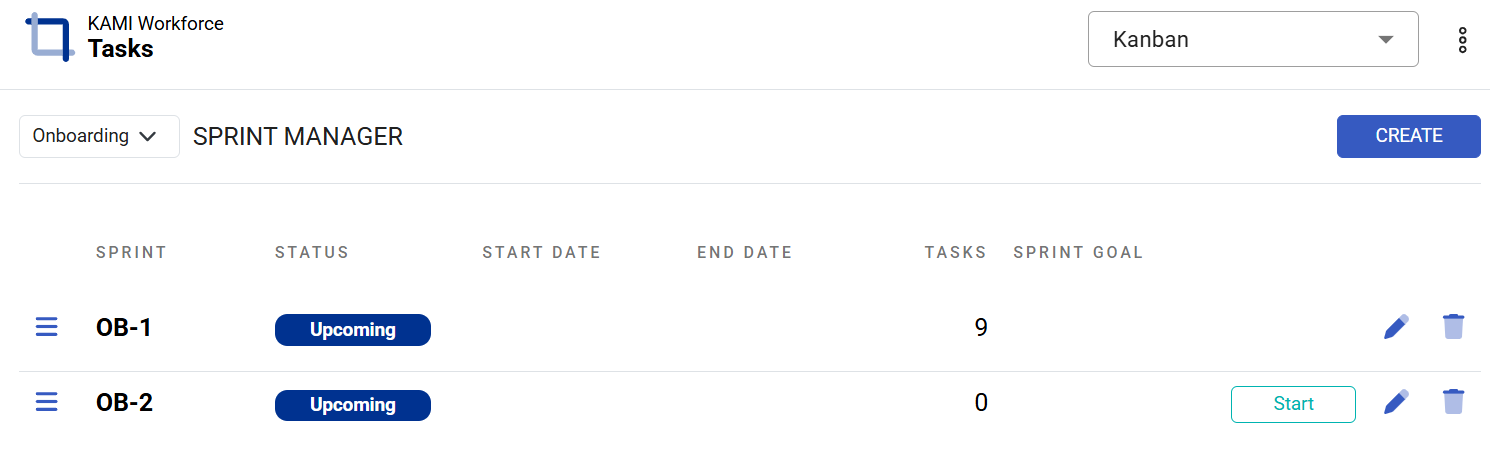
A sprint is a short, fixed period — usually one to four weeks — in which your team commits to a set of tickets. The Sprint Manager is where sprints are created and moved through their lifecycle.
Where: Sprints in the main menu, or Settings › Sprint Manager You need: project access; managing sprints needs project admin rights
When to use this, and when not to
| You want to | Use |
|---|---|
| Commit to a body of work for a fixed period | A sprint |
| Group work by initiative, regardless of timing | An epic |
| Track work with no fixed period at all | The board and List view, no sprint |
| Plan across months rather than weeks | The Timeline |
Sprints and epics answer different questions and most teams use both: the epic says what initiative this belongs to, the sprint says when we are doing it.
Creating a sprint
Pick the project, then set start and end dates, a sprint goal — one sentence on what this sprint is for — and any notes. Sprints are numbered automatically within their project, so they come out as KDV-5, KDV-6.
💡 Write the goal. A sprint with a goal can be judged — "did we ship the invoicing revamp?" A sprint without one is just a fortnight with a board.
The lifecycle
A sprint is always in one of three states, and you move it forward by hand:
Upcoming → Active → Closed
- Upcoming — being planned. Fill it from the backlog.
- Active — the sprint being worked now. This is the one My Work and the board treat as current.
- Closed — finished, and feeding Insights history.
The calendar does not move sprints for you. If nobody activates the sprint, My Work says "no active sprint" all fortnight. Starting and completing a sprint is a deliberate act — usually the first and last item of your sprint ritual.
Completing a sprint
When you complete a sprint there are almost always open tickets left. The completion flow asks where they should go: choose a destination sprint, and open tickets transfer while completed ones stay put. It reports how many tickets were affected.
That transfer is the honest moment of sprint-running: what rolls over is your real velocity talking. If half the sprint transfers every time, the sprints are overpacked, and Insights will show the same story as scope added after start and a low completion rate.
Deleting a sprint works the same way — its tickets are moved, not lost.
What Happens Next
- Activating a sprint makes it the current one for My Work, the board and Insights.
- Tickets in the active sprint count toward its completion figures and velocity.
- Closing a sprint freezes its numbers into Insights history, which is what makes future planning possible.
- Transferred tickets keep everything — comments, work logs, history — and simply belong to the new sprint.
Tips
- One goal, real dates, activated on day one. The three habits that make sprints work at all.
- Commit to roughly what you complete, not what you hope. Velocity exists to make that a number rather than an argument.
- Adding tickets mid-sprint is visible. Insights counts tickets created this sprint and scope added after start. Mid-sprint additions are not forbidden — but they are on the record, and that is the point.
- Close sprints promptly. A sprint left Active for three weeks past its end date makes every figure that reads "current sprint" wrong.
- Review the transfer list at completion, not just the count. The same ticket rolling over four sprints is telling you something no metric will.
Troubleshooting / FAQ
Q: My Work says "no active sprint" mid-sprint. The sprint was never moved to Active. Its status is set by hand, not by the dates.
Q: Tickets vanished when I completed the sprint. They transferred to the destination sprint you chose. Nothing is deleted.
Q: Velocity looks wrong. Check that sprints are actually being closed. Velocity is built from closed sprints; leaving them Active distorts it.
Screenshots
These screenshots came from our previous help centre and may show an earlier version of the interface.
Creating Sprint Manager
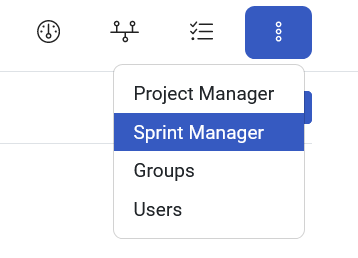
Create a Sprint Manager