Checkpoints and geo-tracking
For work that happens away from a desk, KAMI records where a check-in happened, not only when. Checkpoints and geo-tracking are the two views of that, and they answer different questions.
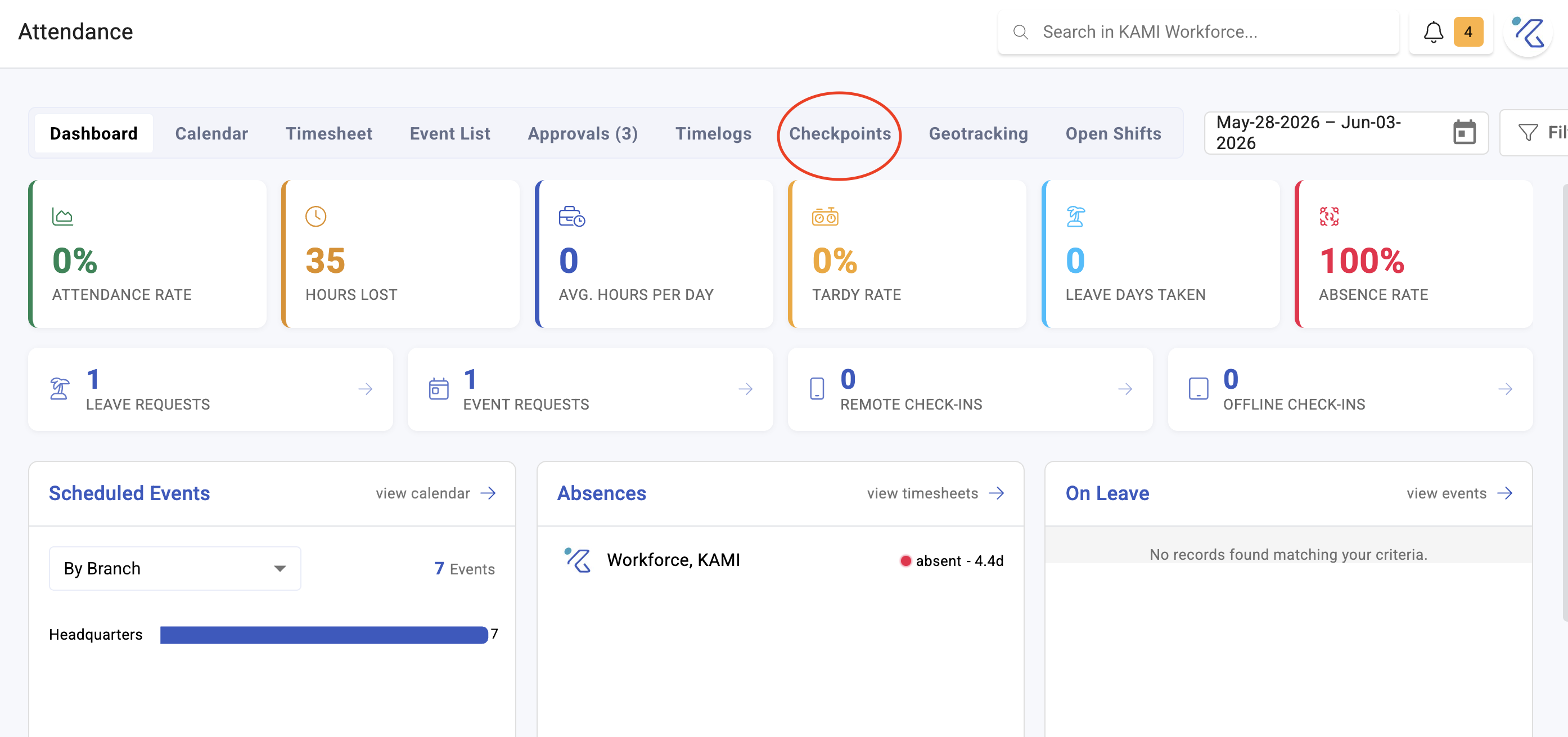
Where: Calendar › Checkpoints, and Calendar › Geo-tracking You need: the team attendance rights
Which one, when
| The question | Use |
|---|---|
| Was this person where the job was? | Checkpoints — points in time, on a map |
| Where did this person travel over the day? | Geo-tracking — movement and distance |
| Did they check in away from a branch? | The remote flag — see Offline and remote check-ins |
| Is anyone faking location? | The GPS mock attempts report |
Checkpoints suit roles that start somewhere specific — site visits, inspections, deliveries with fixed stops. Geo-tracking suits roles where the route is the work.
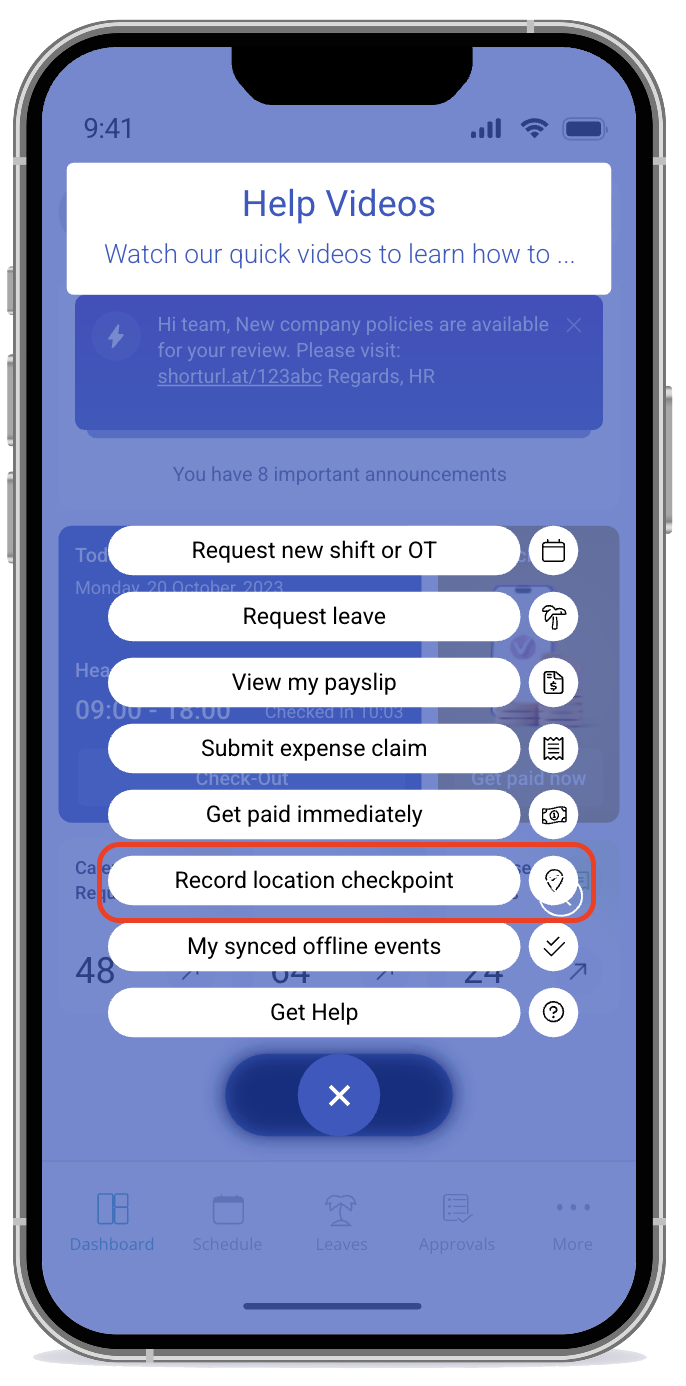
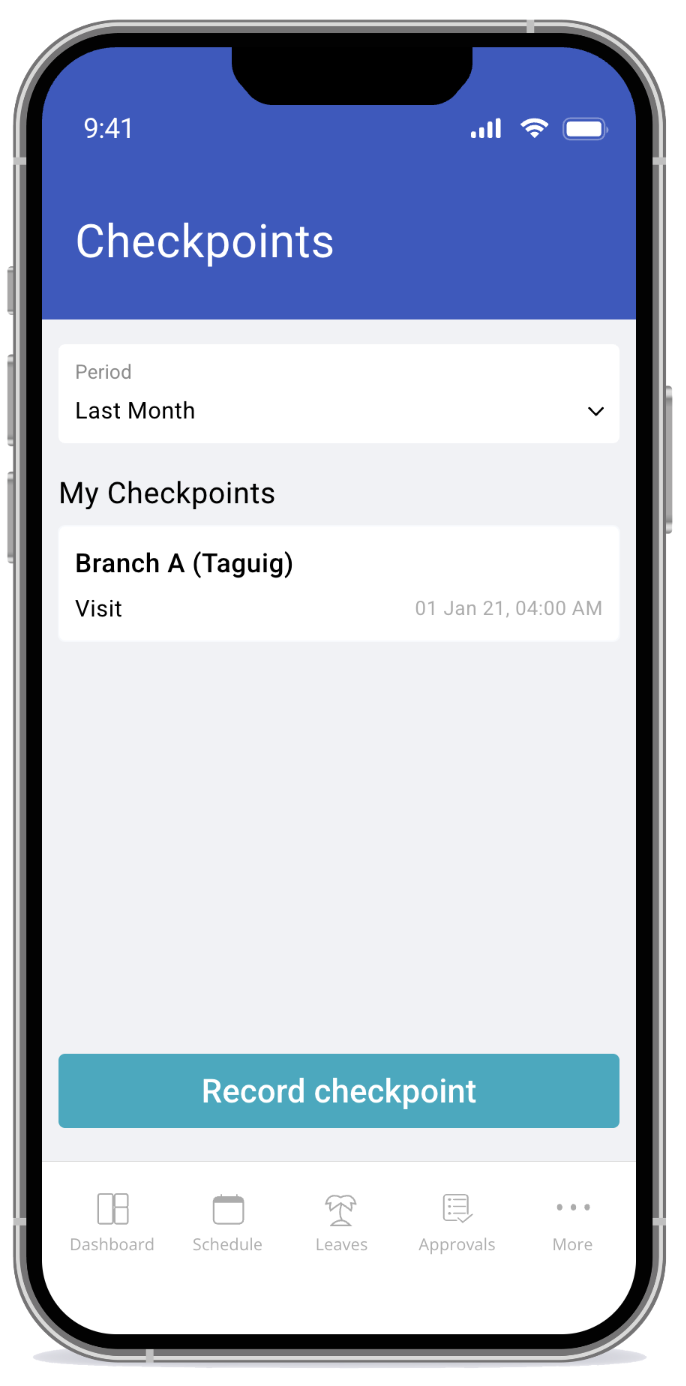
Checkpoints
Checkpoints show check-ins with their location and datetime, plotted on a marker map, with any files attached — a photo taken at the point of check-in, for example.
Filter by branch, department, cost centre and group, set a date range, and export.
Geo-tracking
Geo-tracking follows movement across a period rather than a single point, including distance covered in kilometres.
What makes it work
Location checks depend on branch coordinates being configured. A branch with no coordinates cannot support them at all — which is the usual explanation when this feature appears to do nothing. See Setting up your organisation structure.
Check-ins away from a branch are flagged remote, and ones made without a connection offline, synced later. Both are visible on the record.
What Happens Next
- Location data attaches to the check-in and stays with the record permanently.
- It appears in checkpoints, geo-tracking and the exports, and remains available for later review.
- GPS mock attempts are recorded in their own report — worth reviewing periodically rather than only after a suspicion.
- Location data does not by itself change anyone's pay; it is evidence about a check-in, not a component of it.
Using it fairly
Location tracking is the most intrusive thing in Attendance, and how you introduce it matters as much as how you configure it:
- Tell people plainly what is recorded and why. Discovering it is recorded is far worse than being told about it.
- Use it for the roles that need it. Field roles have a real reason; office roles generally do not, and applying it everywhere costs trust for nothing.
- Be specific about what you will do with it. "Confirming site attendance for client billing" is a purpose people accept. Unstated purposes are assumed to be the worst one.
- Check local law. Employee location data is regulated differently across jurisdictions, and this article is not legal advice.
Tips
- Configure branch coordinates when you create the branch, not when someone reports that location checks do not work.
- Review GPS mock attempts monthly. It is a small report and the pattern matters more than any single entry.
- Pair a checkpoint with a photo where the evidence matters — a location alone proves a device was somewhere.
- Do not use geo-tracking where checkpoints would do. Continuous tracking for a job with three fixed stops is disproportionate, and disproportionate monitoring is what turns a reasonable control into a grievance.
Screenshots
These screenshots came from our previous help centre and may show an earlier version of the interface.