Projects and access
A project is the container everything else sits in: its tickets, sprints, epics and board all belong to one project. Projects are also where access is decided — people see a project through the groups that have been granted it, never as individuals.
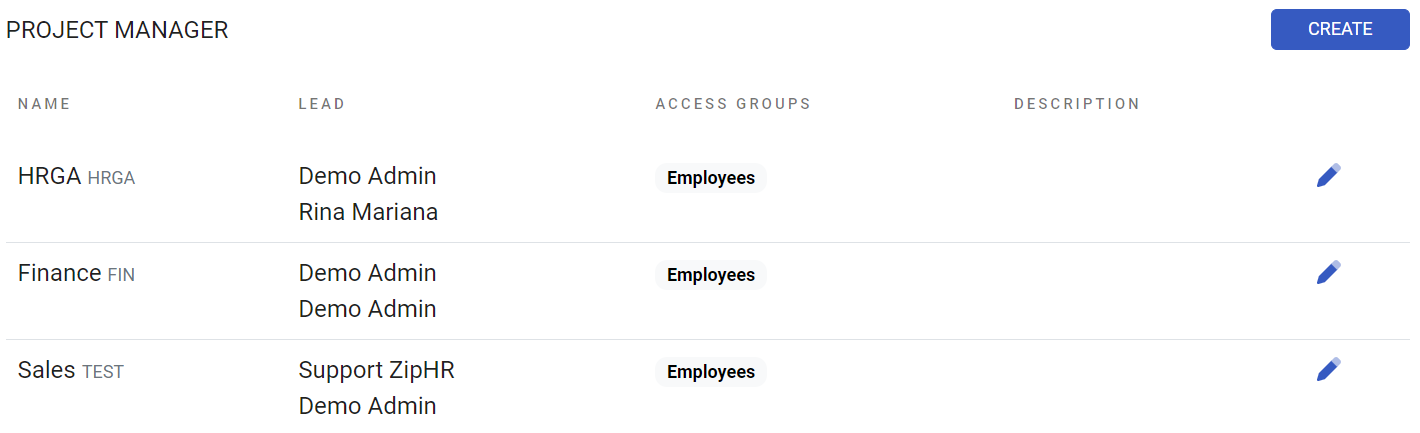
Where: Projects in the main menu; Settings › Project Manager to create and edit You need: project admin rights to create or change a project
When to use a new project
| The situation | Do this |
|---|---|
| A separate body of work with its own backlog and board | A new project |
| A large initiative inside existing work | An epic, not a project |
| A team working the same backlog differently | One project, filtered views |
| A client or department needing isolation | A new project — access is per project |
Projects are expensive to split later because ticket keys are permanent. Create one when the work genuinely has its own backlog and audience; use epics for everything else.
Before You Start
Decide the slug before anything else. It is a short uppercase code — KDV — and it becomes the prefix of every ticket key in the project. Keys are permanent, and if you connect GitLab, branch names must start with the ticket key for MR linking to work. Treat the slug as unchangeable from the moment the first ticket exists.
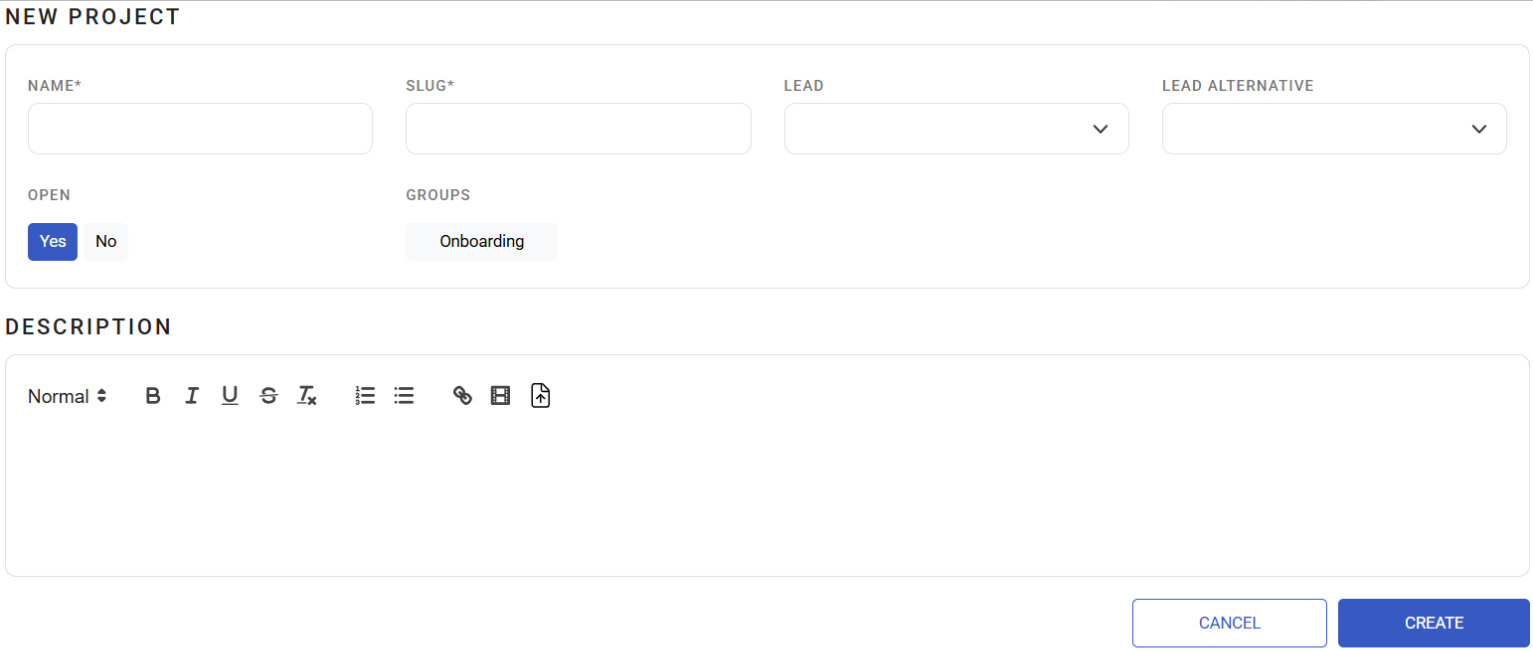
Creating a project
- Name — what people see
- Slug — the permanent key prefix, above
- Lead, plus an optional backup lead
- Description, and a project colour so it is recognisable at a glance
- Open — whether the project accepts new work
- Access groups — see below
- Custom statuses — see below
Access is granted through groups
You do not add individual people to a project. You add access groups — the teams defined under Users and groups — and everyone in those groups can see and work the project.
That makes group membership the answer to most access questions:
- New joiner cannot see the project → add them to the team's group
- Whole team needs a new project → add the group to the project, once
- Contractor finished → remove them from the group, and every project it carried goes with it
Custom statuses
Each project defines its own custom statuses — its own labels for the stages work moves through — and maps each to one of the six system columns. Add them with a name and the column they belong to.
This is how a development project gets QA Testing and Pending Deploy while another stays simple, without the board or reports fragmenting, because everything still rolls up to the same six columns. Full explanation in Statuses, priorities and ticket types.
What Happens Next
- The project appears for everyone in its access groups, with its own board, backlog and sprints.
- New tickets take keys from the slug, starting at 1.
- Custom statuses become available to tickets in that project immediately; existing tickets keep the status they had.
- Closing a project stops new work without removing anything — the history stays readable.
Tips
- Choose the slug like a permanent name, because it is one. Short, obvious, and meaningful to someone outside the team.
KDVis better thanPROJ2. - Set a backup lead. The project lead being on leave should not stop decisions.
- Grant groups, not people, even once. The first individual exception is how access lists become unmaintainable.
- Keep custom statuses few. Every extra status is a decision someone must make correctly, forever.
- Review access after any reorganisation. People who change team keep whatever their old group carried.
Troubleshooting / FAQ
Q: Someone cannot see a project they need. Add them to a group that has access, or add their group to the project. Individual access does not exist.
Q: Can we change a project's slug? Treat it as no. Keys are built from it and are permanent, and GitLab branch linking depends on them.
Q: Tickets are not linking to merge requests. Branch names must start with the ticket key. See Integrations.
Screenshots
These screenshots came from our previous help centre and may show an earlier version of the interface.
Creating Project Manager
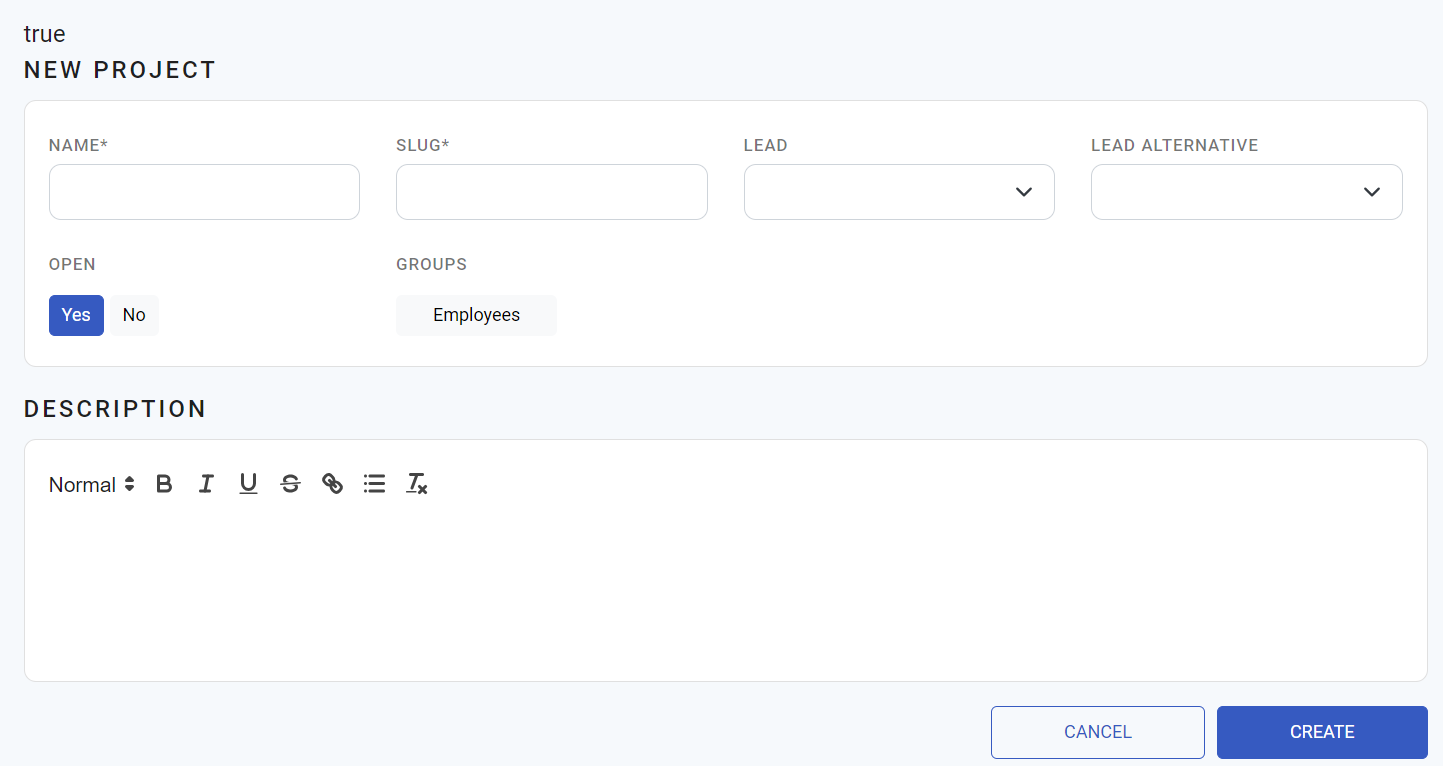
Create a Project Manager