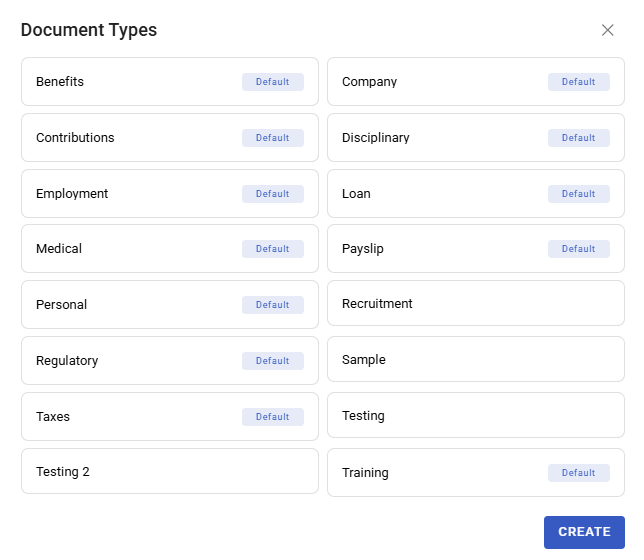
Document Templates
Document Templates generate employee documents — contracts, letters, certificates — by merging employee data into a document you have written once. Instead of editing a Word file for each person and hoping nobody's name is left from the last one, you generate.
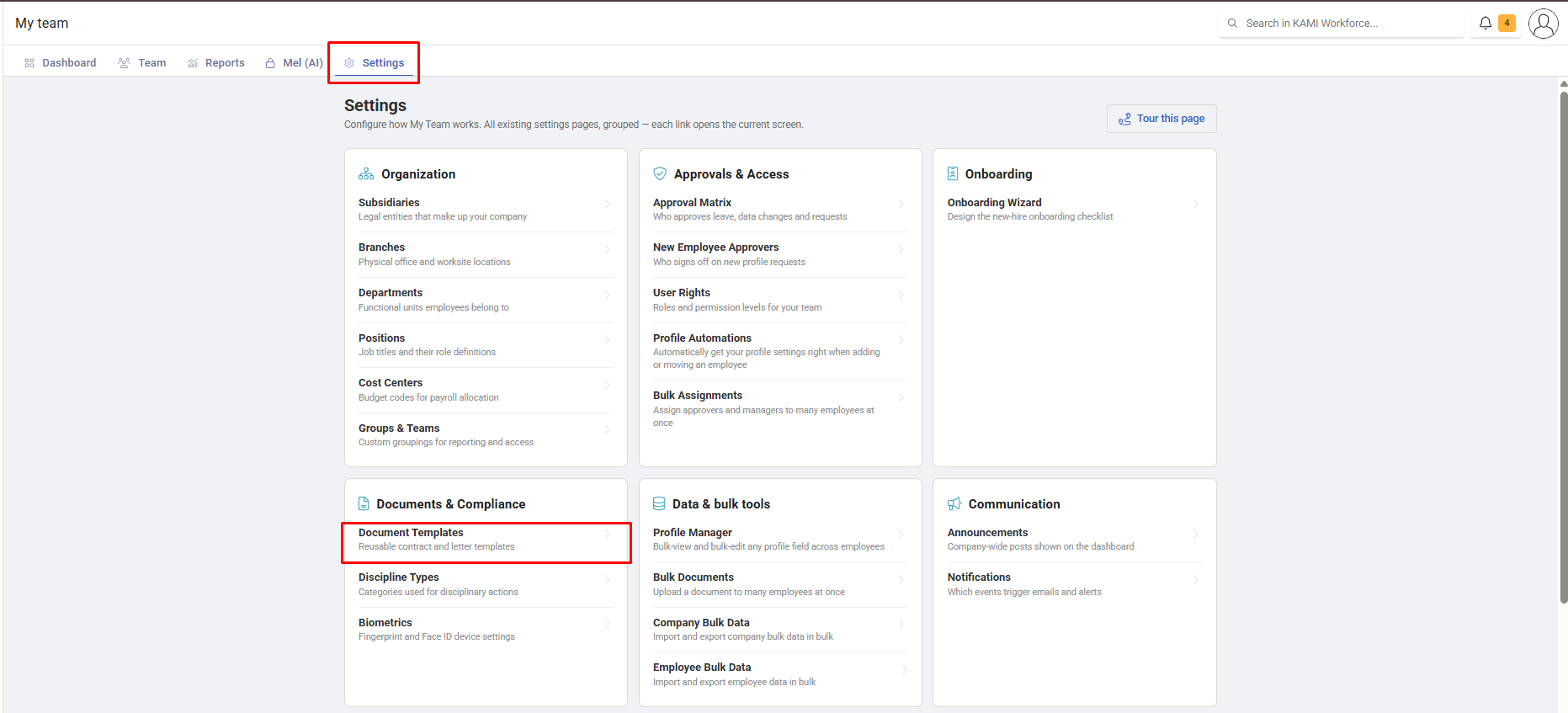
Where: My Team › Settings › Document Templates
You need: the documents right
When to use this, and when not to
| You want | Use |
|---|---|
| The same document, personalised per employee | Document Templates |
| To upload documents you already have, in bulk | Bulk Documents |
| Reference material people read | Policy Center |
| A policy people must acknowledge | Custom Policies |
Creating a template
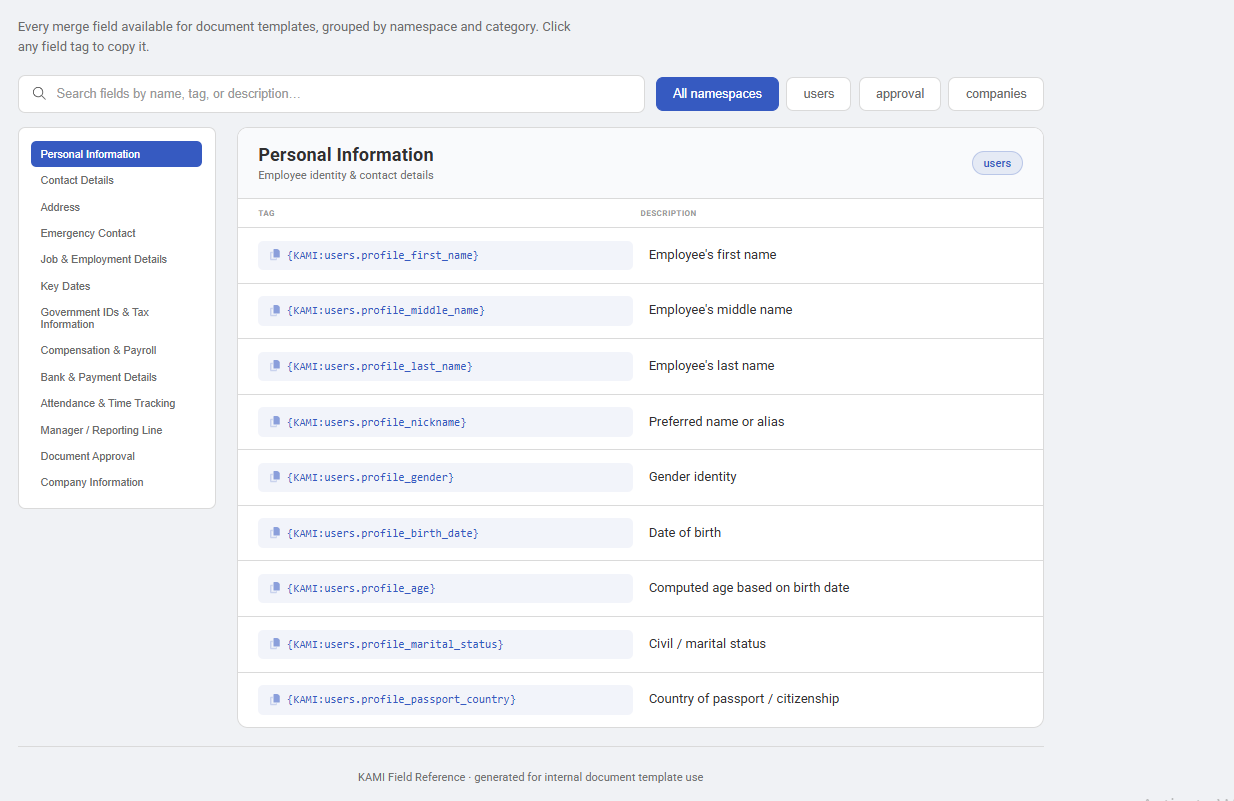
- Write the document in Word or Google Docs, with placeholders where employee data belongs.
- Save as .docx and upload it to KAMI as a template.
- Generate for an employee, and KAMI merges their data into it.
Where your company has custom fields, those can be merged too — which is what lets templates carry the details KAMI does not hold as standard.
Electronic signature
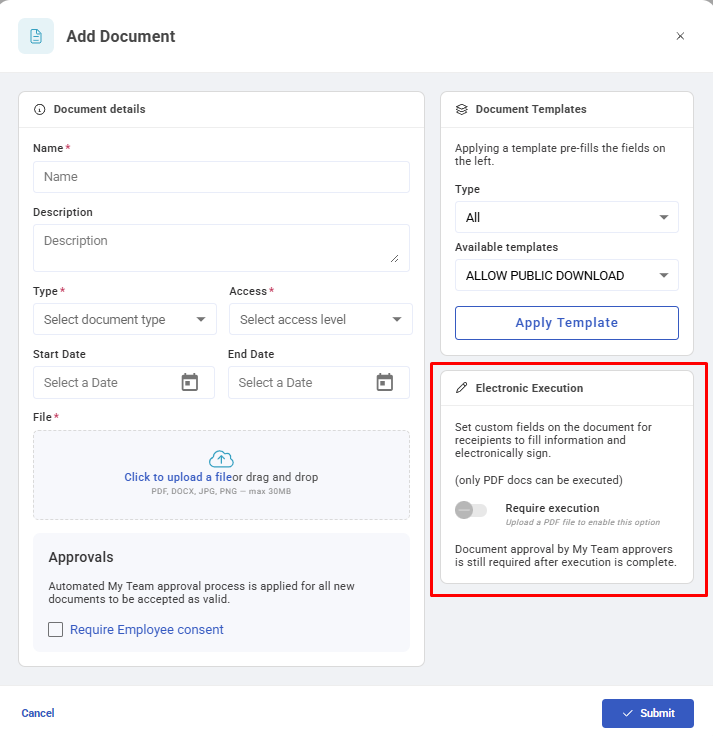
Templates can be set up for electronic document execution, so a generated document is sent for signing rather than downloaded and chased by email. Configure a document for execution when it needs a signature to be worth anything — contracts, variations, acknowledgements of receipt. Note that only PDF files can be executed for electronic signing.
What Happens Next
- A generated document is attached to that employee's profile, where it stays as part of their record.
- Generation takes a snapshot. The document reflects the employee's data at the moment it was generated — later profile changes do not update an issued document, which is correct for a contract and worth knowing.
- Where e-signature is used, the document moves through its signing flow and the executed copy is what lands on file.
Tips
- Test a template on one employee, and read the whole output. Merge fields that silently produce blanks are the classic failure — a contract with an empty salary line is worse than no contract.
- Check the placeholders against a real profile, not an ideal one. Templates usually break on the employee whose middle name, second address line or custom field is empty.
- Version the template name. "Employment contract (2026)" saves someone generating last year's terms.
- Use e-signature for anything you would otherwise chase. The administrative cost of documents is almost entirely in the chasing.
- Review templates when the law changes, not when someone notices. Contracts and letters carry statutory language and it dates.
Troubleshooting / FAQ
Q: A generated document has blanks where data should be. Those fields are empty on the employee's profile. Check Missing Data before generating in bulk.
Q: I updated a template — do issued documents change? No. Generation is a snapshot. Re-generate if the issued version needs to change.
Q: A custom field is not merging. The field must exist for the company before a template can reference it.
Screenshots