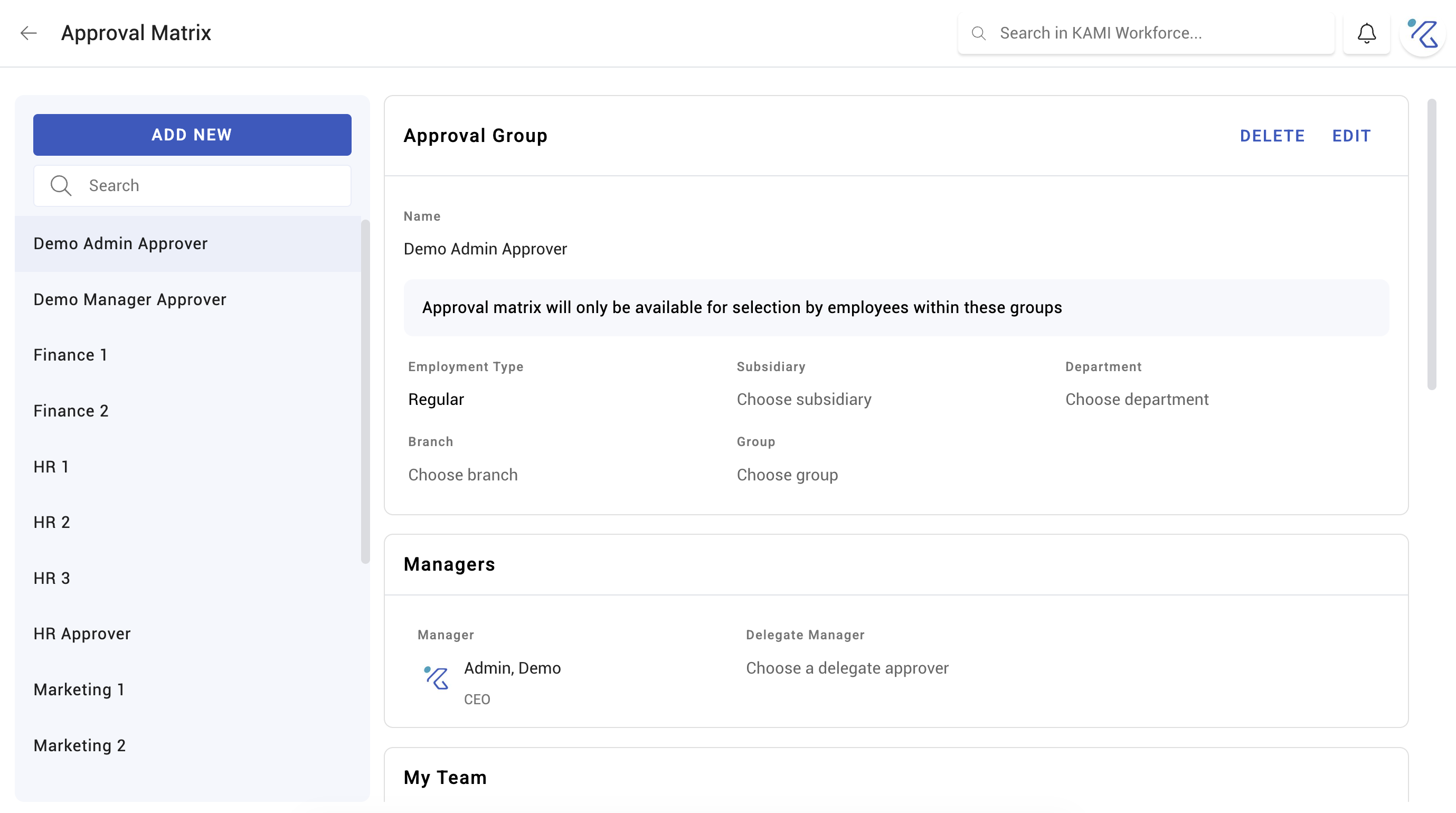
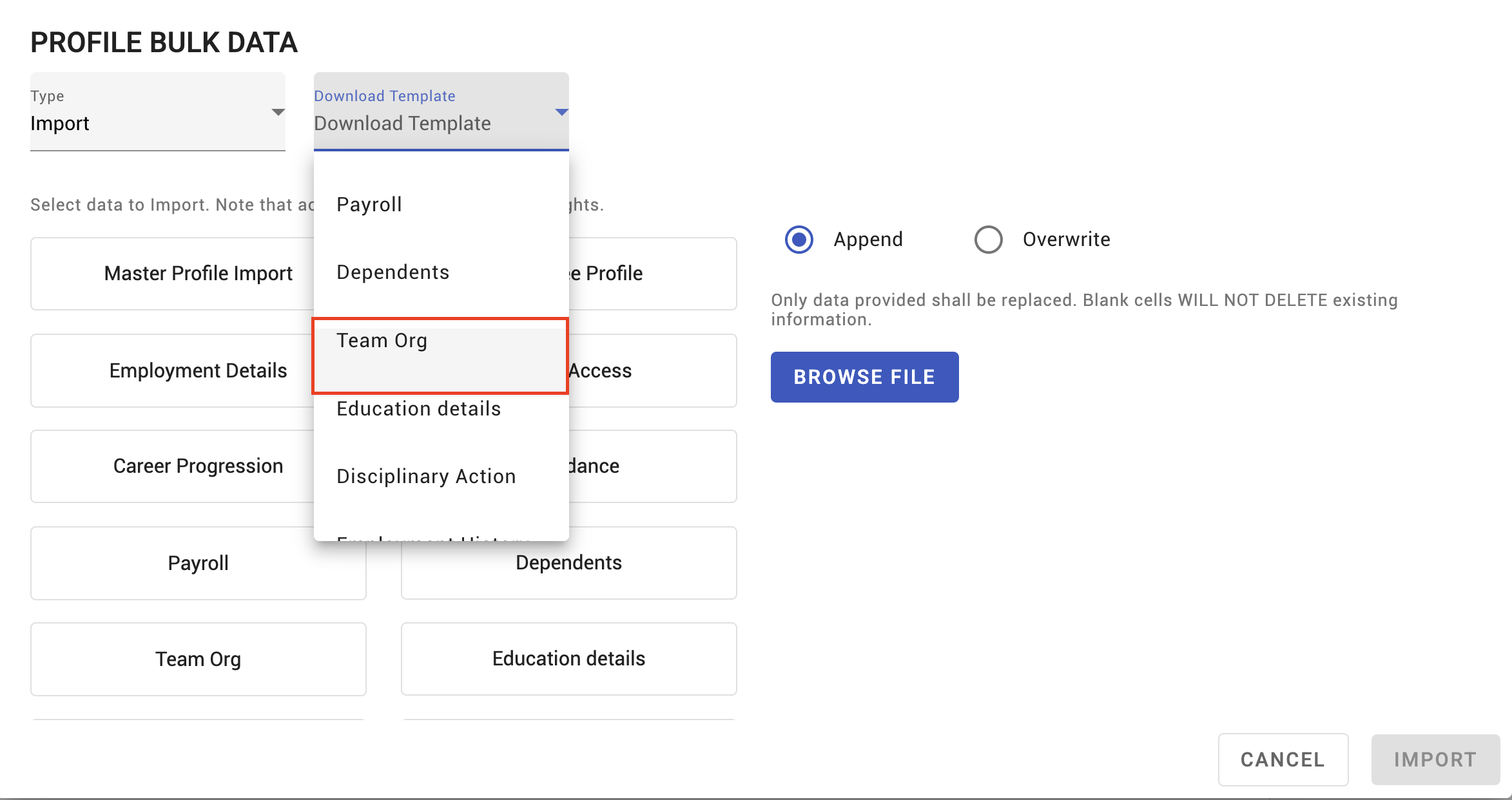
Approval chains and the approval matrix
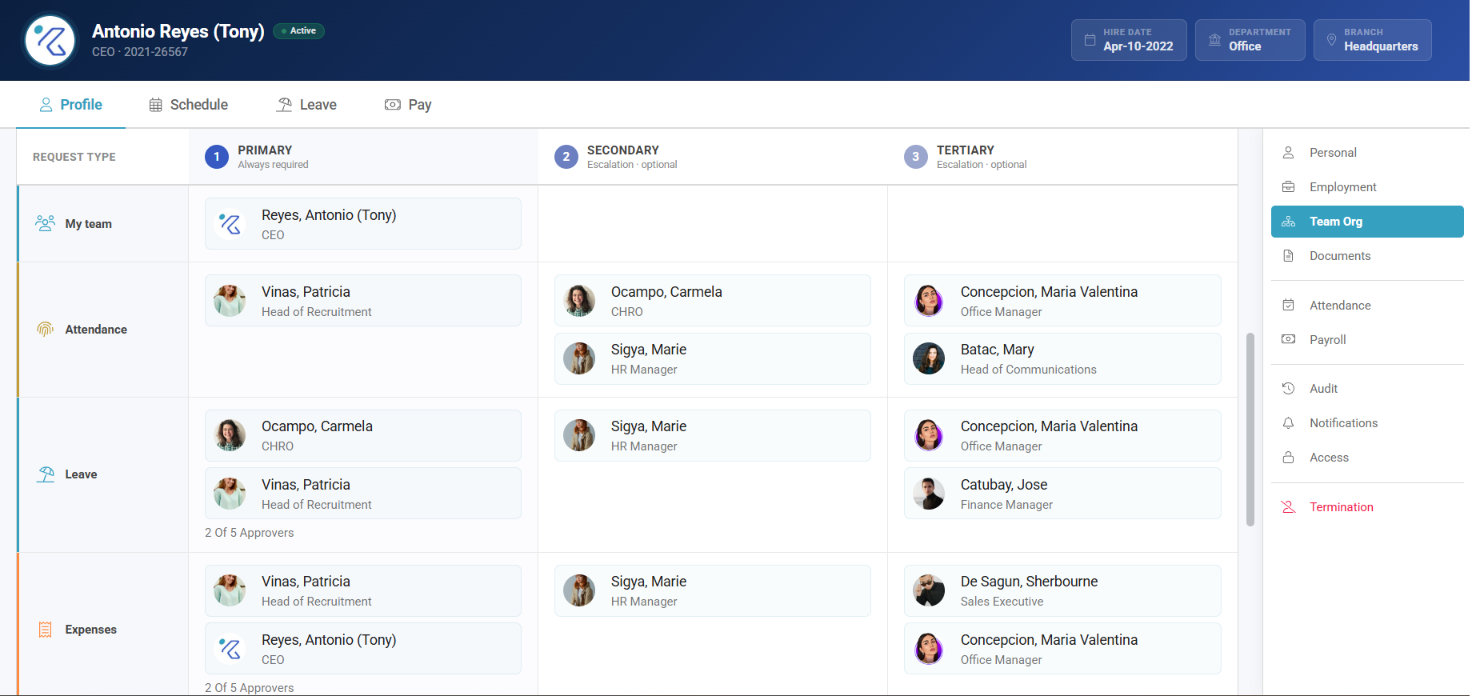
The approval matrix decides who signs off what. Leave requests, expense claims, attendance corrections, profile changes and new employees all route through it — which means a gap in the matrix does not produce an error, it produces requests that sit forever with nobody.
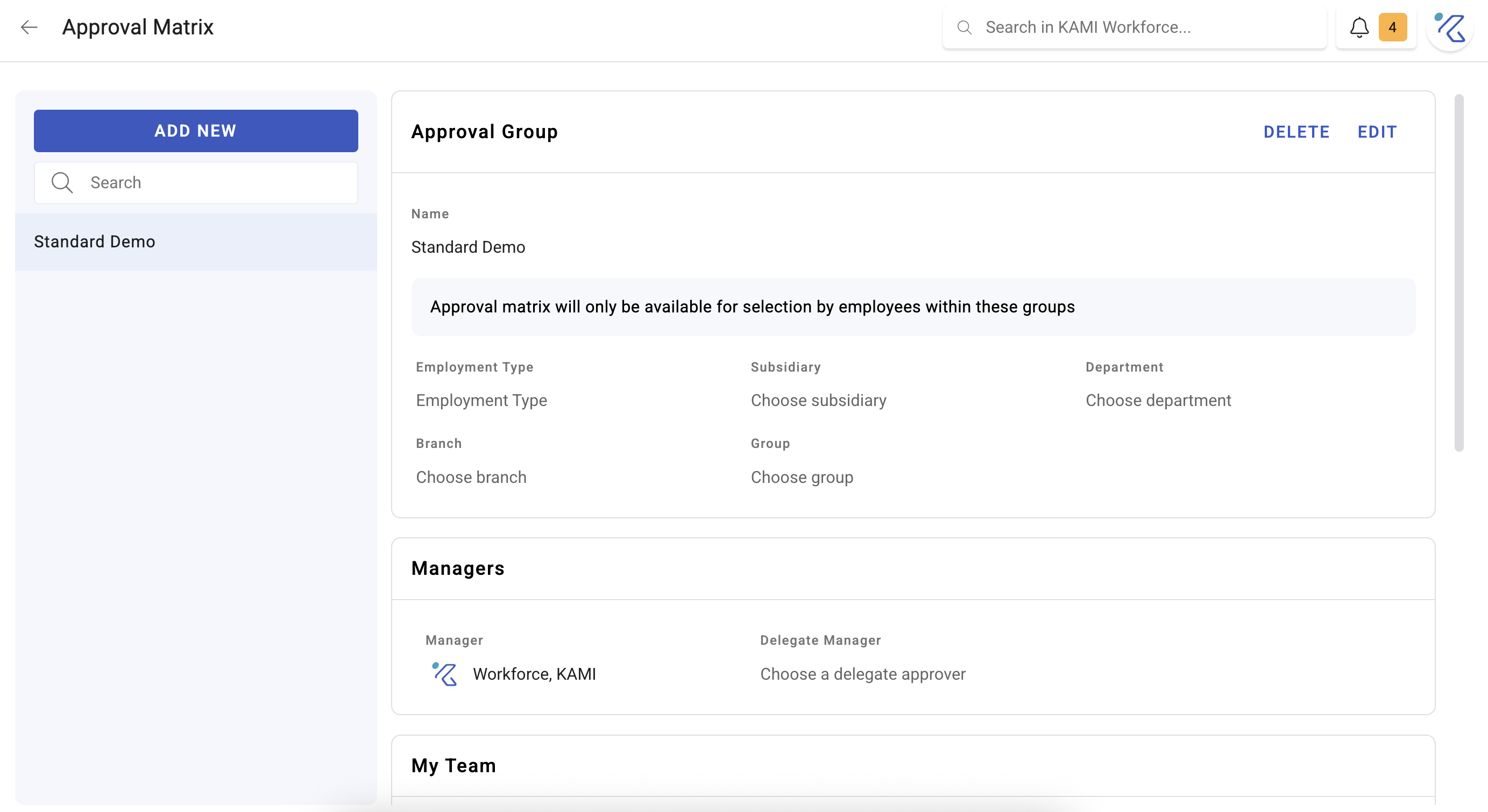
Where: My Team › Settings › Approvals & Access › Approval Matrix
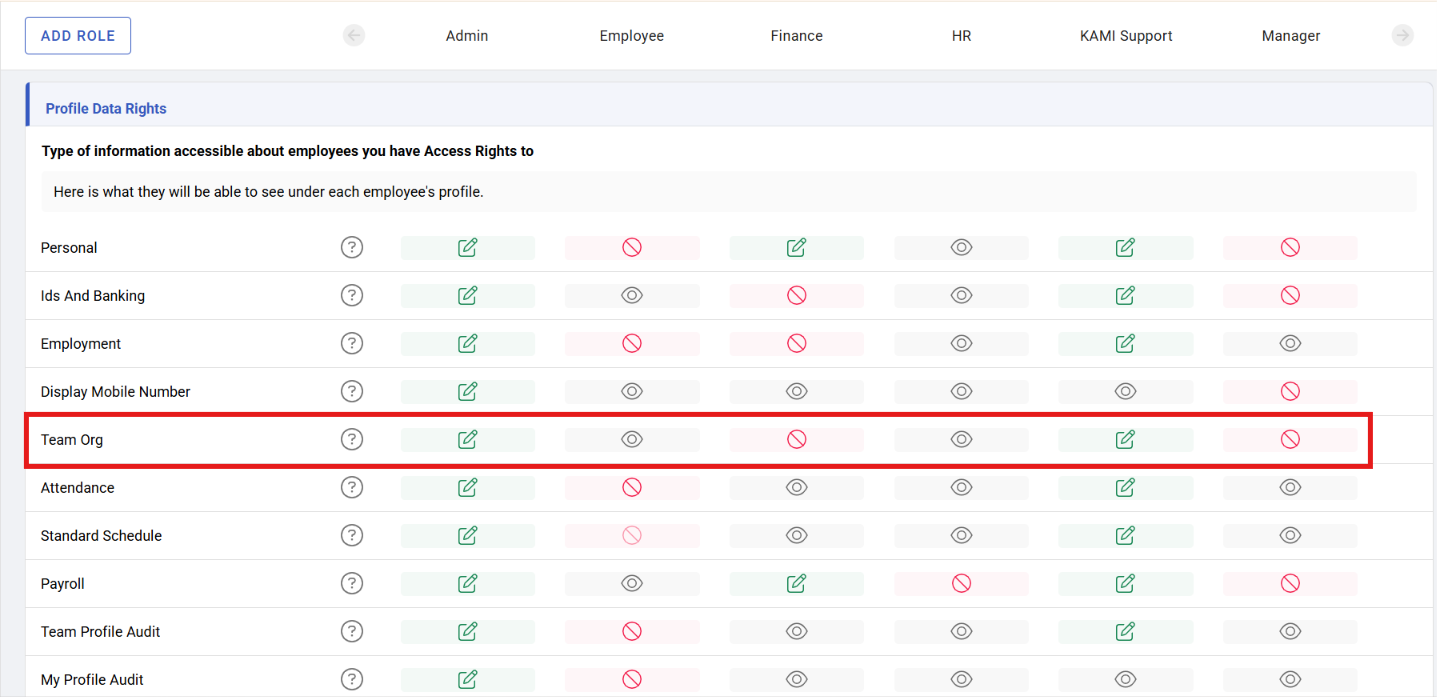
You need: the Team organisation right; new employee approvers needs the employee create right 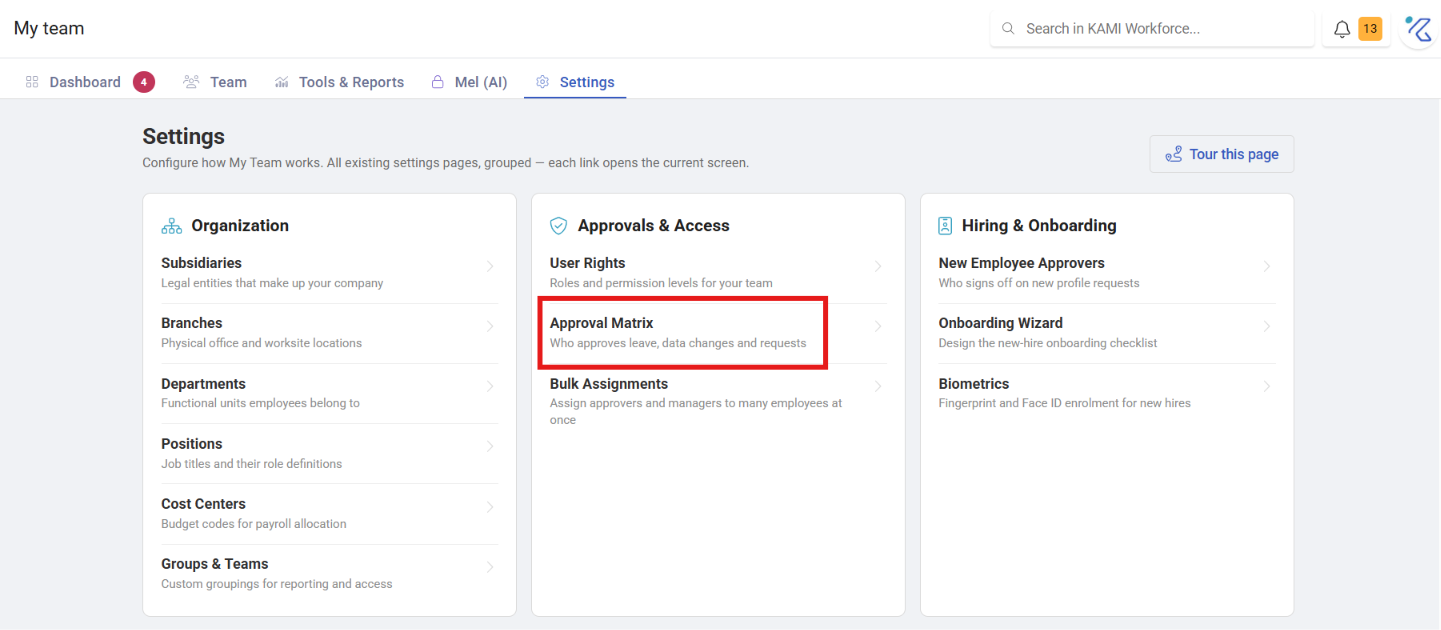
When to use this, and when not to
| You want to set | Use |
|---|---|
| Who approves requests, for a team or company-wide | The approval matrix |
| Who approves for one person only | That employee's profile |
| What someone is allowed to do | User rights — a different thing |
| Who approves a new employee | New Employee Approvers, separately |
Being someone's manager and being their approver are two different settings. A manager with no approval route configured approves nothing, and a common cause of stuck requests is assuming the org chart implies the matrix.
Before You Start
Set this up before anyone starts using KAMI. Approvals are the piece most often left until after people are in the system, and that is the wrong order: requests raised before there is a route do not disappear, they sit unapproved, and someone has to go back and clear them.
Build the matrix once your organisation structure exists, because routes are usually defined against departments and branches.
What routes through the matrix
Requests across modules, including:
- Leave requests
- Expense claims
- Attendance corrections
- Employee profile changes
Each can have its own route, so the person who approves a day off need not be the person who approves a bank-detail change — and generally should not be.
New employee approvers
Adding an employee is handled separately, under New Employee Approvers, because it is a different decision from approving a request from someone already employed.
Whoever is set here receives new profile requests, and their approval is what turns a created profile into an active employee. If profiles are being created but nobody is completing the setup, this is the first thing to check.
What Happens Next
- Anything awaiting a decision appears on that person's My Team dashboard, and the tab shows a count of what they personally can act on.
- The queue is not emailed at them; it waits for them. So an approver who says they were never told has, in practice, a number sitting on their dashboard — worth explaining when you set someone up.
- Approved requests take effect immediately; declined ones leave the original state unchanged.
- Changing a route affects new requests, not ones already in flight.
When a request is stuck
In the order worth checking:
- Is there a route at all? A request type with no configured approver has nowhere to go.
- Does the approver still work here? Approvals pointed at someone who has left are the most common cause. Deactivating an employee does not reassign what they were due to approve.
- Is the employee placed correctly? Routes usually key off department or branch. Someone in the wrong department routes to the wrong approver, or to none.
- Does the approver have the right? Being named as approver and having permission to act are two different things — see User rights and access control.
Tips
- Reassign before deactivating. The approval matrix is the thing most often forgotten in offboarding; discovering the gap when requests pile up is the expensive version.
- Check periodically that every route points at somebody who still works here. Ten minutes, twice a year.
- Name a deputy for anyone who approves routinely. A single approver on leave is a fortnight of stalled requests.
- Route sensitive changes differently from routine ones. Bank details and salary should not follow the same path as a day off.
- Tell new approvers where the queue is. Most "I never got it" is someone who has never opened their dashboard.
Troubleshooting / FAQ
Q: Requests are not reaching anyone. No route exists for that request type, or the employee's placement does not match any route.
Q: A new employee profile is stuck as unapproved. Check New Employee Approvers — it is separate from the main matrix.
Q: Someone was made a manager but is not approving anything. Manager and approver are different settings. Add them to the matrix.
Screenshots
These screenshots came from our previous help centre and may show an earlier version of the interface.
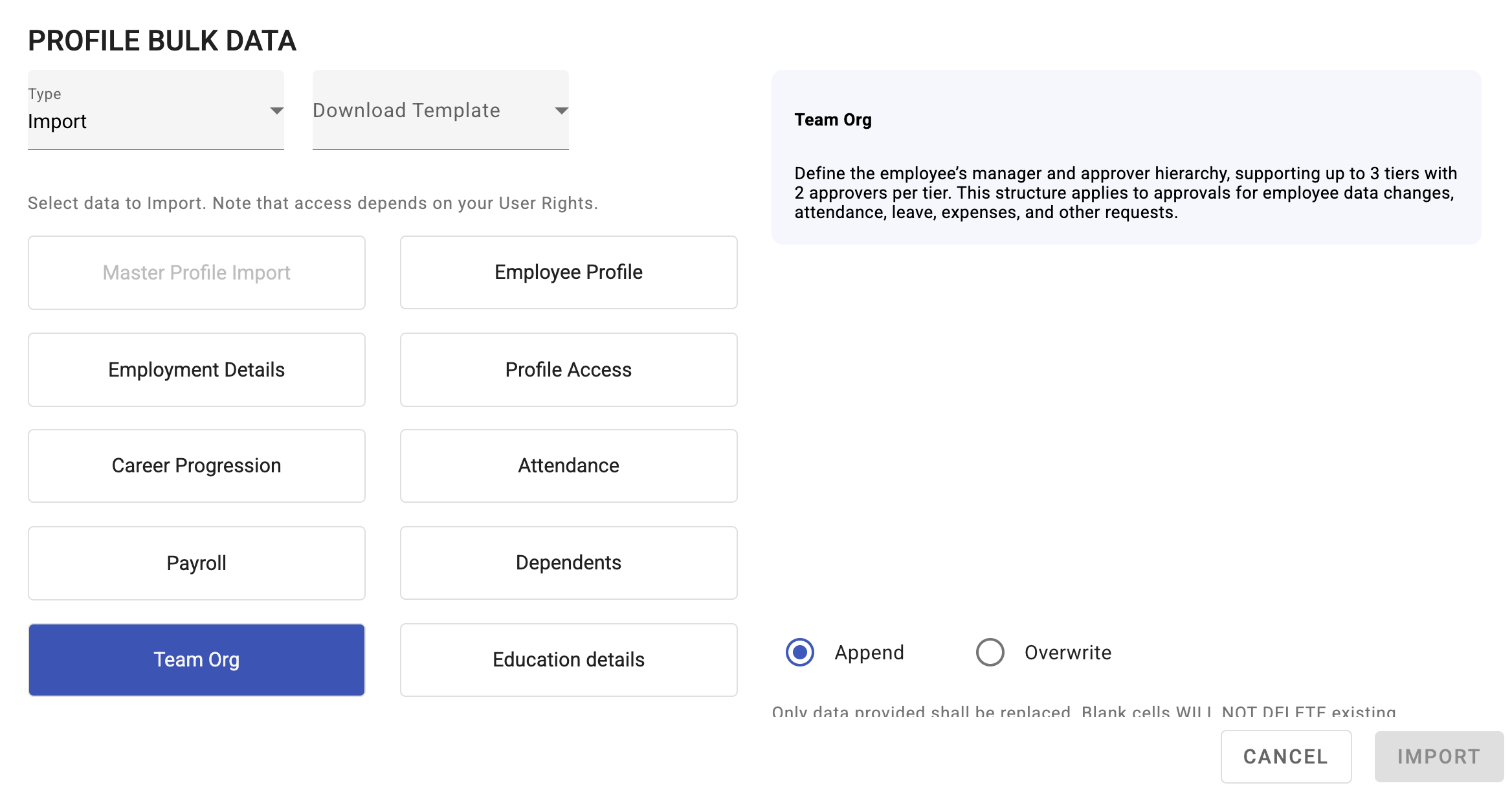
Set Up Team Org and Approval Chains
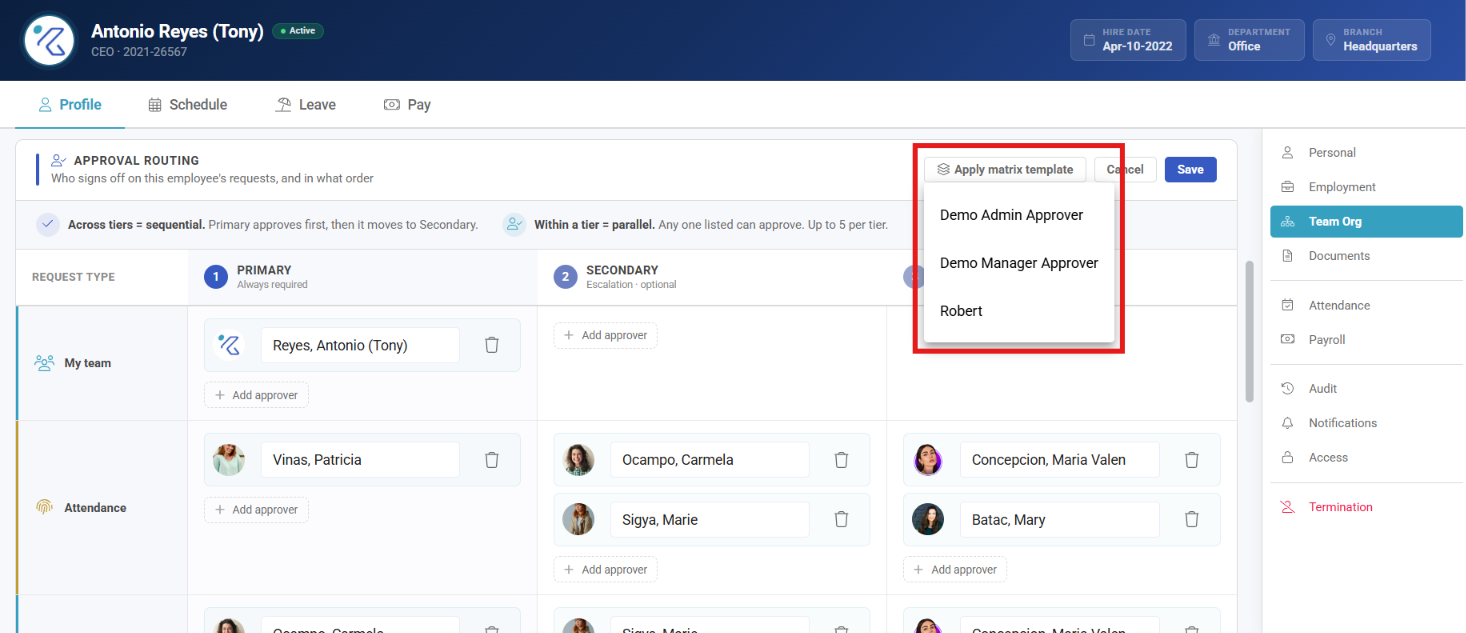
Set Up the Approval Matrix