Biometrics Report and Device Settings
Where your company uses biometric devices for attendance, this is where you see what those devices are recording and how they are configured. It is also the first place to look when a site's attendance data goes quiet — because a failing device does not raise an alarm, it just stops producing records.
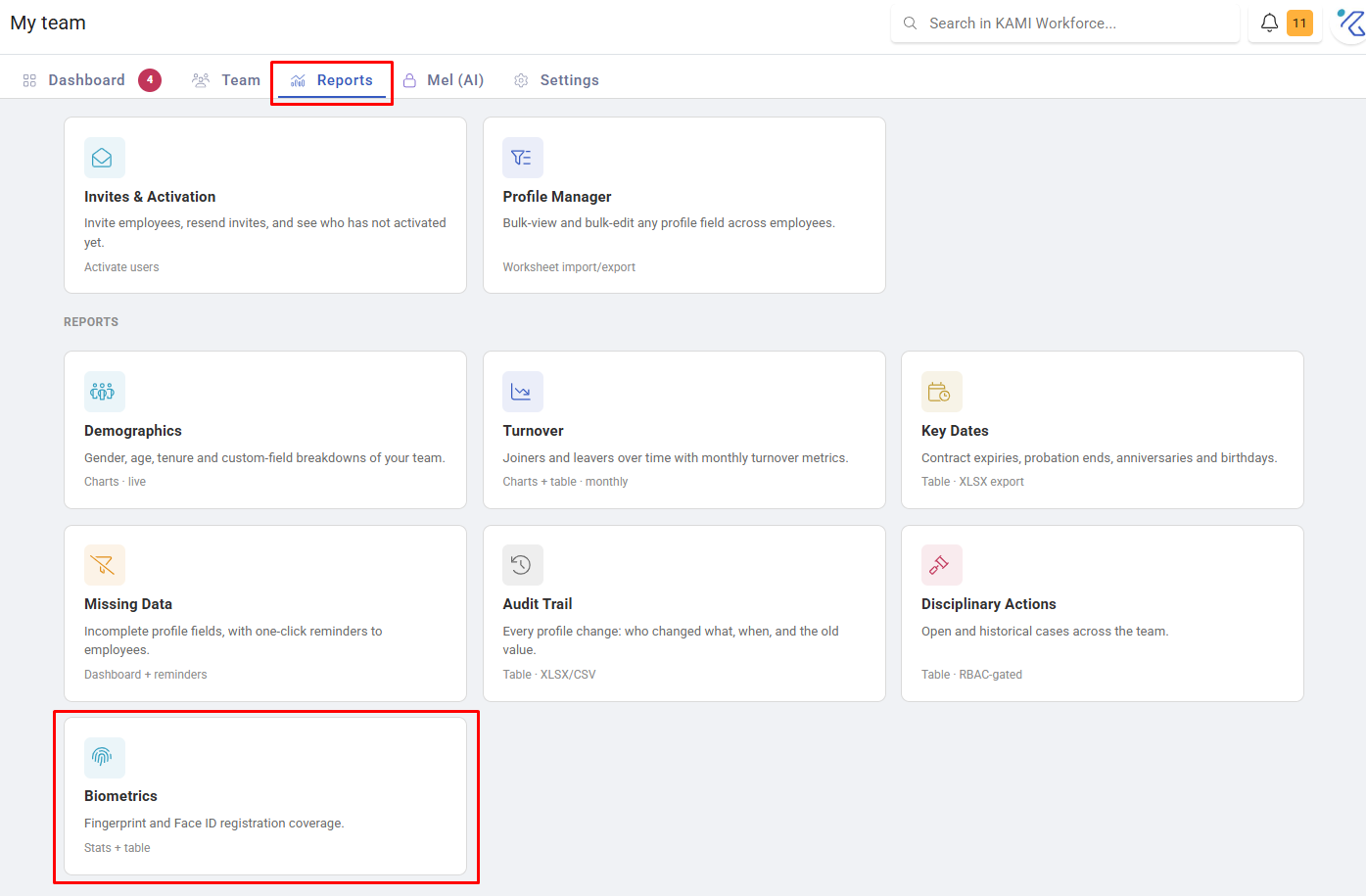
Where: My Team › Reports › Biometrics
You need: the Reports (team) right; device settings need admin rights
When to use this, and when not to
| The question | Use |
|---|---|
| What are our biometric devices recording? | This report |
| Why is one person's day wrong? | Events in Attendance |
| Are check-ins failing on mobile or tablet? | The check-in error reports — see Attendance reports |
| How do I set up a device? | KAMI ClockSmart |
What it shows
Biometric records and device configuration for your sites, filterable by the usual organisational dimensions and by date.
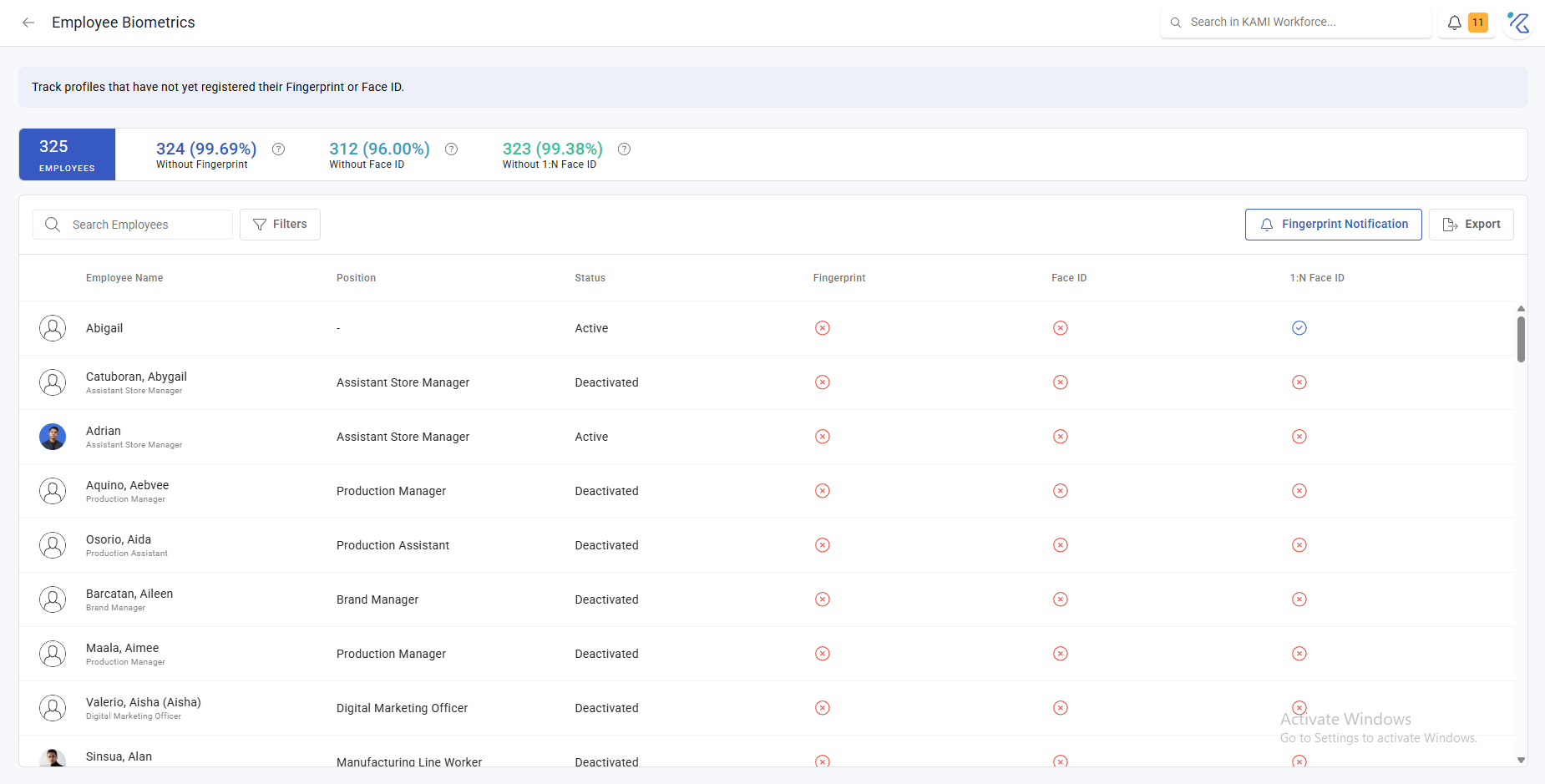
The pattern worth watching is volume against expectation. A device serving forty people should produce a predictable number of records a day. A drop is the signal — and it is easy to miss, because the absence of records looks like nothing rather than like an error.
Why device problems are expensive
The chain is always the same, and it runs one way:
A device stops recording → taps are missing → attendance events land as missed start or missed end → employees raise corrections → approvers work through a pile of them → and if the attendance lock closes first, some of those days can no longer be fixed at all.
Catching it here costs minutes. Catching it at the far end costs an approver a morning and, occasionally, someone's pay.
What Happens Next
- Records from devices become time logs, which build attendance events — see How timekeeping is calculated.
- Device configuration changes apply to subsequent records, not historical ones.
- Nothing here corrects an attendance record; corrections happen in Attendance.
Tips
- Glance at it weekly, per site. You are looking for a change in volume, not reading individual records.
- Investigate the device before the person. Clustered missing taps at one location is a device; scattered ones are habits.
- Pair it with the mobile and tablet check-in error reports. Between them they distinguish "the device is not recording" from "the device is rejecting attempts", which have different fixes.
- Know who owns the hardware. The commonest delay is not diagnosis but working out who can physically go and look at the tablet.
Troubleshooting / FAQ
Q: A site has almost no records this week. Check the device is powered and connected before anything else. Offline devices store taps and sync later, so records may arrive in a batch — see Offline and remote check-ins.
Q: Records exist but attendance still shows missed start. The tap may have arrived after the event was calculated. Refresh the affected events.
Q: One employee is never recorded. They are probably not registered on the device. See KAMI ClockSmart.