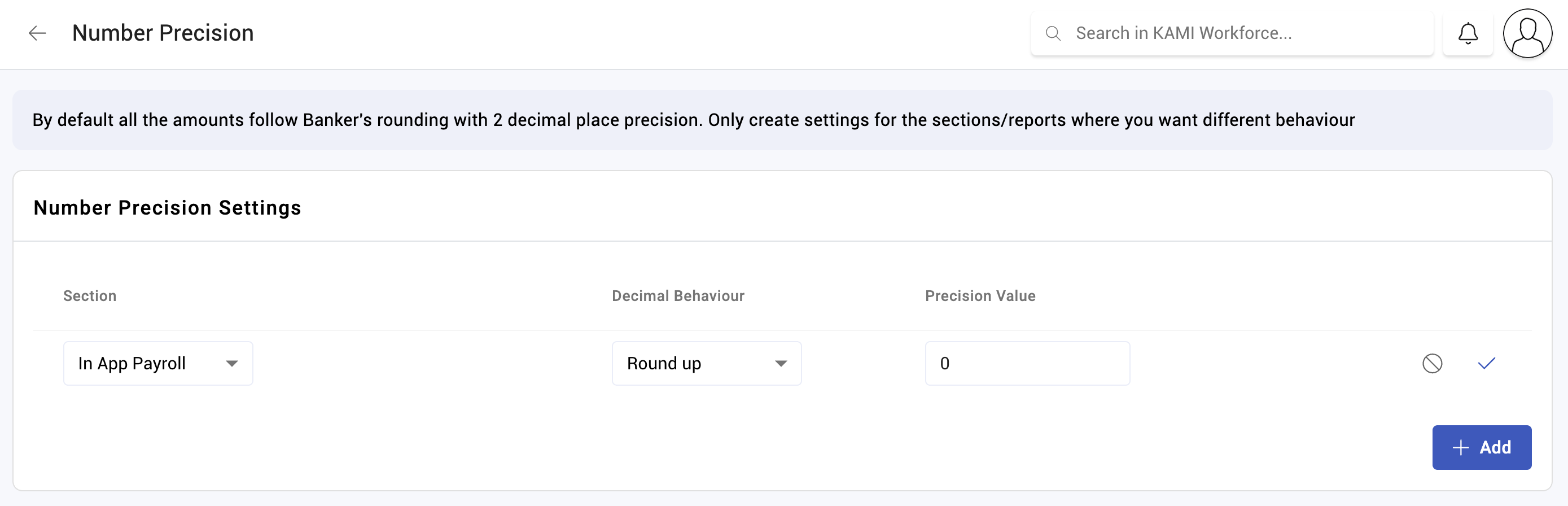
Number precision
Number precision sets how many decimal places payslip figures are held and shown to. It sounds cosmetic and is not: rounding decisions accumulate across hundreds of employees and twelve months, and they are what makes a payroll reconcile or not.
Where: Settings › Payroll › Payslip customisation You need: the payroll settings right
What it controls
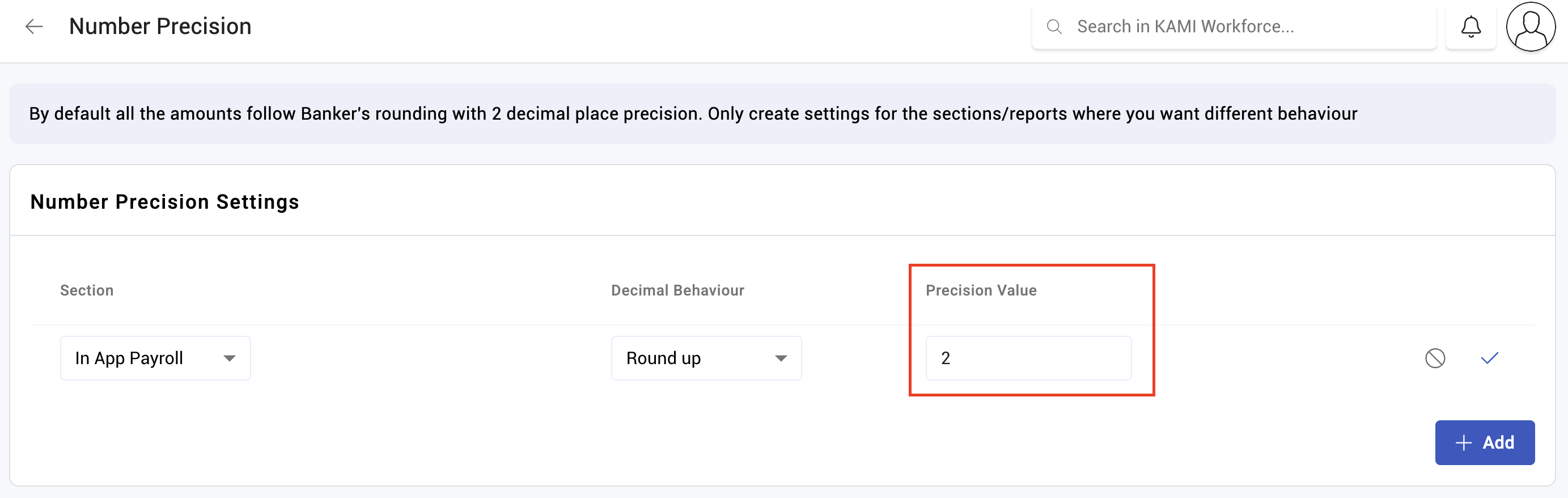
Payslip figures are held to a set precision — two decimal places by default, which suits currencies with minor units.
The setting affects how amounts are stored and displayed on payslips and in exports. It is applied consistently across the payslip rather than per line, which is what allows the parts to sum to the total.
Precision is not the same as rounding
Two different mechanisms, often confused:
| What it does | Set in | |
|---|---|---|
| Number precision | How many decimal places figures carry | Payslip customisation |
| Contribution rounding | How a contribution is rounded, and to what multiple | Each contribution type |
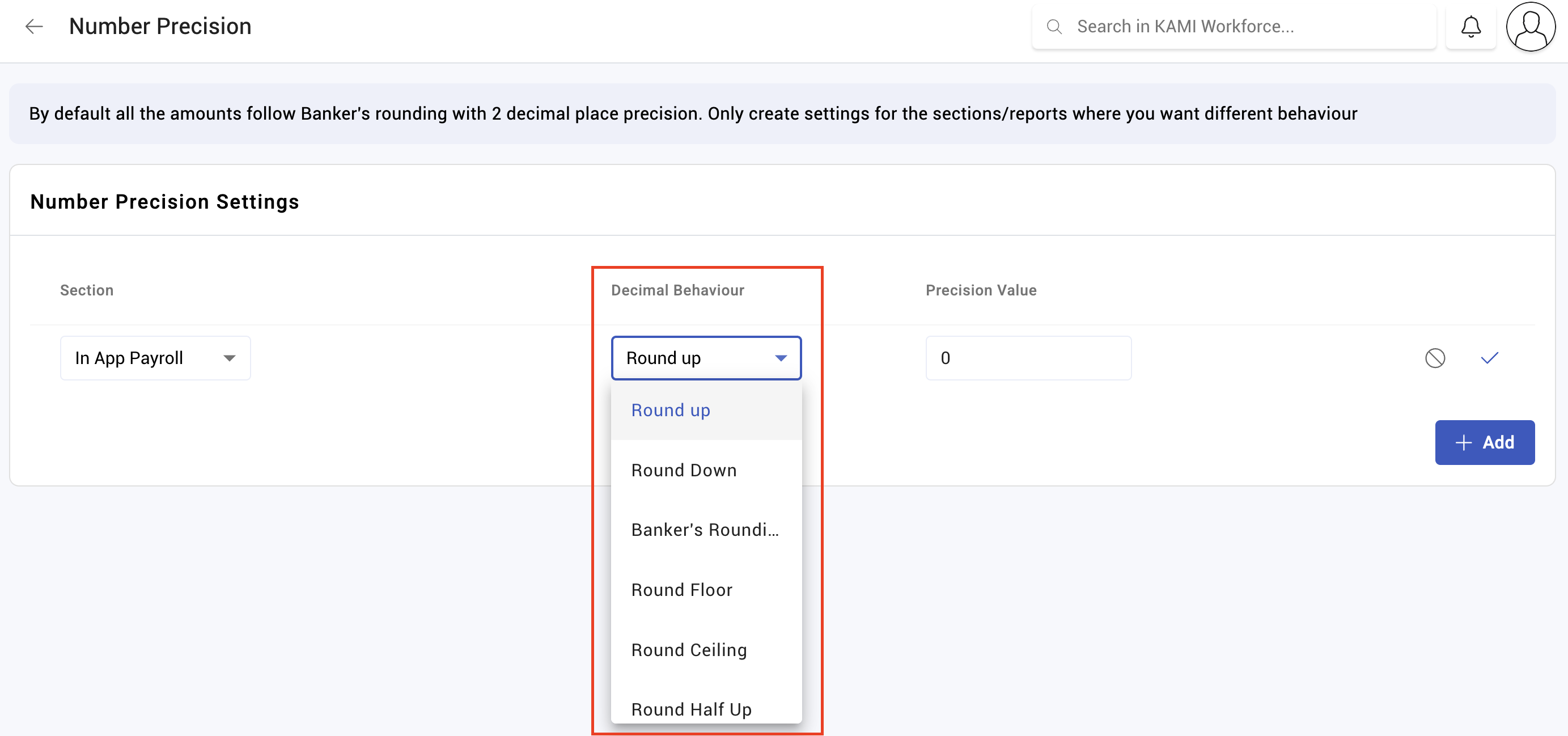
A contribution that must land on a whole number or a fixed step is handled by its own rounding method, not by this setting — see Contribution types.
How to set it
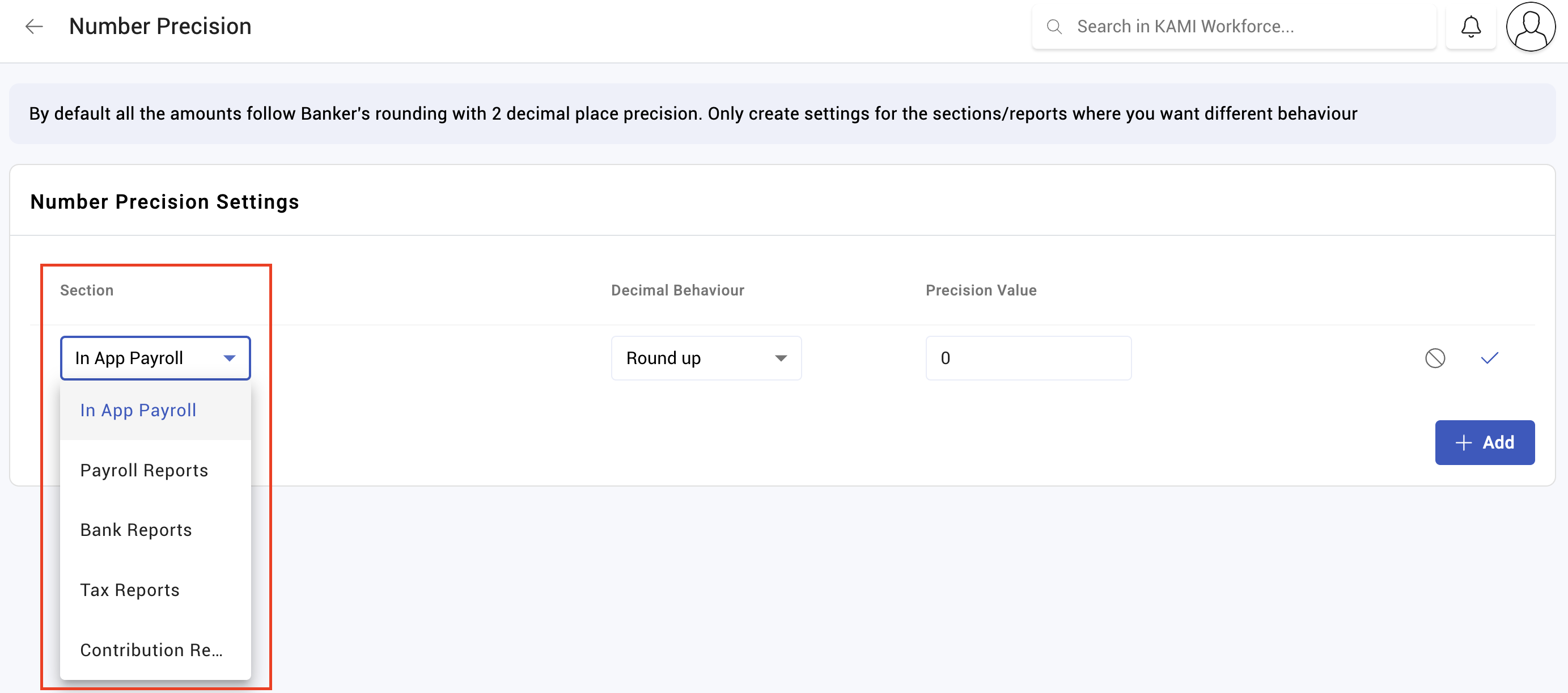
- Open Settings › Payroll › Payslip customisation.
- Set the number precision.
- Recalculate a test payslip and confirm the lines still sum to the total.
What Happens Next
- Precision applies when payslips are calculated. Payslips already calculated keep the precision they were produced with.
- Exports and reports carry the same precision, so finance sees what the payslip shows.
- Changing it mid-year means payslips from the same year were produced two different ways, which makes annual reconciliation harder.
Tips
- Set it before your first live run and leave it alone. There is no good reason to change precision mid-year and several bad consequences.
- Match your currency's minor unit. Two places for currencies with cents; think carefully before anything else.
- Check the payslip sums after any change. If lines no longer add to the total, precision is the first thing to look at.
- Do not use precision to fix a contribution that is a unit out. That is a rounding-method problem on the contribution type, and changing precision to mask it will break something else.
Troubleshooting / FAQ
Q: The payslip lines do not add up to the total. Check precision, and check that the payslip was calculated under the current setting.
Q: A contribution is a unit out from the official table. That is the contribution type's rounding method and multiple, not this setting.
Q: We changed precision and old payslips look different from new ones. They were calculated under different settings. This is why precision should be settled before going live.
Screenshots
These screenshots came from our previous help centre and may show an earlier version of the interface.